
Quick Summary
Use a thermal printer for A6 sticker labels (4 inch x 6 inch). In Settings > Account Settings > AWB Settings, put A6 Sticker first in your label size order. The Shop sells thermal label rolls.
We'll Cover:
Set the label size
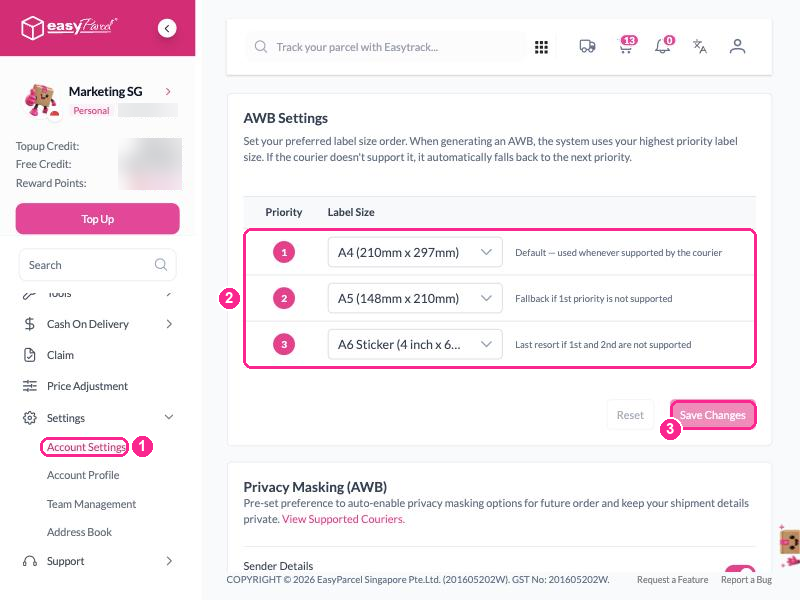
In AWB Settings, set the priority: for example 1 A6 Sticker, 2 A5, 3 A4. The system uses your first choice when the courier supports it.
Click Settings > Account Settings (1). Under AWB Settings, set the label size priority (2), for example A6 Sticker first for a thermal printer, then click Save Changes (3).
Get thermal rolls
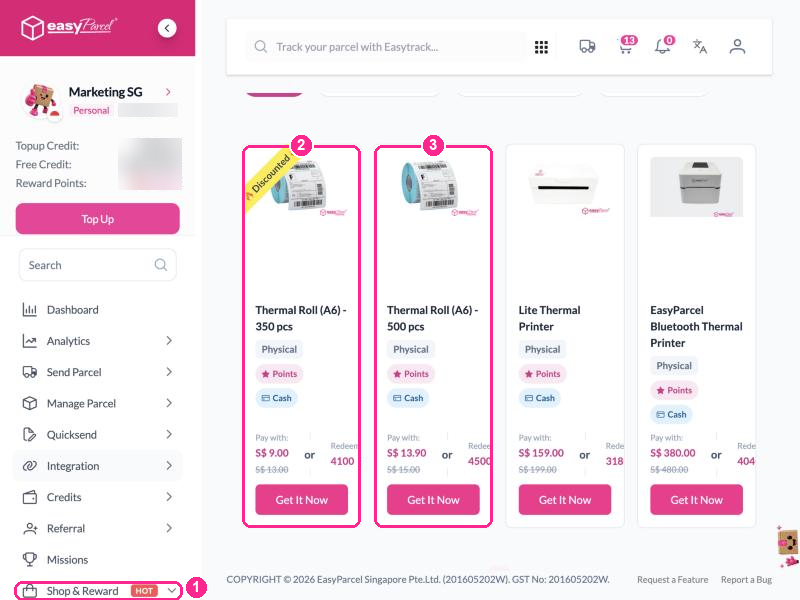
The Shop has A6 thermal rolls in different quantities. See Where can I get packing materials?
Prefer a video? Watch How to Change AWB Size Priority in Support > Video Tutorial.
Click Shop & Reward (1) > Redeem & Shop and search for "Thermal" for Thermal Roll (A6) - 350 pcs (2) and 500 pcs (3).
In the app
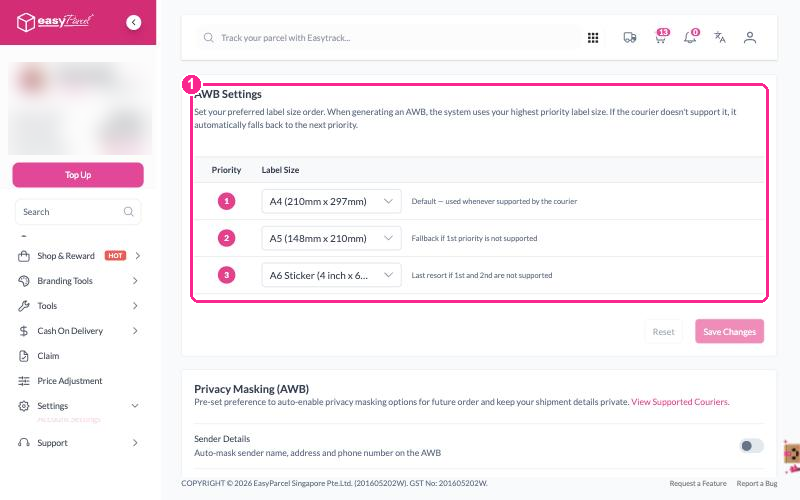
Open Settings > Account Settings. Under AWB Settings (1), choose the label size for each priority and click Save Changes.
Still need help?
Our team is happy to help. ? Live Chat | ✉️ Contact Us