
Quick Summary
Add WooCommerce with the Import Version, then connect your store.
We'll Cover:
Steps
- In EasyParcel, click Integration > Add Ecommerce App.
- Find WooCommerce and click Install App.
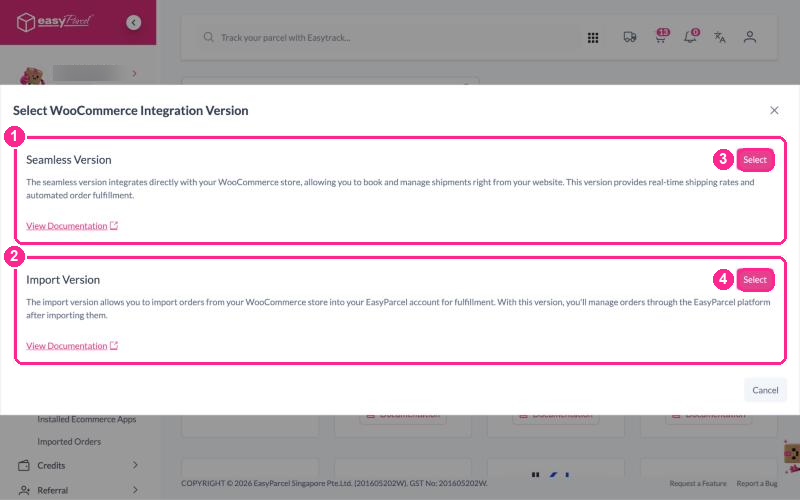
- Select Import Version.
- Enter Store Name and Store URL and click Add.
In the version window, click Select on Import Version (2, 4).
Orders that can be imported
- Created within the last 7 days.
- Order status is Processing.
- Product weight is not empty.
What's next?
Still need help?
Our team is happy to help. ? Live Chat | ✉️ Contact Us