
Quick Summary
To automate your shipping, connect your Shopcada store via the 'Integrations' tab on the EasyParcel SG dashboard. Select 'Add New Store', choose Shopcada, and fill in your store details to generate a connection. Once activated, you can import orders directly to your dashboard, allowing for bulk courier booking and automated Air Waybill (AWB) generation. This integration is relevant to Singapore retailers looking to eliminate manual data entry and streamline their domestic delivery workflow through Shopcada.
With an E-commerce website builder like Shopcada, building an E-commerce store has never been easier. In fact, you can set up your online store with Shopcada and launch it within minutes! Not only that, whenever your customers place orders, the shipments can be booked via EasyParcel in just a few clicks by integrating your Shopcada store with EasyParcel.
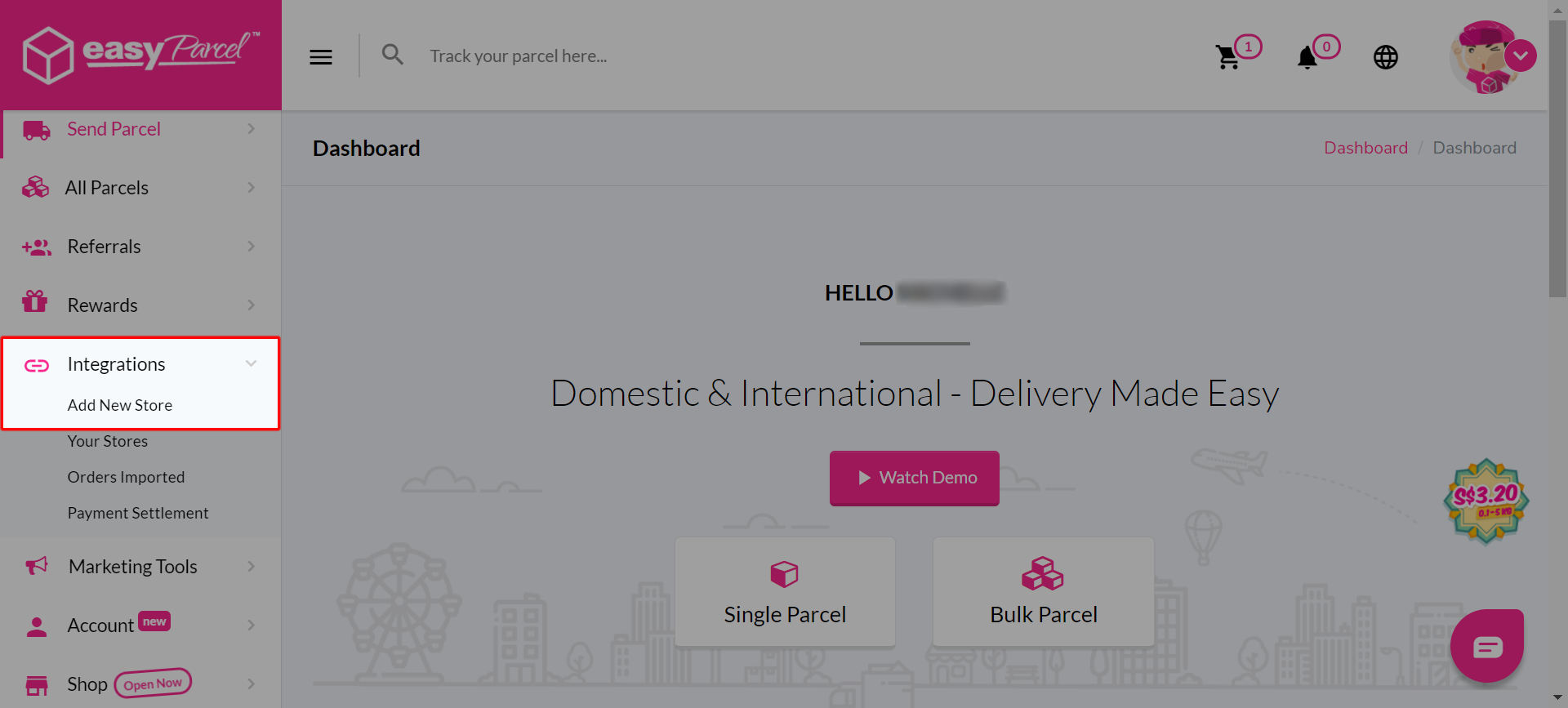
Step 1: Click on Integrations > "Add New Store".
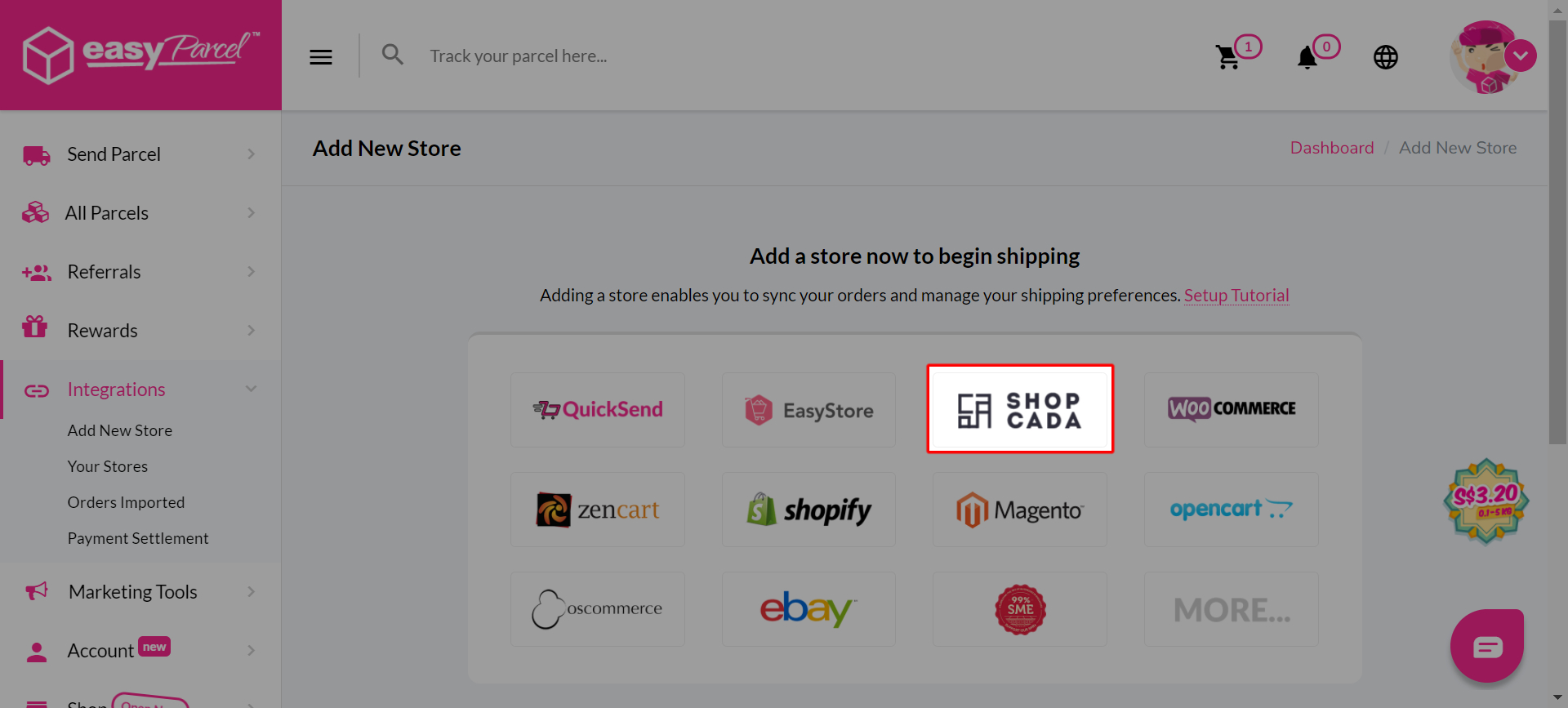
Step 2: Choose "Shopcada"
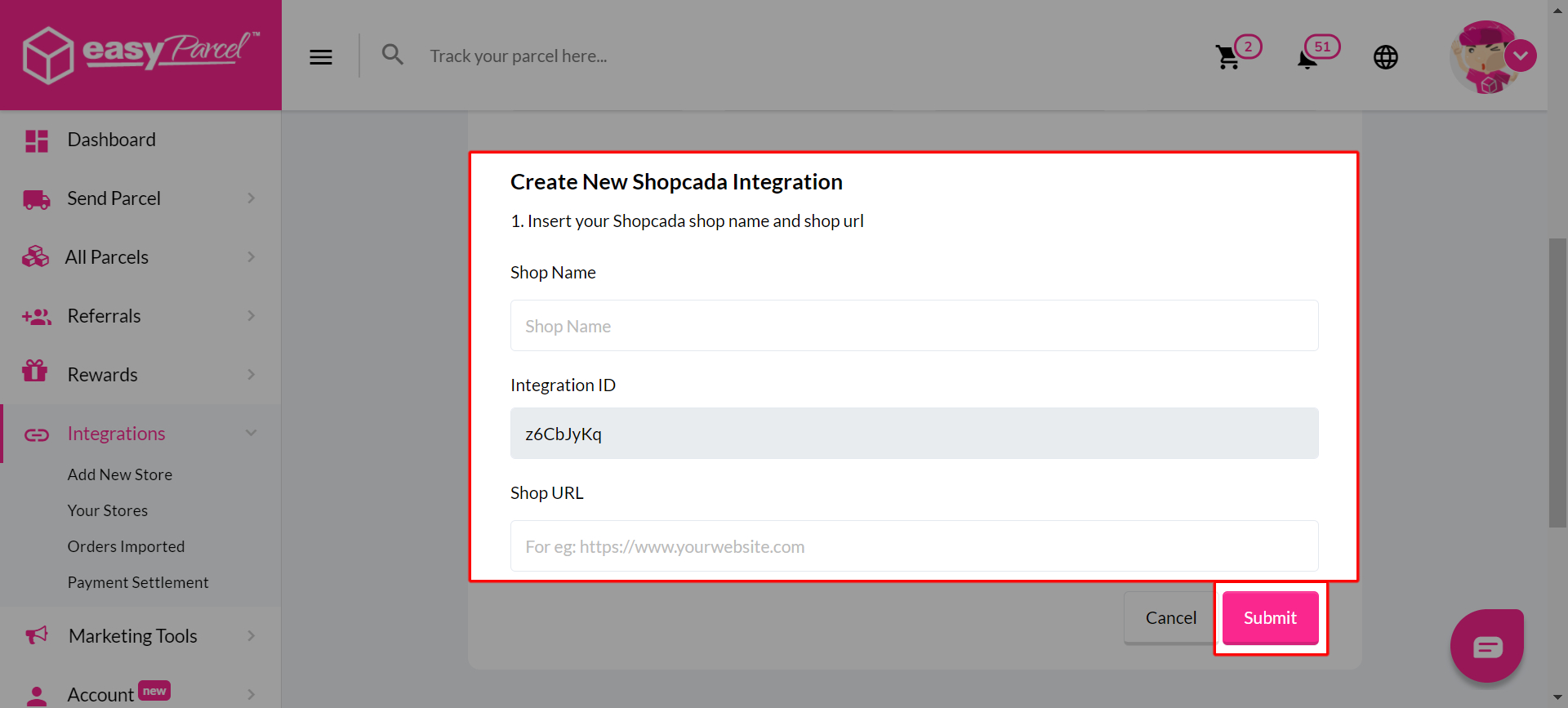
Step 3: Fill Up Details and click “Submit” and your integration is completed.
-----UPDATE LATER