
Quick Summary
A billing profile is the company your invoices are made out to. Save it once in your User Profile, then choose it on any account you manage.
We'll Cover:
Add a billing profile
- Click the profile icon at the top right > User Profile.
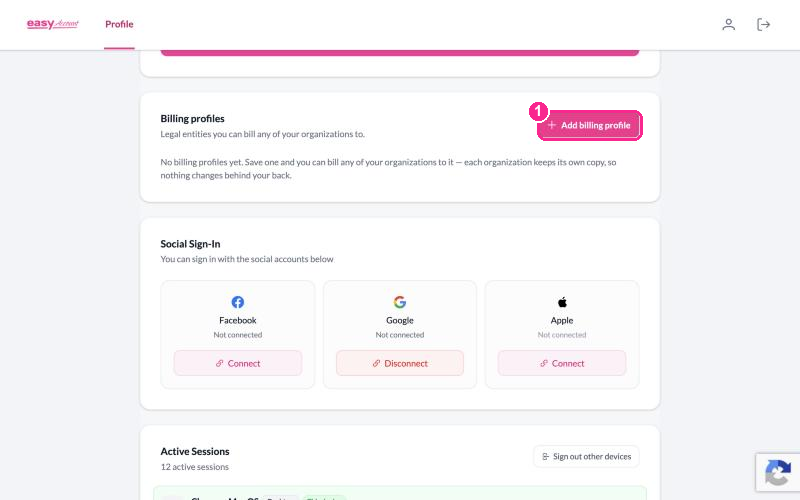
- Under Billing profiles, click Add billing profile (1).
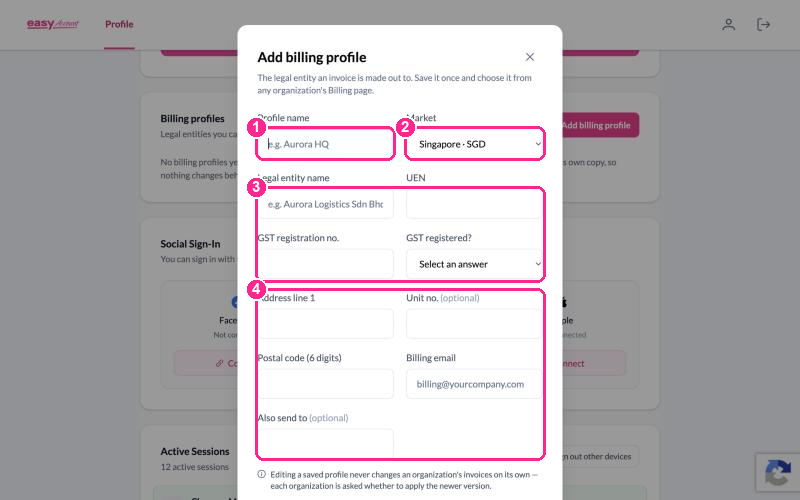
- Enter a Profile name (1), for example your company's short name.
- Choose Singapore · SGD under Market (2).
- Enter your Legal entity name, UEN, GST registration no. and whether you are GST registered (3).
- Enter your address, 6-digit postal code and Billing email (4). Add another email under Also send to if you like.
- Click Save Profile.
Use it on your account
Choose the profile on your account's Billing page.
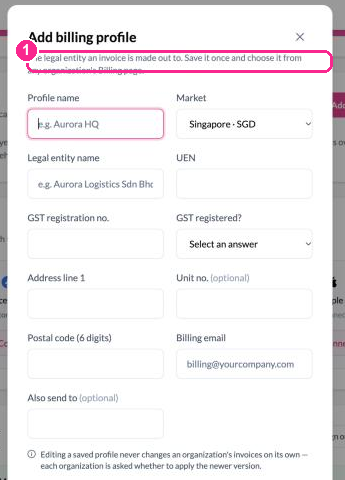
The form says you can choose it from any organization's Billing page (1).
Editing a profile
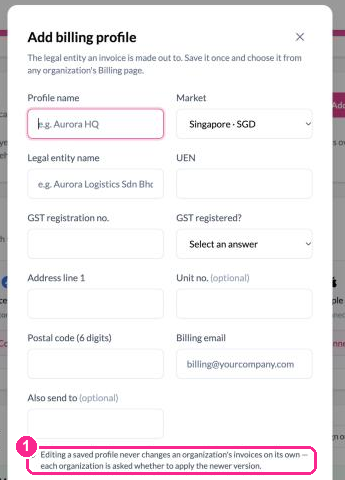
Editing a saved profile does not change invoices on its own. Each account is asked whether to use the new version.
The note at the bottom of the form explains this (1).
What's next?
Still need help?
Our team is happy to help. ? Live Chat | ✉️ Contact Us