
Quick Summary
To use a coupon on EasyParcel SG, you first need to claim it by navigating to Account > Coupons in your dashboard, entering your code, and clicking "Claim It". Once claimed, the coupon is stored in your account. To get the discount, book a shipment via Single Parcel or Bulk Parcel, and at the checkout page, click "Click here to enter your coupon code" before making payment. Select your desired coupon and click "Apply Now" to see the price reduction instantly.
EasyParcel allows you to check for delivery rates from different courier companies and book delivery online. If you're reading this, congratulations for being the lucky one to get yourself some incredibly alluring coupons from us! EasyParcel occasionally provides free delivery credits or coupons through campaigns, promotions or events. Not sure what a coupon code really is? Click here to learn more. If you're still scratching your head on how to get started with your claimed EasyParcel coupons, keep reading.
How to claim your coupon?
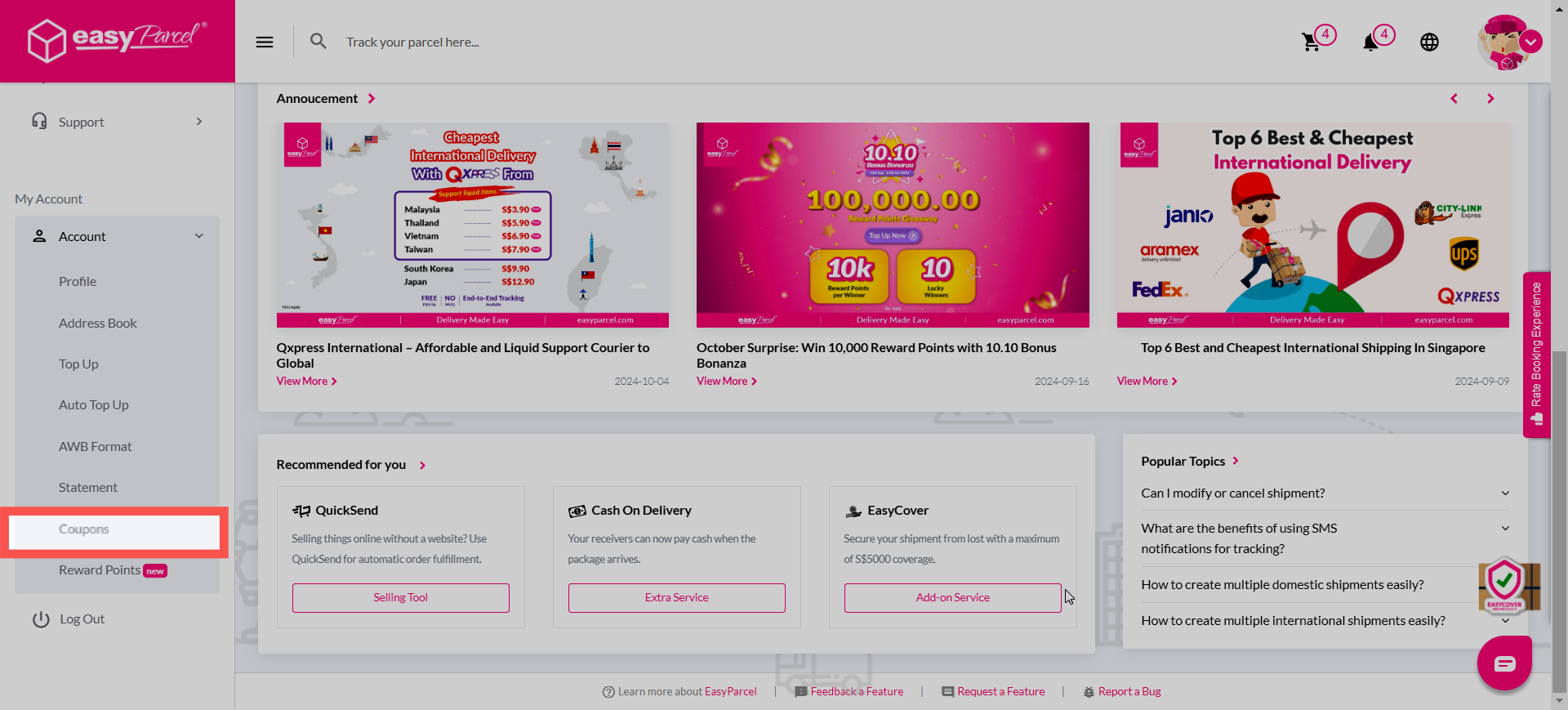
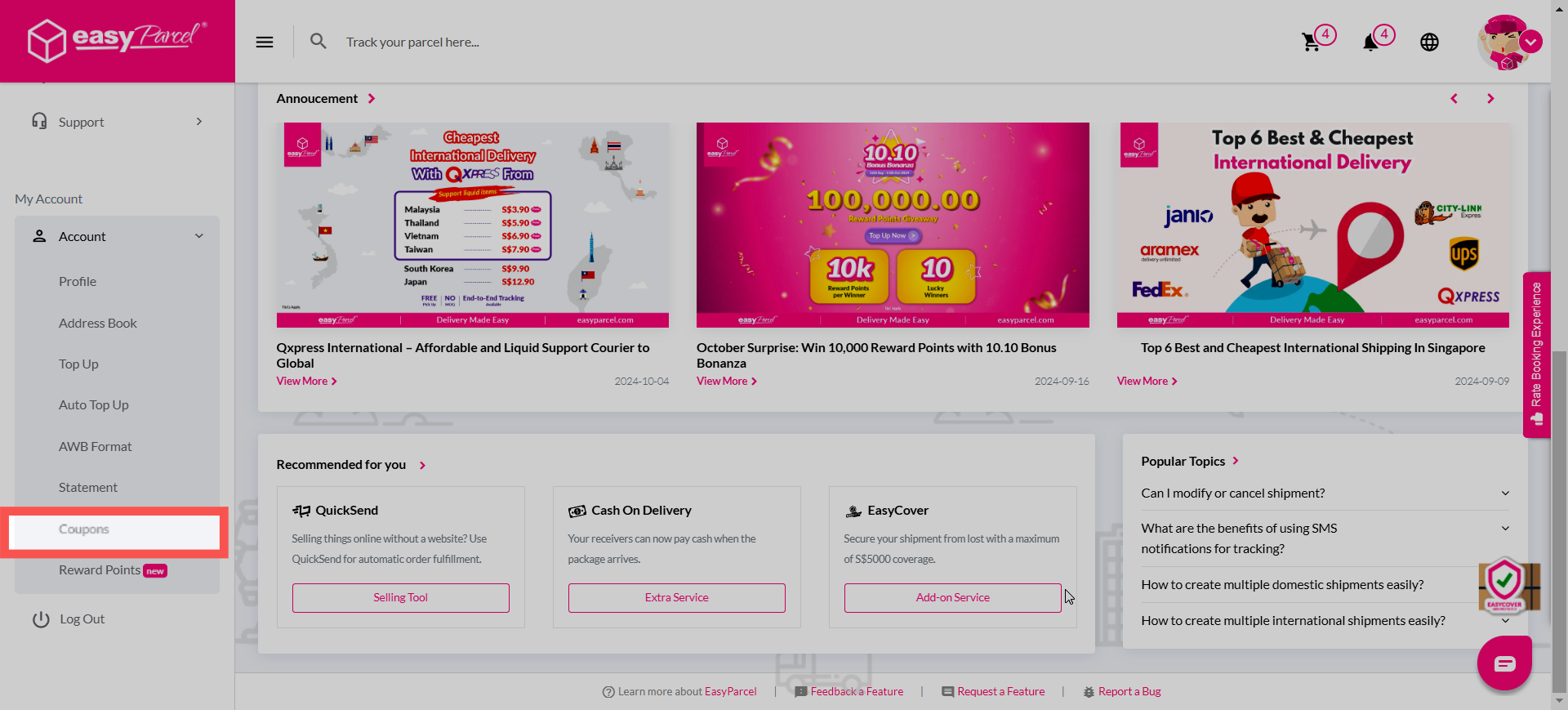
Step 1: Go to "Account" and click "Coupons".
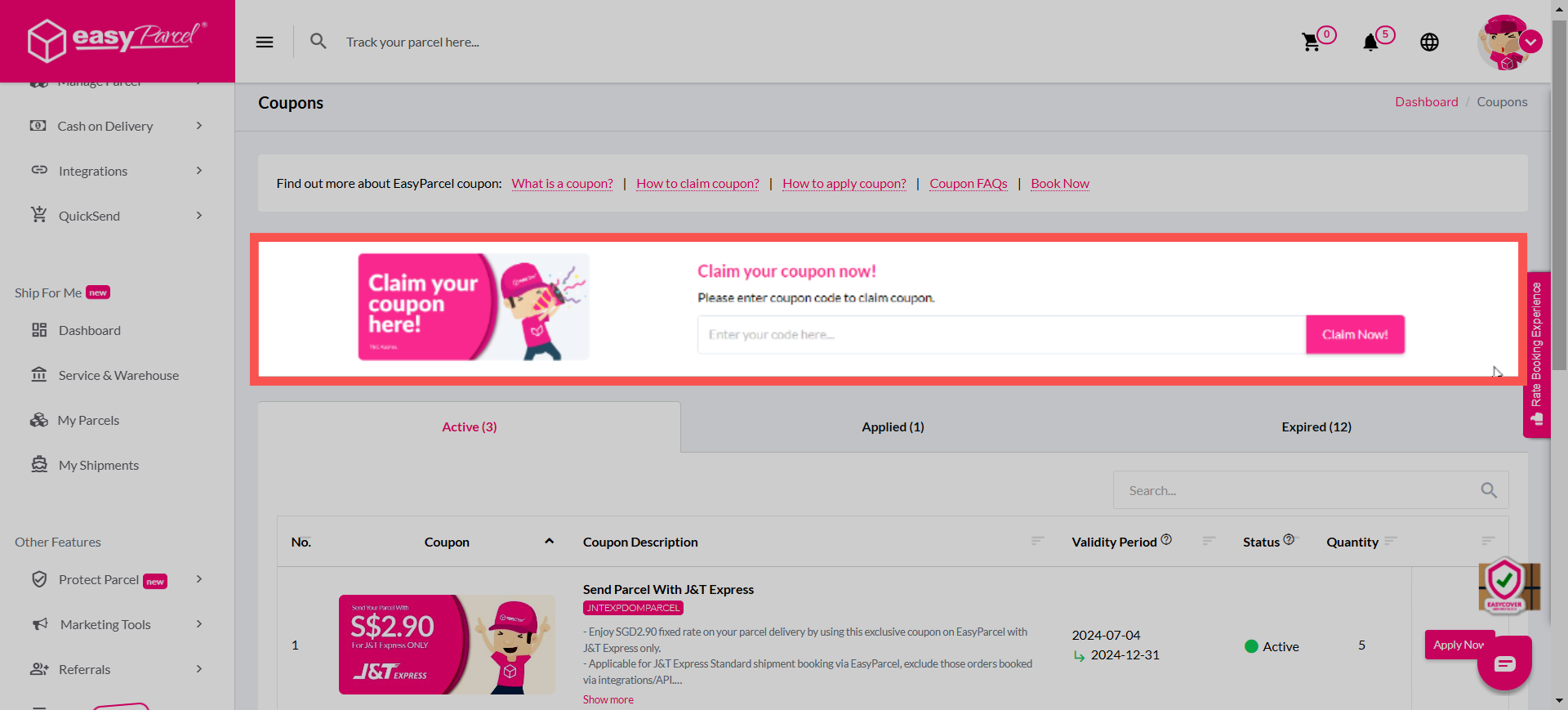
Step 2: Key in your coupon code in the space provided and click "Claim It".
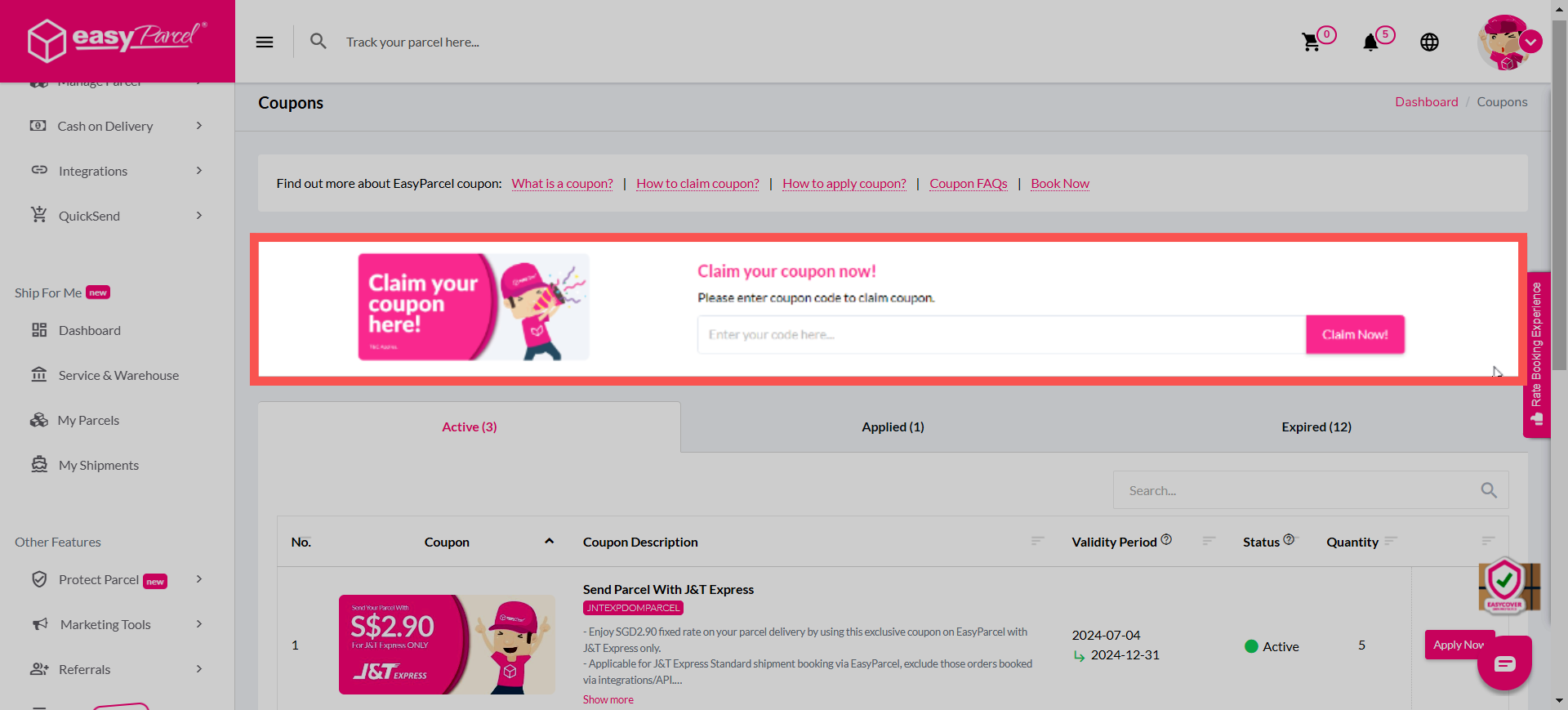
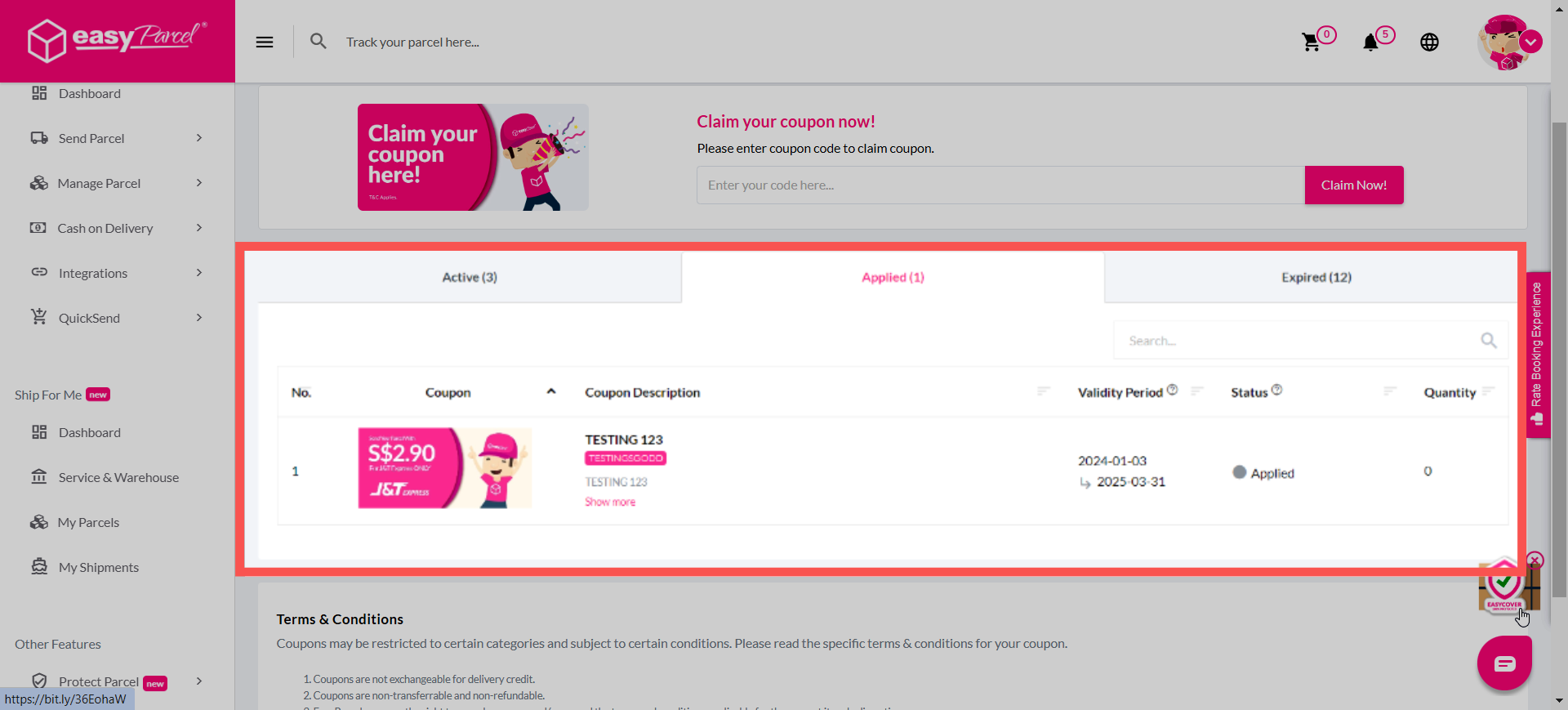
Step 3: Hover over to the "Claimed" tab, and your coupon will appear for your account.
How to apply your coupon?
Step 1: Go to "Single Parcel" or "Bulk Parcel" to book a parcel as usual.
Step 2: Fill in the details as required and "Add To Cart"
Step 3: Click "Click here to enter your coupon code" before continuing to pay.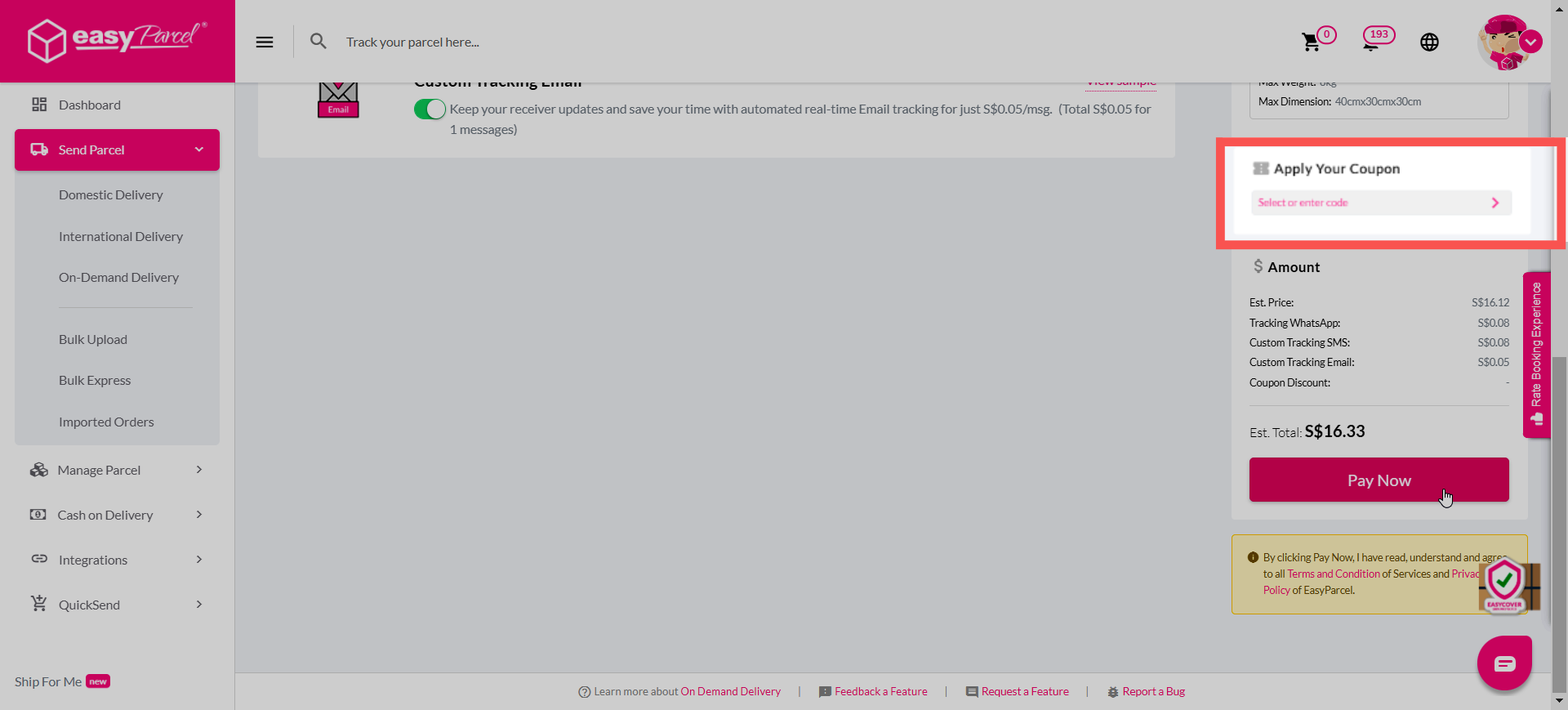
Step 4: Choose your favourite coupon for this parcel and click "Apply Now"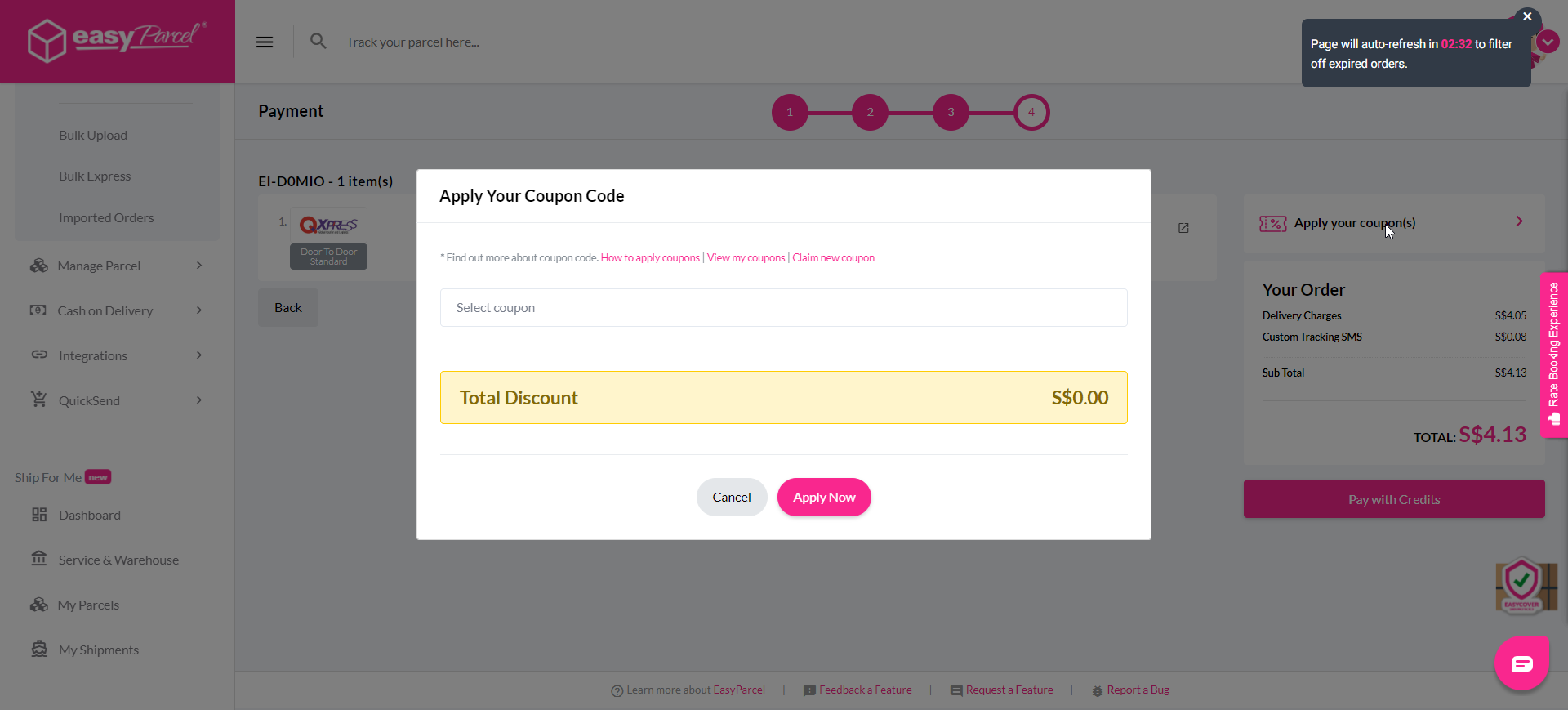
For further understanding, you may refer to the video below for a step-by-step tutorial too!
How to register your coupon?
Step 1: Click on "Rewards" > "Coupons".
Step 2: Key in your coupon code and click "Claim It".
Step 3: The coupon will be available in your account.
For further understanding, you may refer to the video below for a step-by-step tutorial too!