
Quick Summary
Your EasyParcel account has two balances. Top Up Credit is the money you add to your account when you top up, and it is used to pay for your shipments. Free Credit is bonus credit you receive from EasyParcel (for example, from top up deals and campaigns); it can be used for shipping discounts or to claim rewards. At checkout, switch on Free Credits to use it on your order.
We'll Cover:
- Where to see your Top Up Credit and Free Credit?
- How to use Free Credit at checkout?
- How to check your credit history?
- When does my credit expire?
- What are Reward Points?
Where to see your Top Up Credit and Free Credit?
Both balances are shown at the top of the left menu (1) and in the Credit Balance card on your Dashboard (2).
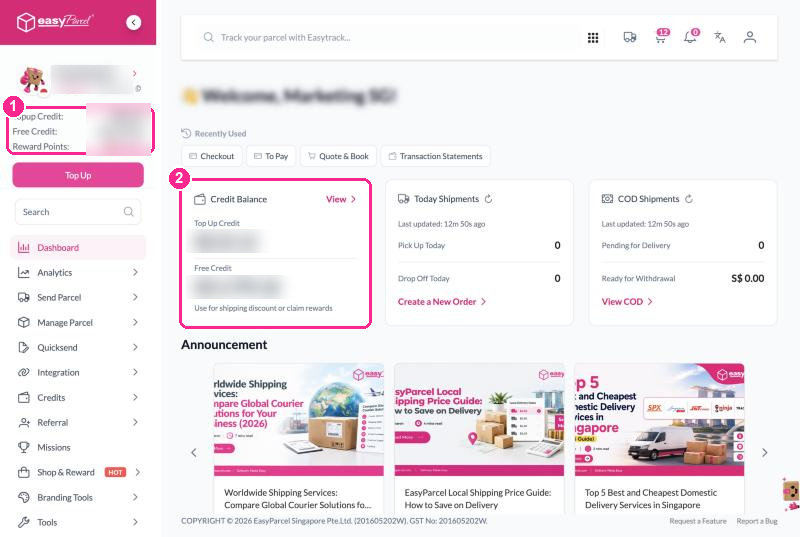
- Top Up Credit – the amount you have topped up. Click "Top Up" to add more.
- Free Credit – bonus credit that can be used for shipping discounts or to claim rewards.
How to use Free Credit at checkout?
Step 1: Go to the checkout page for your parcel(s).
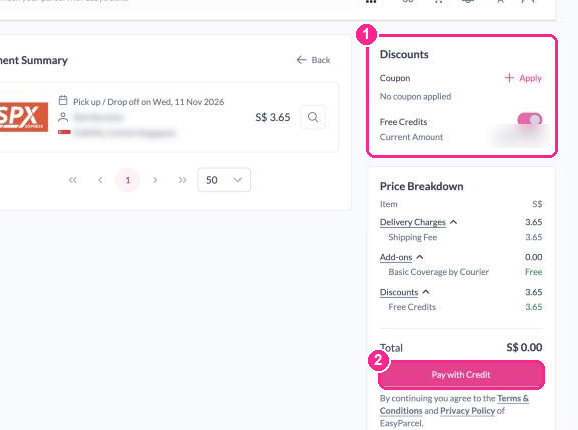
Step 2: Under Discounts (1), switch on "Free Credits". Your available Free Credit is shown as Current Amount.
Step 3: Check the Price Breakdown. The Free Credit used is shown under Discounts and is taken off your total.
Step 4: Click "Pay with Credit" (2) to pay the remaining amount with your Top Up Credit.
How to check your credit history?
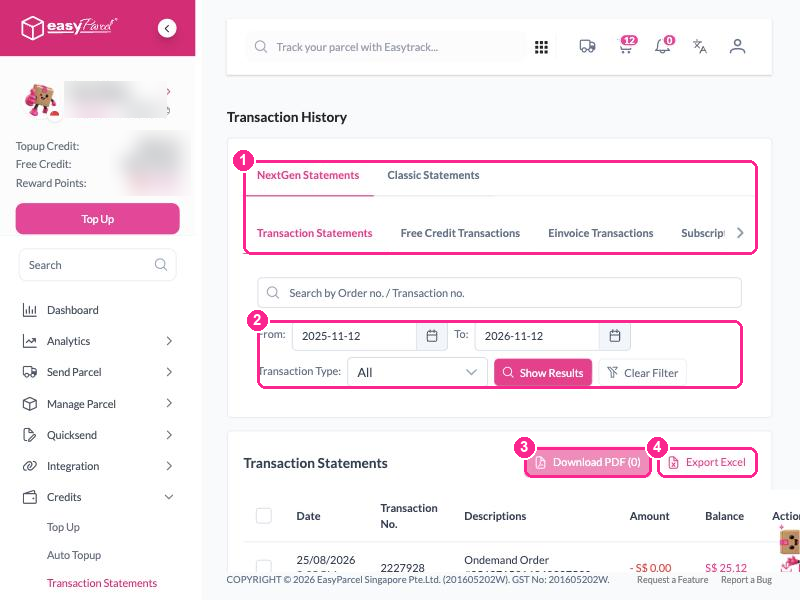
Click "View" on the Credit Balance card, or go to Credits > Transaction Statements. Use the tabs to see Transaction Statements, Free Credit Transactions, E-invoice Transactions and Subscription history. You can filter by date and transaction type, download a PDF or export to Excel.
Note: You can also apply a coupon under Discounts > Coupon at checkout.
The tabs (1) switch between Transaction Statements, Free Credit Transactions, E-invoice Transactions and Subscription. Filter by date and type (2), then click Download PDF (3) or Export Excel (4).
When does my credit expire?
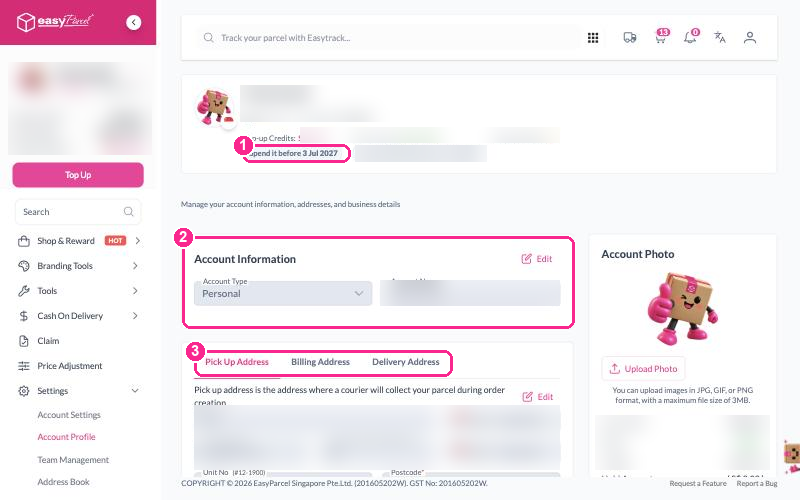
Your Top Up Credit and Free Credit each have an expiry date. You can see it in Settings > Account Profile, under your balance (for example, "Spend it before 3 Jul 2027"). Topping up again extends the expiry.
See Does my credit expire and how do I avoid it?
The expiry date shows under your balance (1).
What are Reward Points?
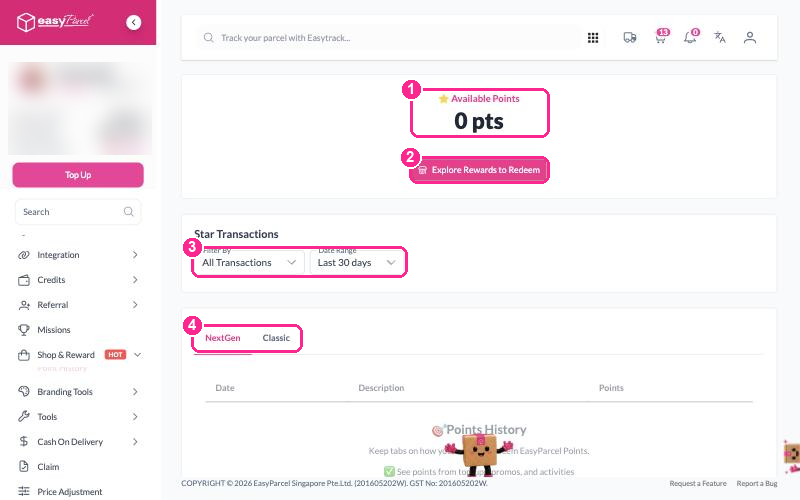
Reward Points are shown under your credit in the left menu. You earn them from top-up deals and missions, and you can use them in Shop & Reward. They are not credit and cannot pay for shipping.
See What are reward points and how do I earn them?
See your available points (1) in Shop & Reward > Point History, and click Explore Rewards to Redeem (2) to use them.
What's next?
Still need help?
Our team is happy to help. ? Live Chat | ✉️ Contact Us