
Quick Summary
Start shipping with EasyParcel in 3 simple steps: create your free account, get a quote and book, then track your parcel until it is delivered.
We'll Cover:
Step 1: Create your free account
Sign up on the EasyParcel Singapore website with your email, or continue with Google, Apple or Facebook. Then top up credit so you can pay for your parcels.
See Do I need an EasyParcel account before I book a shipment? and How do I top up my credit?
Tip: Set your default pick-up address in Settings > Account Profile to book faster.
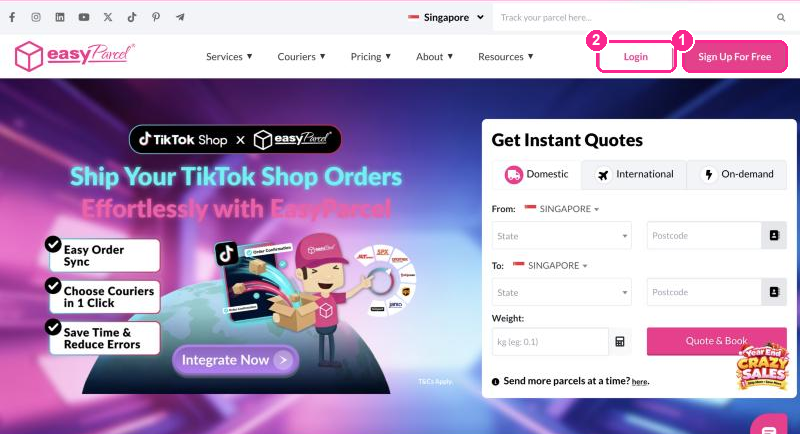
On the EasyParcel Singapore website, click Sign Up For Free (1). Already have an account? Click Login (2).
Step 2: Quote and book
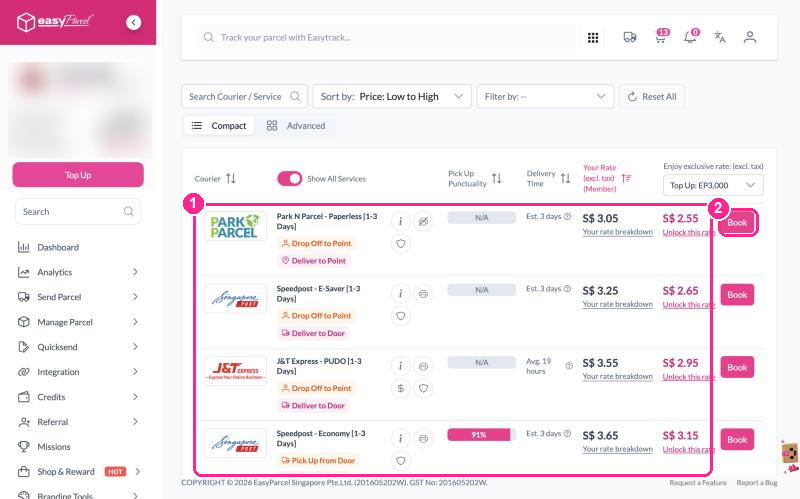
Go to Send Parcel > Domestic Delivery, enter the postcodes and weight, and click Quote. Compare couriers, click Book, fill in the sender, receiver and parcel details, then check out and pay with your credit.
See How do I send my first parcel on EasyParcel?
Compare the couriers in the quote list (1), then click Book (2).
Step 3: Track delivery status
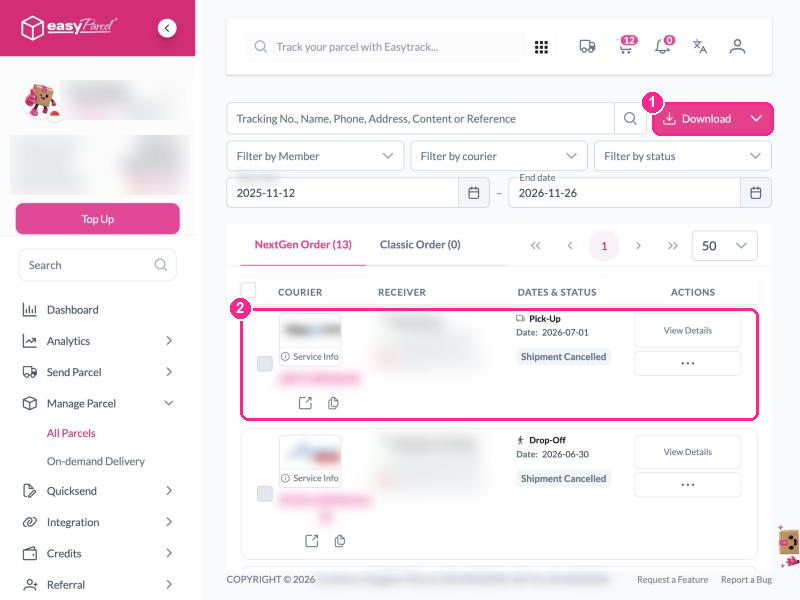
After you pay, print your shipping label and hand the parcel to the courier. Then follow it in Manage Parcel > All Parcels, or enter the tracking number in EasyTrack.
See How do I track my parcel? and What do the parcel statuses mean?
In Manage Parcel > All Parcels, each parcel shows its status (2). Click Download (1) to get your shipping labels.
Next steps
- Sell online? Connect your store. See Which ecommerce platforms can I integrate with EasyParcel?
- Shipping many parcels? See What is Bulk Upload and when should I use it?
- Prefer videos? See Where can I watch EasyParcel video tutorials?
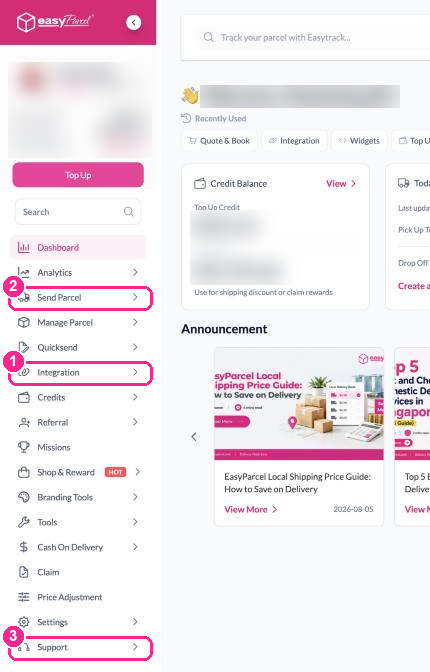
Find these in the left menu: Integration (1), Send Parcel > Bulk Upload (2) and Support > Video Tutorial (3).
What's next?
Still need help?
Our team is happy to help. ? Live Chat | ✉️ Contact Us