
Quick Summary
For quick answers, search the Help Centre or ask EPPY, the EasyParcel assistant at the bottom right of every page. To talk to our team, open Contact Us, choose the topic that matches your question and fill in the enquiry form. You can follow your enquiry anytime under Support > Enquiries History.
We'll Cover:
Get quick answers first
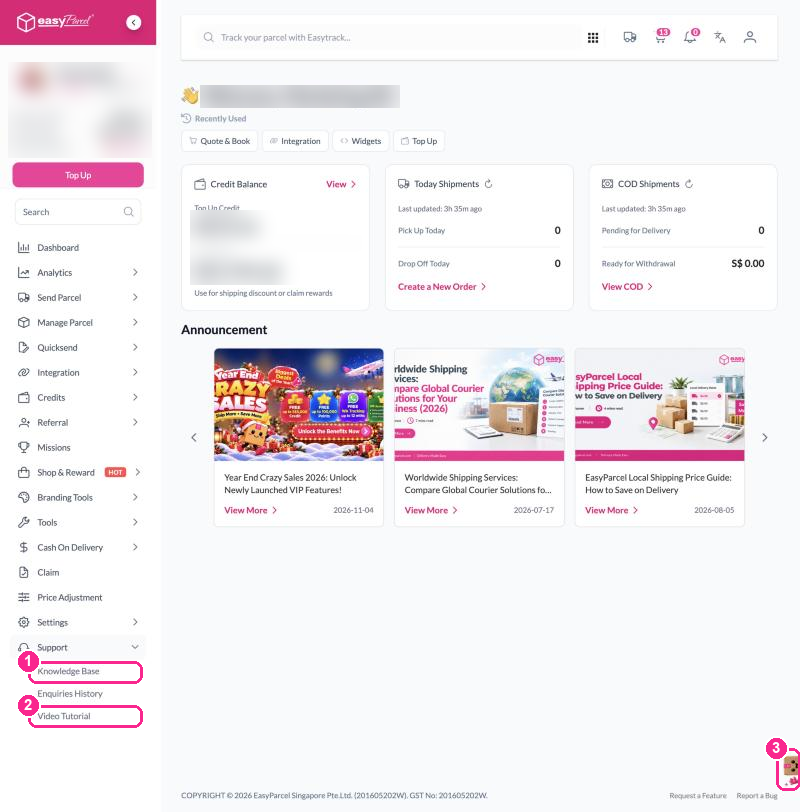
- Help Centre – search our guides at Support > Knowledge Base
- Video Tutorial – watch video guides at Support > Video Tutorial
- EPPY – click the EPPY button at the bottom right of any page to ask a question
In the left menu, open Support to find Knowledge Base (1) and Video Tutorial (2). The EPPY button (3) is at the bottom right of every page.
How to contact the support team?
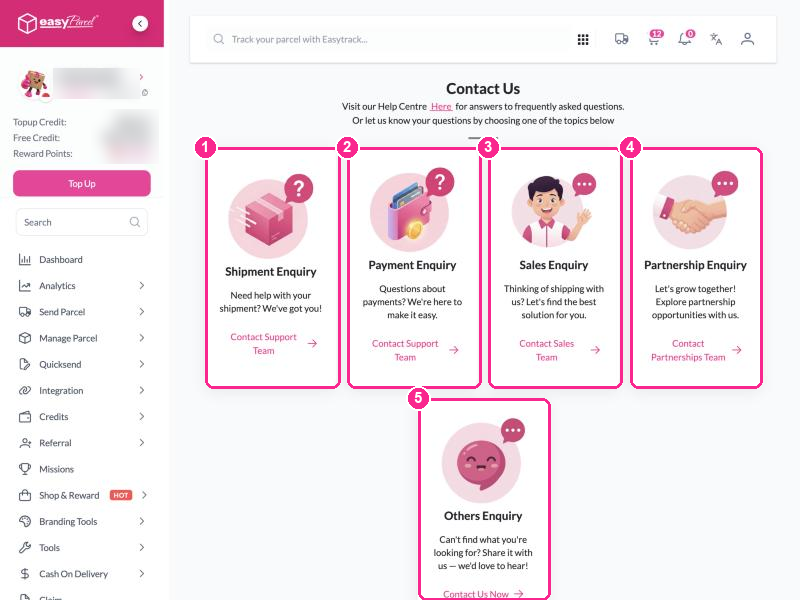
Step 1: Open the Contact Us page and choose the topic that fits your question:
- Shipment Enquiry – help with a parcel or shipment
- Payment Enquiry – questions about payments or credit
- Sales Enquiry – thinking of shipping with us or finding the best solution for you
- Partnership Enquiry – partnership opportunities
- Others Enquiry – anything else
Step 2: Fill in the enquiry form. For shipment enquiries, include your tracking number or order number so we can check faster. Add photos or screenshots if they help.
Step 3: Submit your enquiry. Our team will reply on your enquiry ticket, which you can read under Support > Enquiries History (see below).
How to check your enquiry?
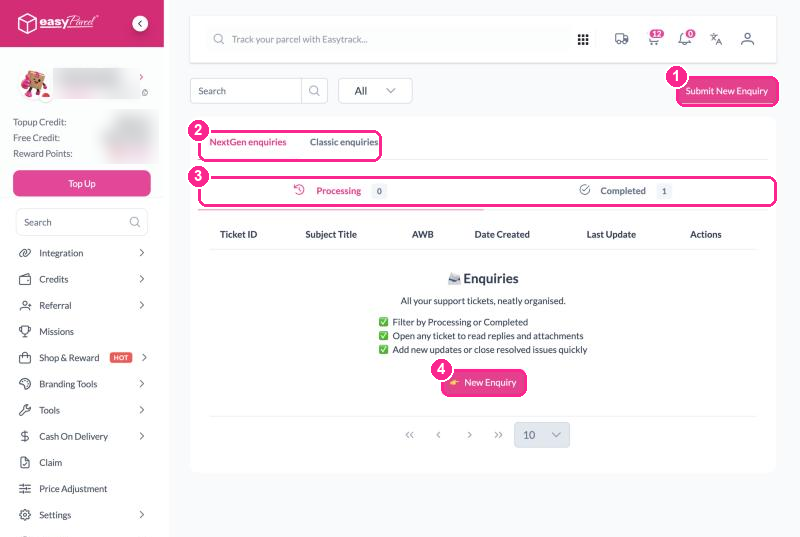
Go to Support > Enquiries History. Click "Submit New Enquiry" (1) to start a new one. Your enquiries are listed under NextGen enquiries for new tickets and Classic enquiries for older ones (2). Use Processing and Completed (3) to filter them. Open any ticket to read replies and attachments, add an update, or close it once it is resolved.
Tip: One enquiry per issue keeps replies clear and helps us respond faster.
Chat with us
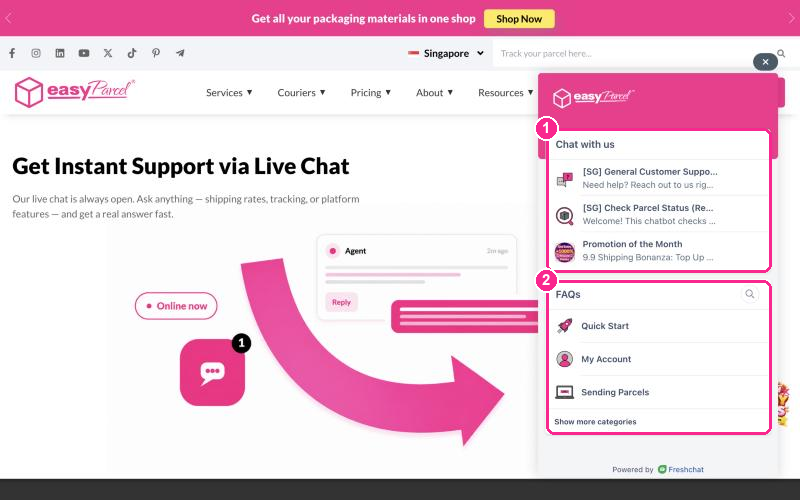
Open Live Chat on our website. Under Chat with us (1), choose [SG] General Customer Support to chat with our team, or browse the FAQs (2). Ask about rates, tracking or how to use a feature.
What's next?
Still need help?
Our team is happy to help. ? Live Chat | ✉️ Contact Us