
Quick Summary
To request a claim, go to Manage Parcel > All Parcels, click More Action on the parcel and choose Request Claim. Then choose the claim type that matches your problem. Each claim type shows a condition, for example that the claim must be submitted within 15 days of the last tracking event.
We'll Cover:
Start a claim
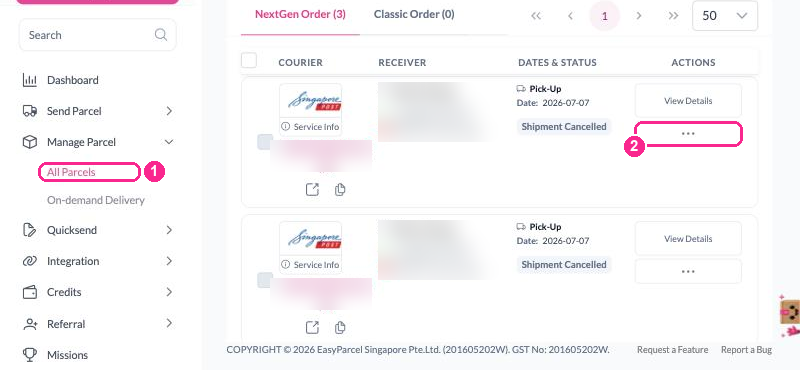
- In the left menu, click Manage Parcel > All Parcels (1).
- Find the parcel. Use the search box or the date filter if you cannot see it.
- On that parcel, click the ⋯ (2) button under View Details. This opens the More Action menu.
- In the menu under ⋯ (1), choose Request Claim (2).
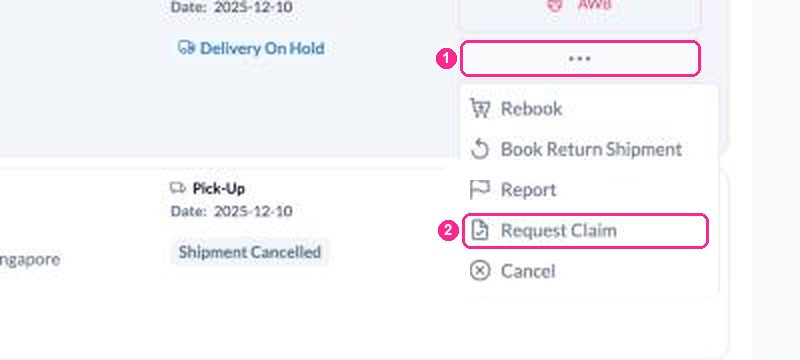
Note: Request Claim only shows for parcels that can be claimed, for example a parcel that is on hold, delivered or returned. A cancelled parcel does not show it.
Claim types and their conditions
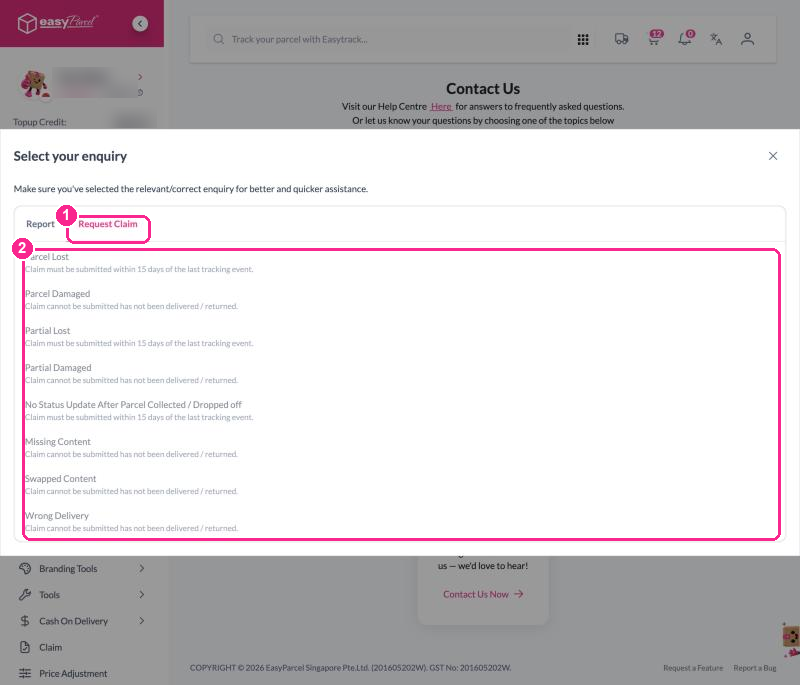
On the Request Claim tab (1), choose one of the claim types (2). A type that does not fit your parcel is greyed out and shows why.
- Parcel Lost – submit within 15 days of the last tracking event
- Parcel Damaged – the parcel must have been delivered or returned
- Partial Lost – submit within 15 days of the last tracking event
- Partial Damaged – the parcel must have been delivered or returned
- No Status Update After Parcel Collected / Dropped off – submit within 15 days of the last tracking event
- Missing Content, Swapped Content and Wrong Delivery – the parcel must have been delivered or returned
Follow your claims
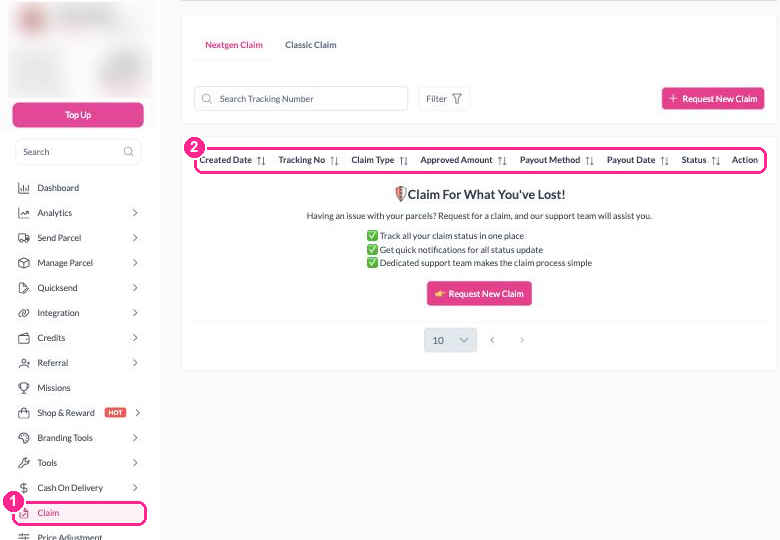
Click Claim (1) in the left menu to see all your claims. The table (2) shows the claim type, approved amount, payout method, payout date and status.
Tip: Keep your invoice and photos of the parcel and its packaging ready. If your parcel is not eligible for a claim, the page tells you.
What's next?
Still need help?
Our team is happy to help. ? Live Chat | ✉️ Contact Us