
Quick Summary
Once a driver accepts your order, you can see the driver's details in the order. Open Manage Parcel > On-demand Delivery, open the order and look at Driver Details.
We'll Cover:
Where to find the driver details?
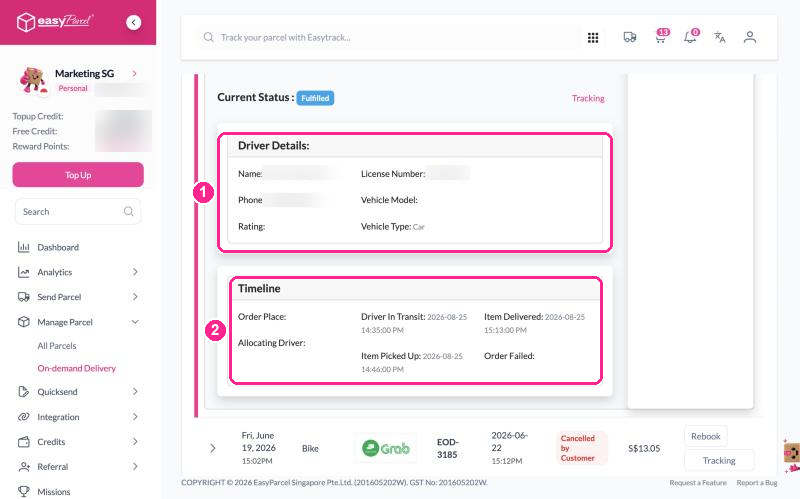
In the order details, Driver Details lists the driver's name, phone, rating, licence number, vehicle model and vehicle type.
Click Manage Parcel > On-demand Delivery, open the order with the arrow and scroll down to Driver Details (1): name, phone, rating, licence number, vehicle model and vehicle type.
Note: Driver details show only after a driver has accepted the order.
Still need help?
Our team is happy to help. ? Live Chat | ✉️ Contact Us