
Quick Summary
Follow your On-Demand orders in Manage Parcel > On-demand Delivery. Open an order to see the pick-up and drop-off details, the status, the driver details and the timeline, or click Tracking.
We'll Cover:
Your On-Demand orders
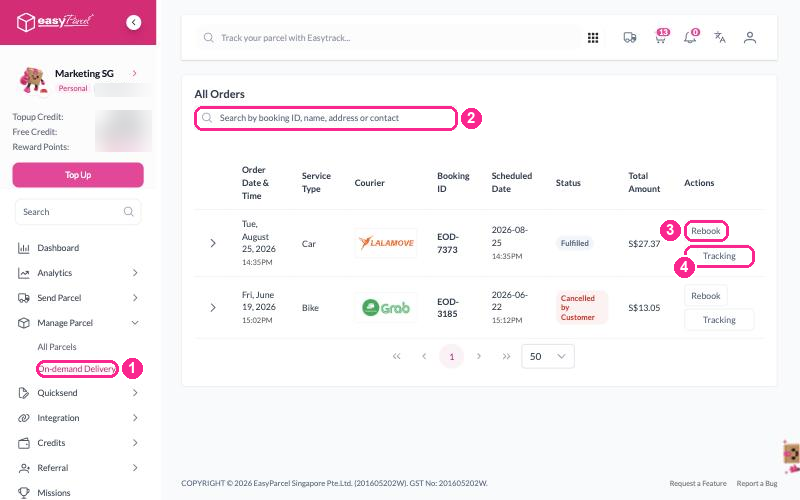
Click On-demand Delivery (1) in the left menu. Use Search (2) to find an order by booking ID, name, address or contact. Click Rebook (3) to book the same order again, or Tracking (4) to open the courier's live tracking page in a new tab.
Order details
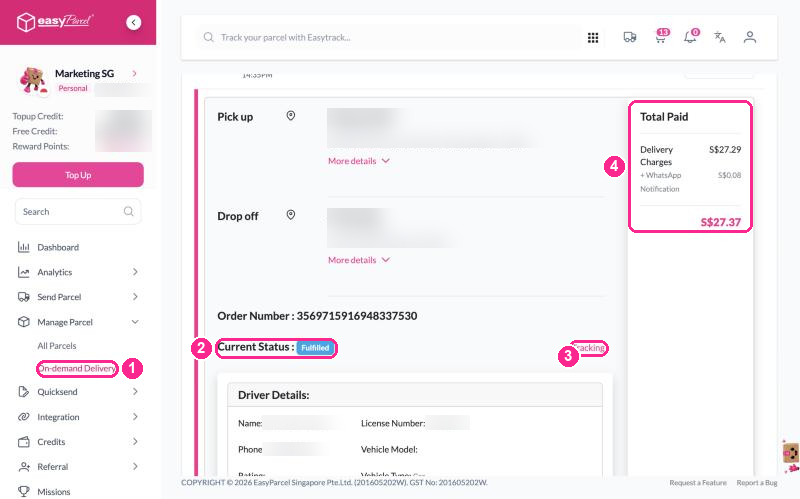
Click the arrow at the start of a row to open the order. You see the Current Status (2), a Tracking (3) link and the Total Paid (4), including any notification fee.
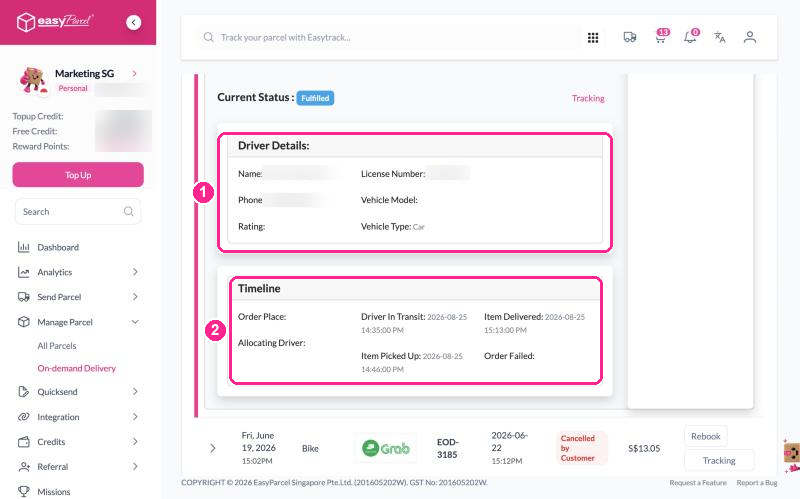
Scroll down to see the Driver Details (1) (name, phone, rating, licence number, vehicle model and type) and the Timeline (2) with the time of each step.
What's next?
Still need help?
Our team is happy to help. ? Live Chat | ✉️ Contact Us