
Quick Summary
Pending means we are still looking for a driver. If no driver is assigned, the order may show Unable to Find Driver. In that case, cancel the order and book again for a different time, or contact our support team.
We'll Cover:
Why an order stays Pending?
After you pay, your job is sent to the courier options you chose, and we wait for a driver to accept. At busy times, or for far or large jobs, drivers may take longer to accept.
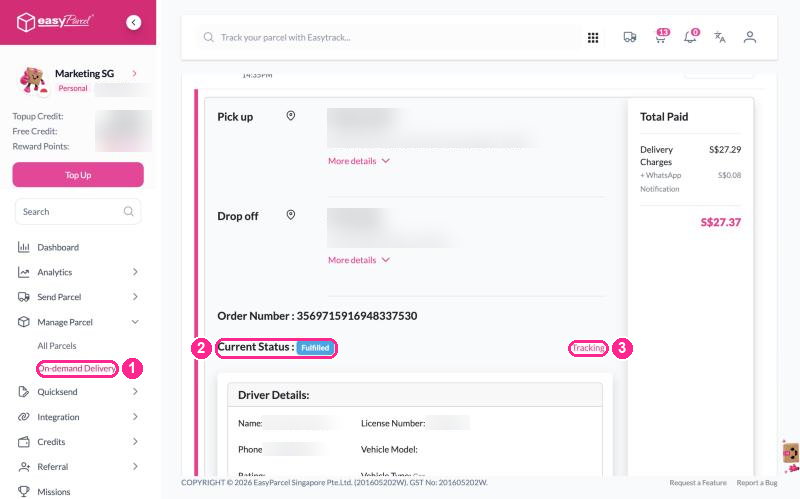
To check an order, click On-demand Delivery (1). In the order details, Current Status (2) shows where it is. Click Tracking (3) to follow it.
What you can do?
- Wait a little. You do not need to keep the page open. Your order list updates when a driver accepts.
- Add a priority fee while we are still looking, to help find a driver faster. You pay only the extra amount plus tax, and it is refunded if the order is cancelled.
- Pick more courier options next time. The more options you choose on the quote page, the faster a driver is usually found.
- If no courier accepts, the booking is cancelled for you and your payment goes back to your EasyParcel credit. You can book again for a different time.
- Cancel it yourself if you no longer need it. See How do I cancel an On-Demand order?
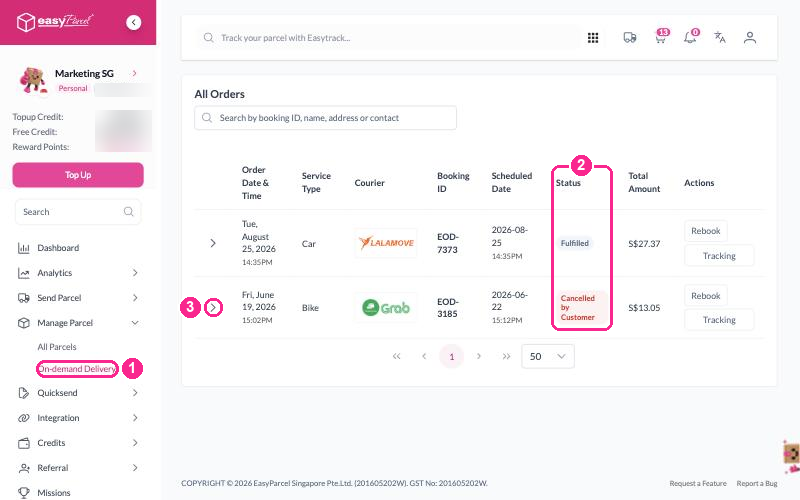
To see all your orders, click On-demand Delivery (1) and check the Status (2) column. Click the arrow (3) on an order to open its details.
In the app
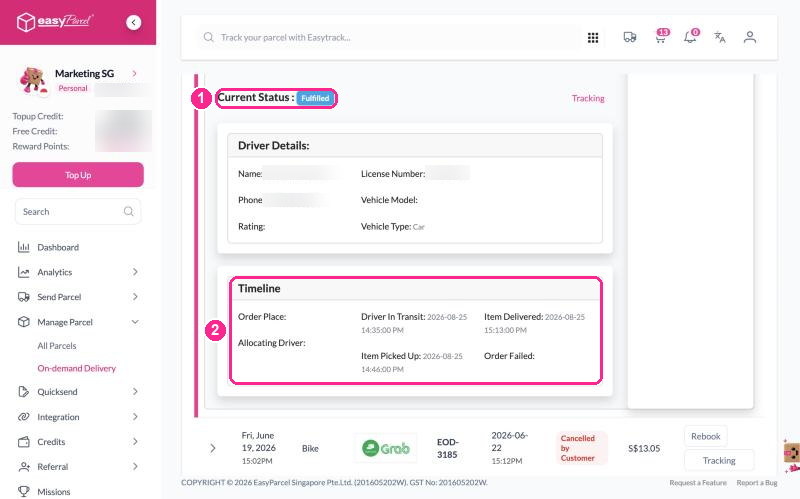
In the order details, the Timeline (2) shows Allocating Driver while we look for a driver, and Driver In Transit once one has accepted.
What's next?
Still need help?
Our team is happy to help. ? Live Chat | ✉️ Contact Us