
Quick Summary
To cancel an On-Demand order, go to Manage Parcel > On-demand Delivery, find the order and click Cancel. Cancel before a driver is assigned. Once a driver is assigned or the parcel is picked up, cancelling may not be possible.
We'll Cover:
How to cancel?
- Go to Manage Parcel > On-demand Delivery.
- Find the order.
- Click Cancel and confirm.
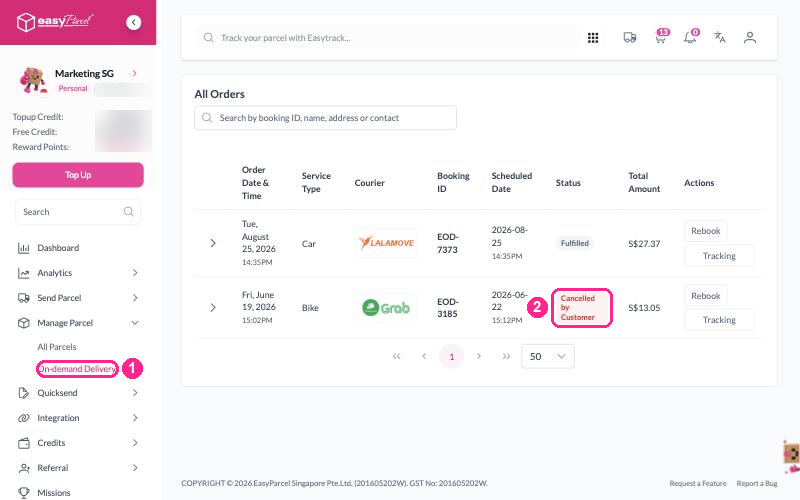
Click On-demand Delivery (1) in the left menu. A cancelled order shows Cancelled by Customer (2) in the Status column.
When you can cancel?
- Before a driver is assigned: you can cancel
- After a driver is assigned or on the way: cancelling may not be possible, and a fee may apply
- After the parcel is picked up: you cannot cancel
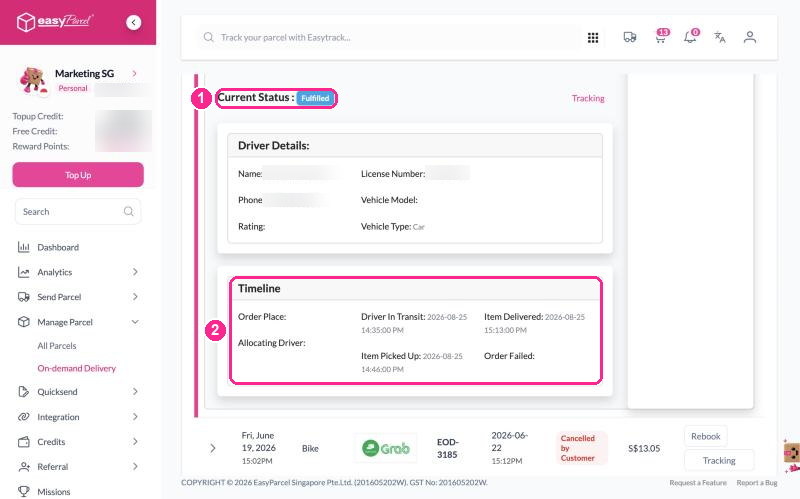
Open the order. Current Status (1) and the Timeline (2) show if a driver has been assigned or the parcel picked up.
Refund
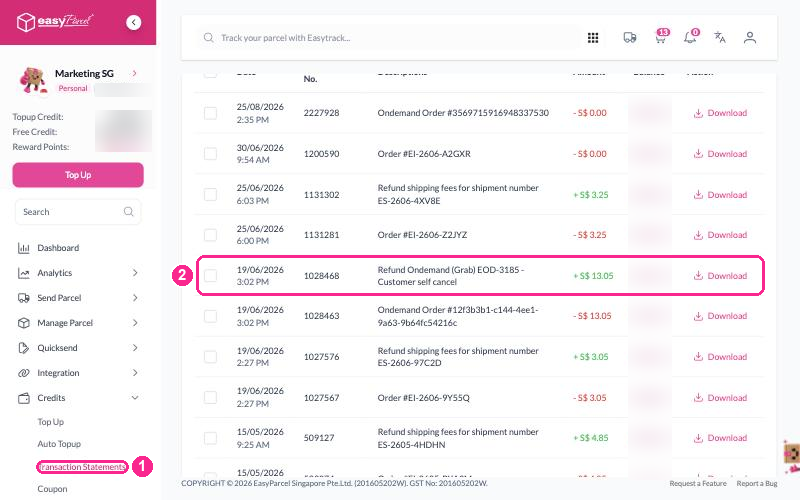
A cancelled On-Demand order is refunded to your EasyParcel credit. In Credits > Transaction Statements it shows as Refund Ondemand … Customer self cancel.
Click Credits > Transaction Statements (1). The refund row (2) shows Refund Ondemand … Customer self cancel and the amount added back to your credit.
In the app
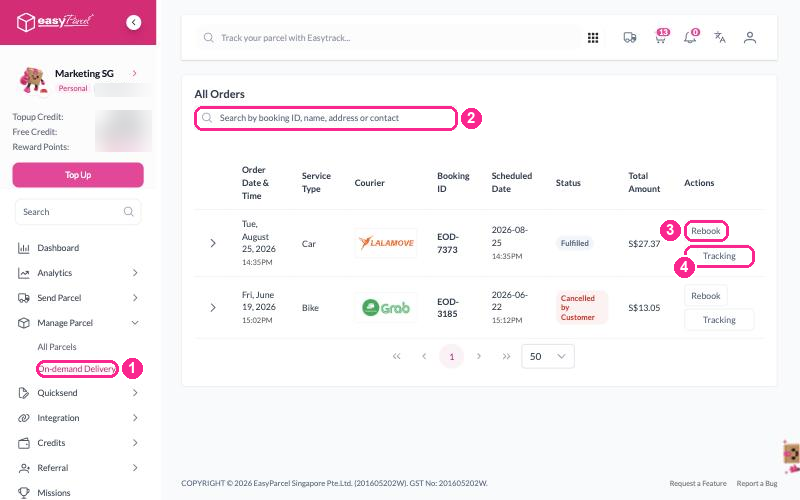
Open your order in Manage Parcel > On-demand Delivery.
Click On-demand Delivery (1) and find the order with Search (2).
What's next?
Still need help?
Our team is happy to help. ? Live Chat | ✉️ Contact Us