
Quick Summary
If your On-Demand parcel has not been picked up, first check the order status in Manage Parcel > On-demand Delivery. A delay is often because of traffic or distance, or because a driver has not accepted yet.
We'll Cover:
Check the status
- Pending: we are still looking for a driver
- Accepted: a driver is on the way but may be delayed
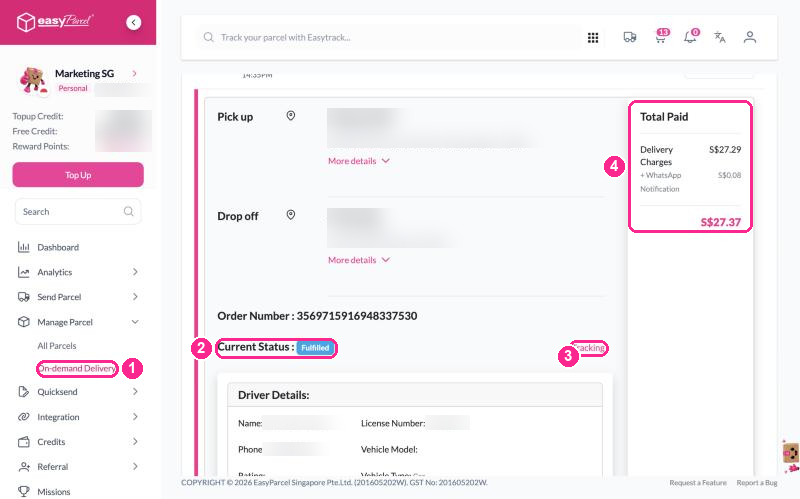
Click On-demand Delivery (1) and open the order. Current Status (2) shows where it is, and Tracking (3) shows where the driver is.
Contact the driver
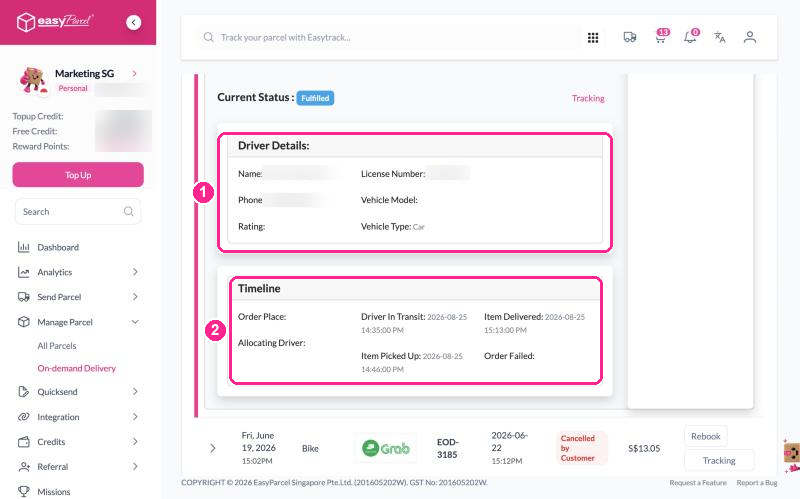
Scroll down in the order details to Driver Details (1) for the driver's name and phone. The Timeline (2) shows if the parcel was picked up.
If the driver does not answer, try again later, as they may be on the road.
If it is still not picked up
If nothing has changed well after the scheduled time, contact our support team so we can check the order.
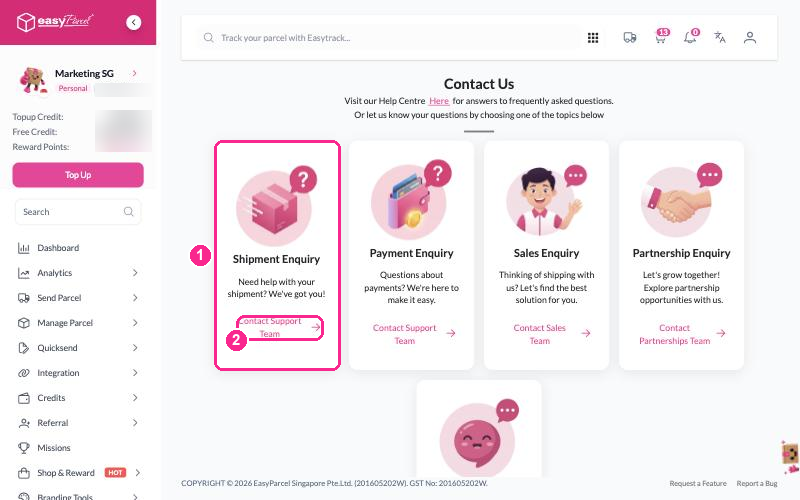
Go to Contact Us, choose Shipment Enquiry (1) and click Contact Support Team (2).
In the app
Check the status in Manage Parcel > On-demand Delivery.
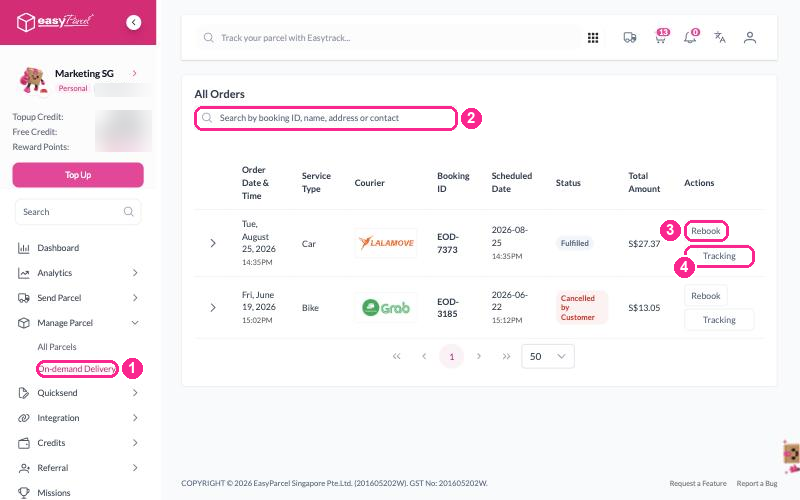
Click On-demand Delivery (1) and search for the order (2). Click Tracking (4) to follow it.
What's next?
Still need help?
Our team is happy to help. ? Live Chat | ✉️ Contact Us