
Quick Summary
If your On-Demand parcel arrives damaged or goes missing, report it quickly and keep your evidence: photos of the parcel and its packaging from before it was sent.
We'll Cover:
What to prepare?
- Your Booking ID, for example EOD-7373
- At least 1 photo of the parcel content (the items inside)
- At least 1 photo of the packaging, including any damage
Photos must be PNG, JPG or PDF, up to 1MB each. The report form asks for both.
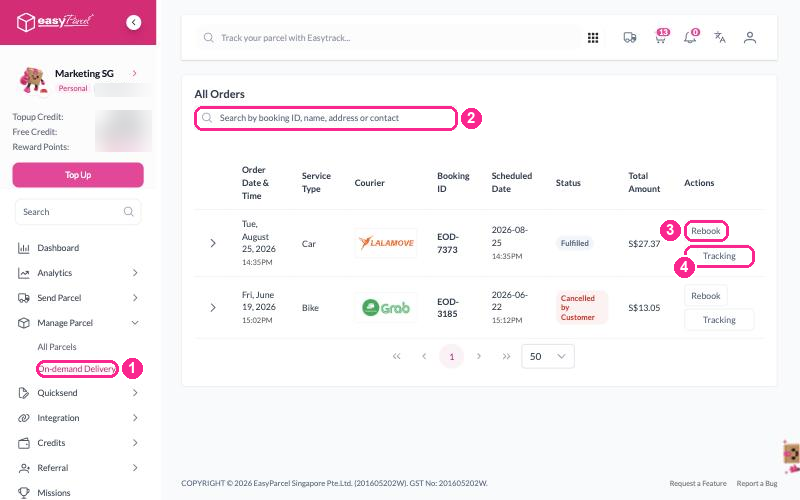
To find the Booking ID, click On-demand Delivery (1). It is shown on each order. Use Search (2) to find it.
How to report?
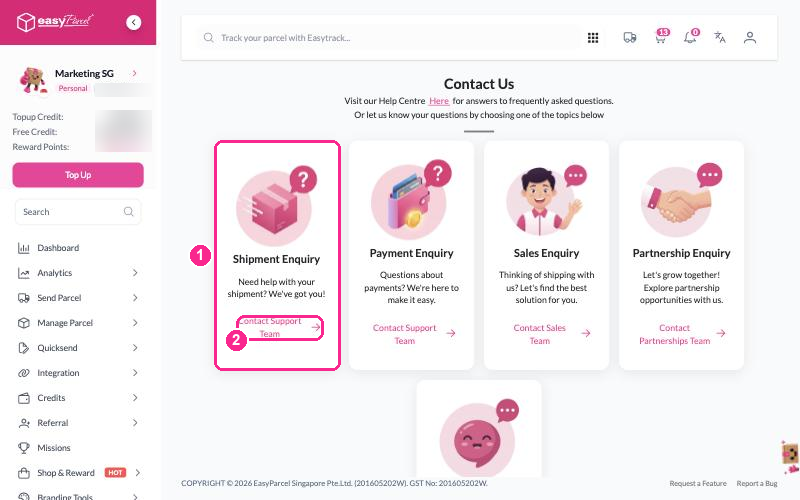
- Go to Contact Us, choose Shipment Enquiry (1) and click Contact Support Team (2).
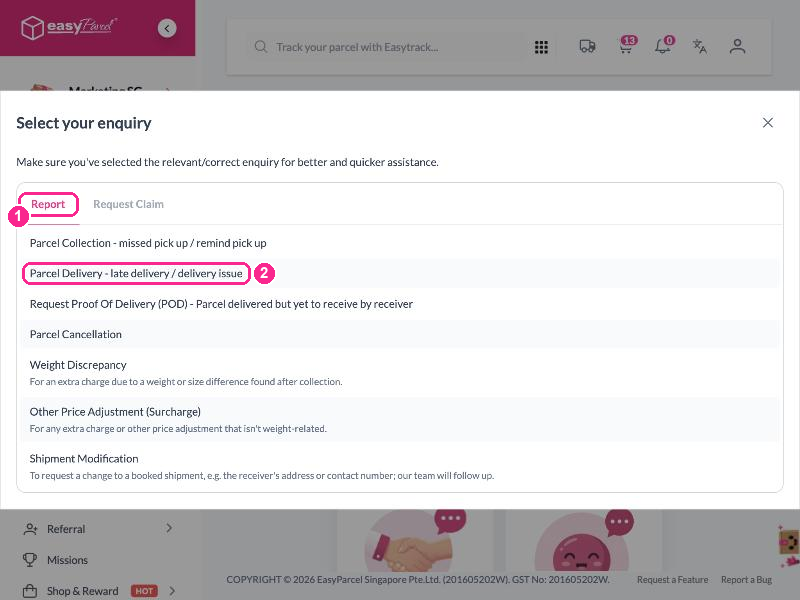
- On the Report (1) tab, choose Parcel Delivery - late delivery / delivery issue (2).
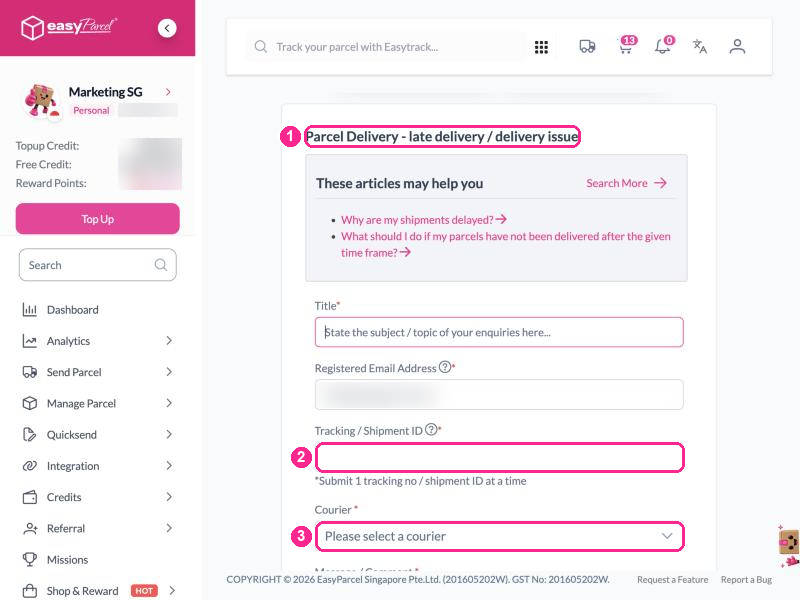
- In the Parcel Delivery (1) form, enter a title and your Booking ID in Tracking / Shipment ID (2), then choose the Courier (3).
- Describe what happened in Message / Comment, upload the content and packaging photos, and click Submit.
You can also reach our team by Live Chat.
In the app
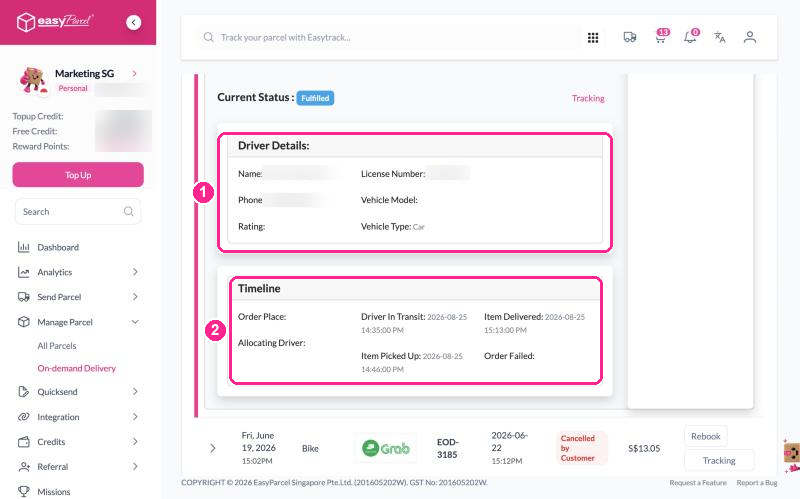
Open the order. Driver Details (1) and the Timeline (2) help support check what happened.
What's next?
Still need help?
Our team is happy to help. ? Live Chat | ✉️ Contact Us