
Quick Summary
We do not recommend changing an On-Demand order after you pay. For the smoothest delivery, cancel the order and book again with the correct details, or contact our support team.
We'll Cover:
What we recommend?
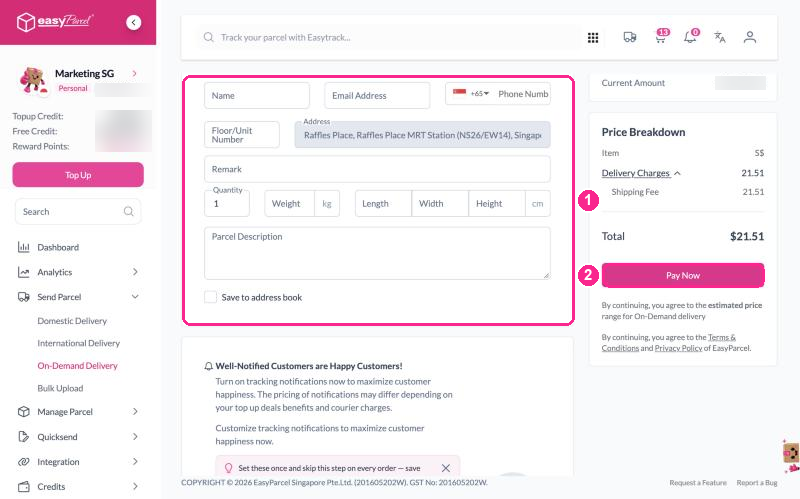
Check the pick-up and drop-off points, the contact details and the parcel details before you click Pay Now. After payment, an On-Demand order cannot be edited in the same way as a standard parcel.
Check the #2 Drop-off (1) details and the rest of the form before you click Pay Now (2).
Cancel and rebook
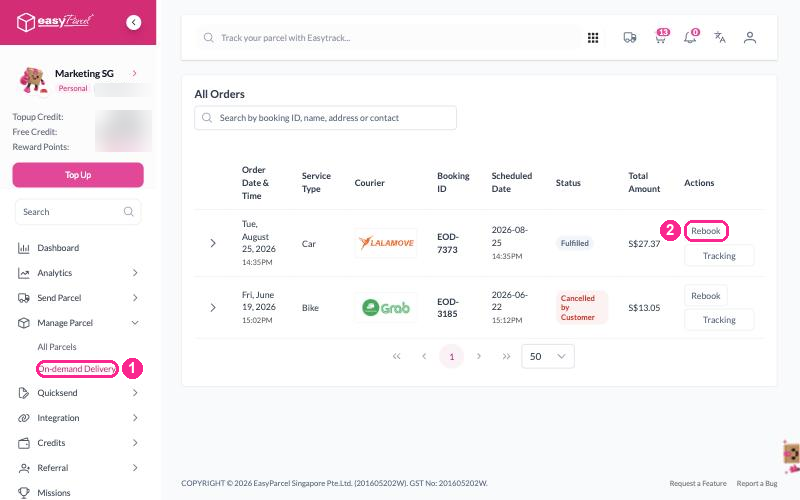
If you need to change something, cancel the order before a driver is assigned and book a new one. See How do I cancel an On-Demand order? You can also use Rebook in Manage Parcel > On-demand Delivery.
Click On-demand Delivery (1), then Rebook (2) on the order to book the same order again.
In the app
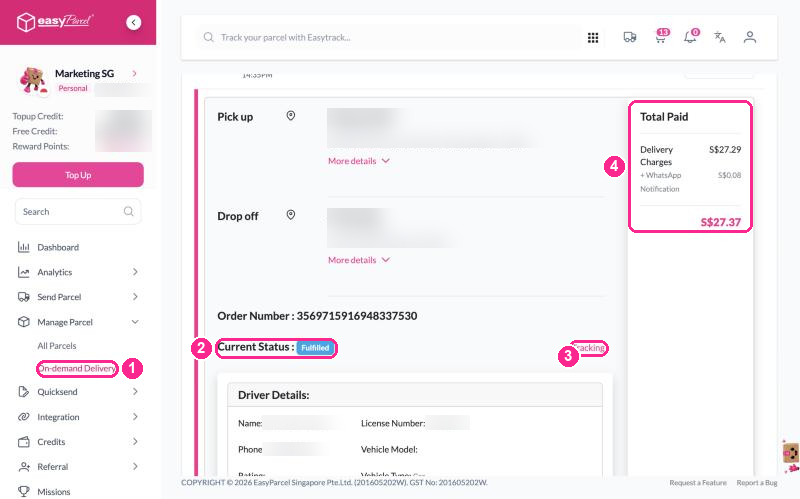
Open your order in Manage Parcel > On-demand Delivery.
Open the order to check its Current Status (2) before you decide to cancel and rebook.
What's next?
Still need help?
Our team is happy to help. ? Live Chat | ✉️ Contact Us