
Quick Summary
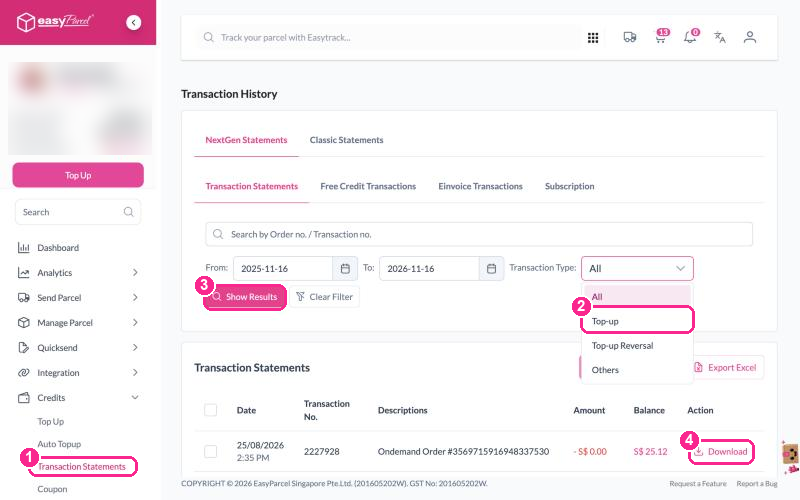
Download your top-up invoice from Credits > Transaction Statements. Filter by Top-up, then click Download.
We'll Cover:
Steps
- Click Credits > Transaction Statements (1).
- Set Transaction Type to Top-up (2) and choose the dates.
- Click Show Results (3).
- Click Download (4) next to the top-up.
Many invoices at once
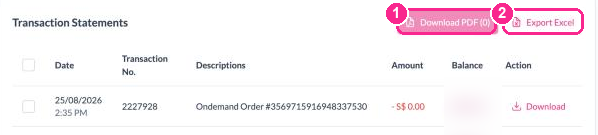
Tick the top-ups you want and click Download PDF, or click Export Excel for a list.
Use Download PDF (1) or Export Excel (2).
What's next?
Still need help?
Our team is happy to help. ? Live Chat | ✉️ Contact Us