
Quick Summary
EasyTrack Branding lets you put your own brand on the tracking page your receivers see. Open Branding Tools > EasyTrack Branding, customise your template and turn on the switch to use it for new orders. A small fee per shipment applies, shown in the template editor.
We'll Cover:
Your template
The page lists your template, for example SG EasyTrack Branding, marked as the Default Template (3). Click Create New Template (2) to make another.
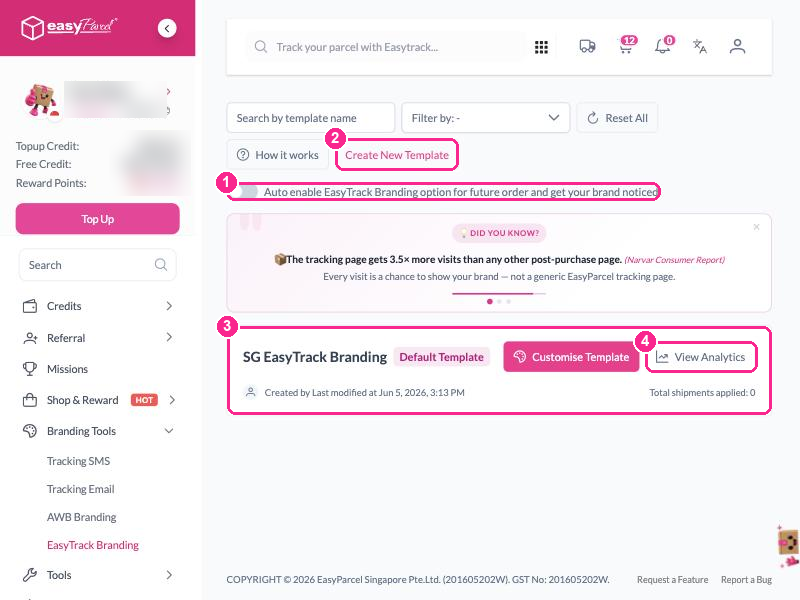
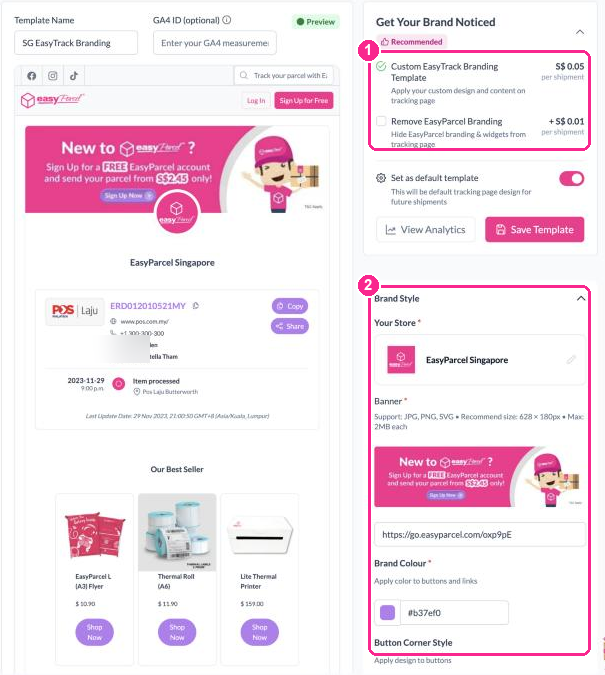
Click Customise Template to change it. The preview on the left updates as you edit.
- Get Your Brand Noticed (1): tick Custom EasyTrack Branding Template to use your own design. You can also tick Remove EasyParcel Branding to hide EasyParcel branding and widgets. Each shows its fee per shipment. Turn on Set as default template to use it for future shipments.
- Brand Style (2): set Your Store, Banner (JPG, PNG or SVG, 628 × 180px recommended, max 2MB, with a link), Brand Colour and Button Corner Style. Further down you can also set Sticky Ads, Product List, Social Platform and Selling Channel.
Click Save Template to keep your changes.
Turn it on for new orders
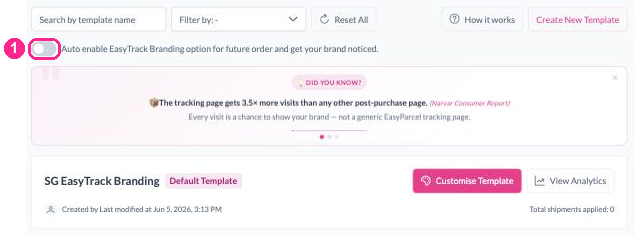
Turn on the switch Auto enable EasyTrack Branding (1) to use your branded page for all future orders. You can also switch it on in Settings > Account Settings.
See how it performs
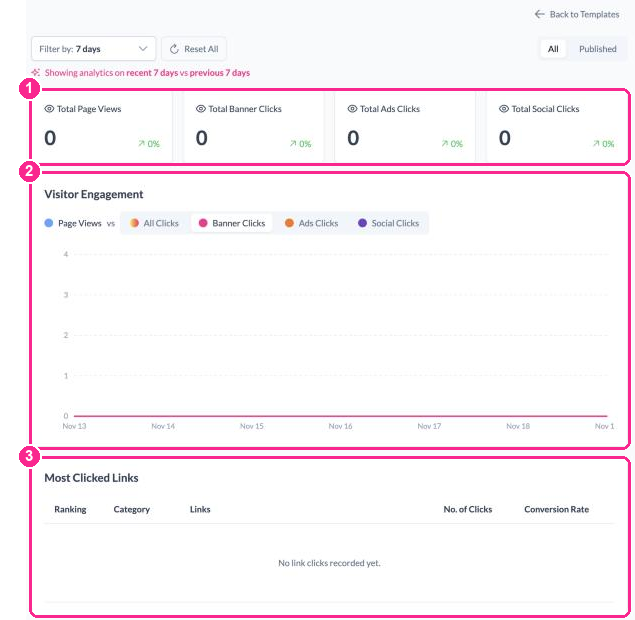
Click View Analytics on your template. The card also shows Total shipments applied, which is how many shipments used the template.
- Totals (1): Total Page Views, Total Banner Clicks, Total Ads Clicks and Total Social Clicks, compared with the previous period.
- Visitor Engagement (2): a chart of page views against clicks.
- Most Clicked Links (3): which links your receivers clicked, with the number of clicks and conversion rate.
Use Filter by to change the period, for example 7 days. Click Back to Templates to return.
Still need help?
Our team is happy to help. ? Live Chat | ✉️ Contact Us