
Quick Summary
Save your cards and bank accounts in Credits > Bank & Cards. You can add a card, set a default card and delete a saved card.
We'll Cover:
Your saved cards
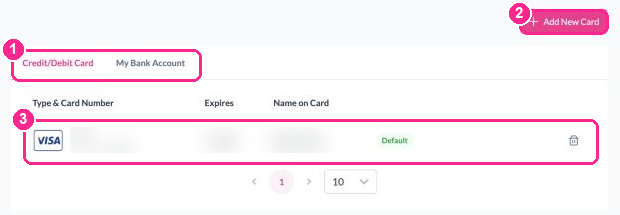
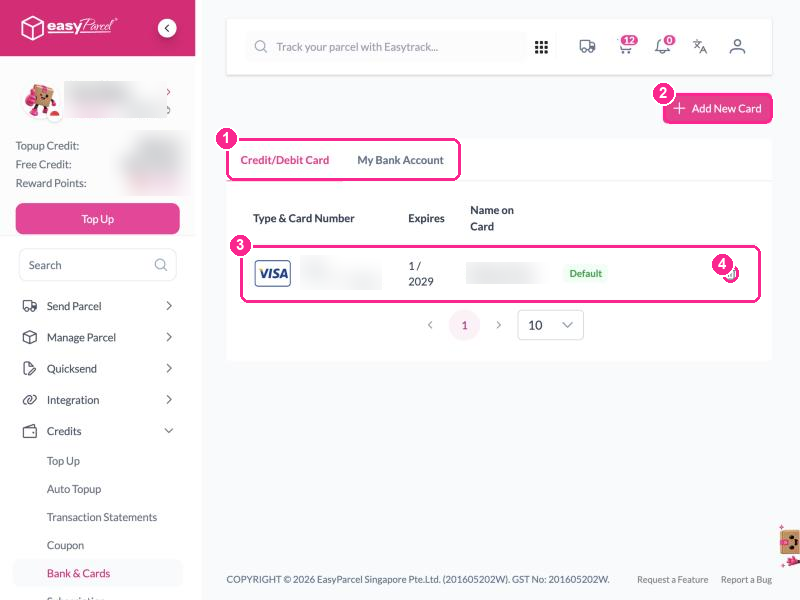
The tabs (1) are Credit/Debit Card and My Bank Account. Each card (3) shows its type, last four digits, expiry date and name, and a Default tag.
Click Add New Card (2) to add a card.
Add or remove a card
Click Add New Card (2) to add one. Click the bin icon (4) to remove a card.
What's next?
Still need help?
Our team is happy to help. ? Live Chat | ✉️ Contact Us