
Quick Summary
EasyParcel connects to your store in two ways. The Plugin (Seamless) version works inside your store. The Import version brings your orders into EasyParcel, and you ship them there.
We'll Cover:
- Plugin (Seamless) version
- Import version
- Which one to choose?
- Which platforms use which version?
- What is the difference between the WooCommerce Plugin and Import versions?
- In the app
Plugin (Seamless) version
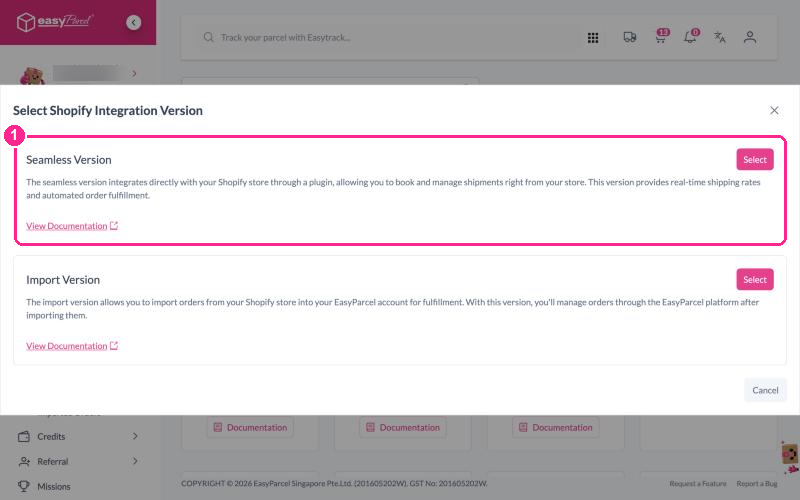
It connects directly to your store. You book and manage shipments from your store, customers can see live shipping rates at checkout, and orders can be fulfilled automatically.
In EasyParcel this is the Seamless Version (1).
Import version
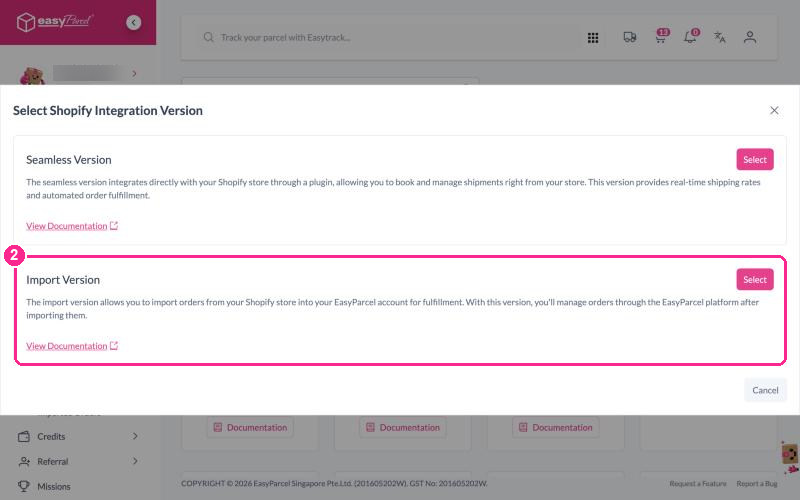
Your orders are imported into your EasyParcel account. You then manage and ship them on EasyParcel.
In EasyParcel this is the Import Version (2).
Which one to choose?
| Plugin (Seamless) | Import | |
| Where you ship orders | In your store | On EasyParcel |
| Live rates at checkout | Yes | No |
| Automatic fulfilment | Yes | No |
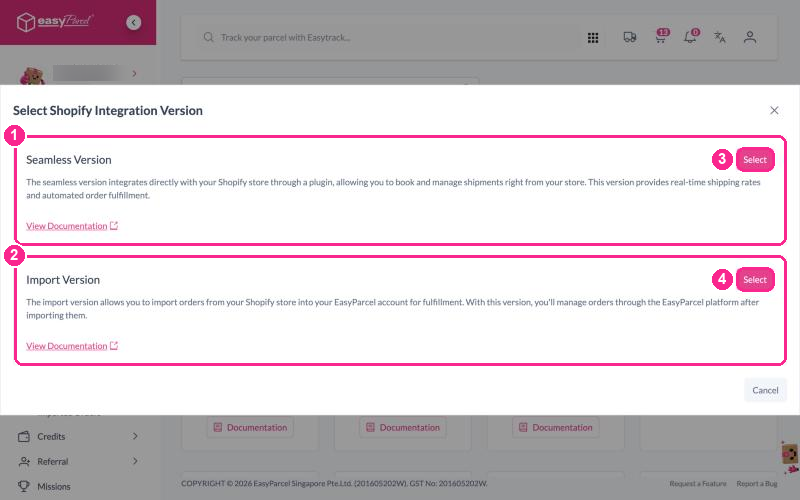
When you add a store, EasyParcel asks you to select the version.
You choose the version in EasyParcel when you install the app: Seamless Version (1) or Import Version (2).
Which platforms use which version?
See Which ecommerce platforms can I integrate with EasyParcel? for the full list and where to find each guide.
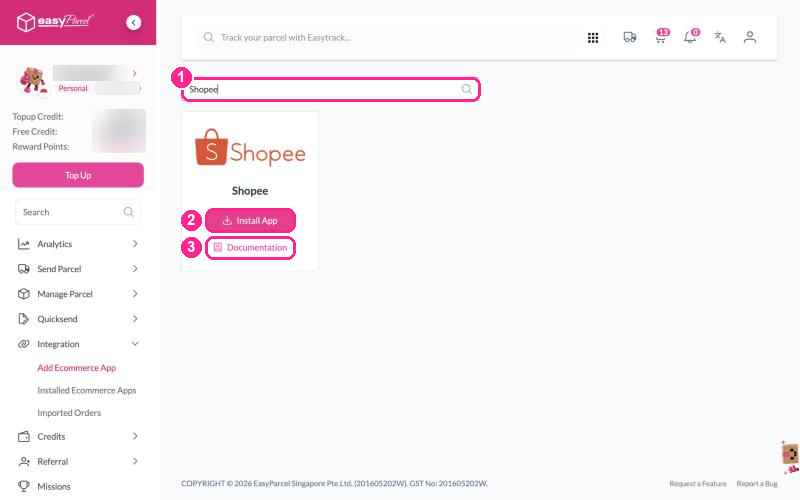
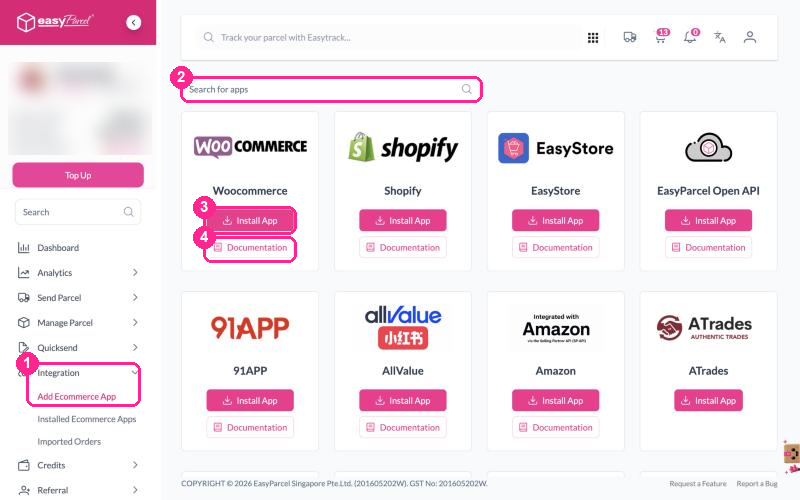
To find a platform, type its name in Search for apps (1). Each card has Install App (2) and Documentation (3).
What is the difference between the WooCommerce Plugin and Import versions?
Comparison
| Plugin | Import | |
| Order processing | Automated | Manual |
| Live rates at checkout | Yes | No |
| Tracking updates | Automatic | Manual |
| Setup | Longer | Shorter |
| Courier options | Excludes some couriers | Full range |
Choose the plugin if
You have a high-volume store, want live rates and automation, and have a standard WooCommerce setup.
Choose Import if
You want full control and all couriers, and do not mind manual processing, or have a heavily customised store.
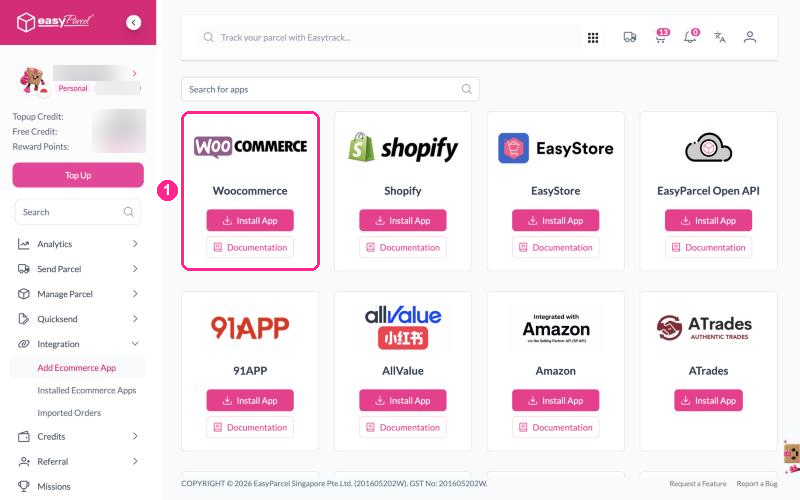
Find Woocommerce (1) in Integration > Add Ecommerce App.
In the app
See all platforms in Integration > Add Ecommerce App. Each one shows Install App and Documentation.
What's next?
Still need help?
Our team is happy to help. ? Live Chat | ✉️ Contact Us