
Quick Summary
Go to Integration > Add Ecommerce App, find your platform and click Install App. Choose the version, enter your store name and URL, then copy your API key.
We'll Cover:
Find your platform
- Log in to your EasyParcel account.
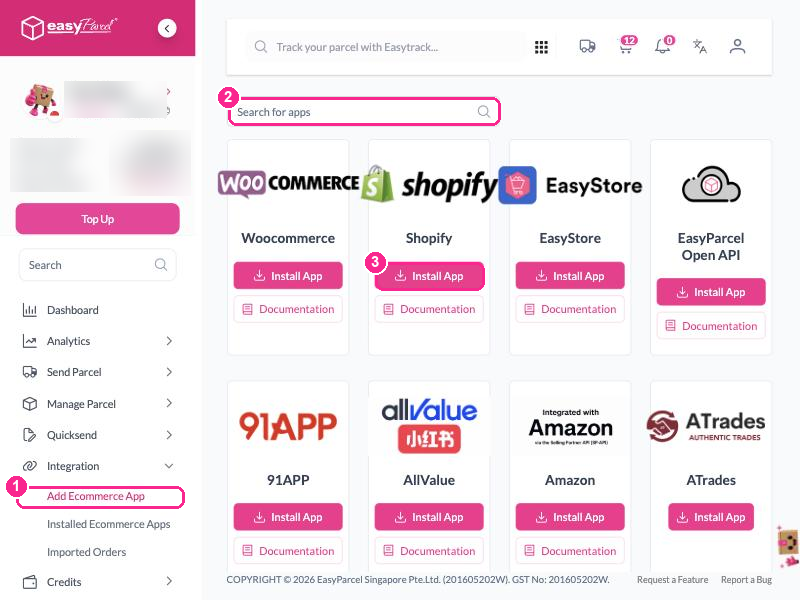
- In the left menu, click Integration (1) and then Add Ecommerce App.
- Use Search for apps (2) if you cannot see your platform.
- Click Install App (3) on your platform. Each card also has a Documentation button.
Add your store
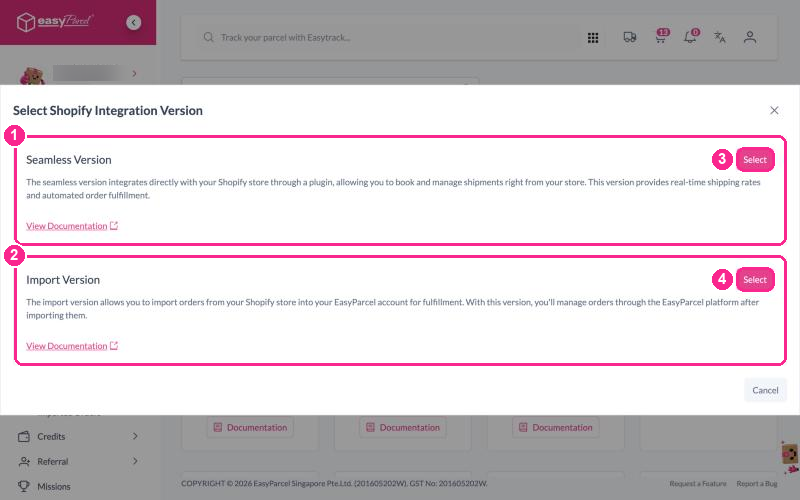
- Choose the version when asked. For Shopify, select Seamless Version to use the plugin.
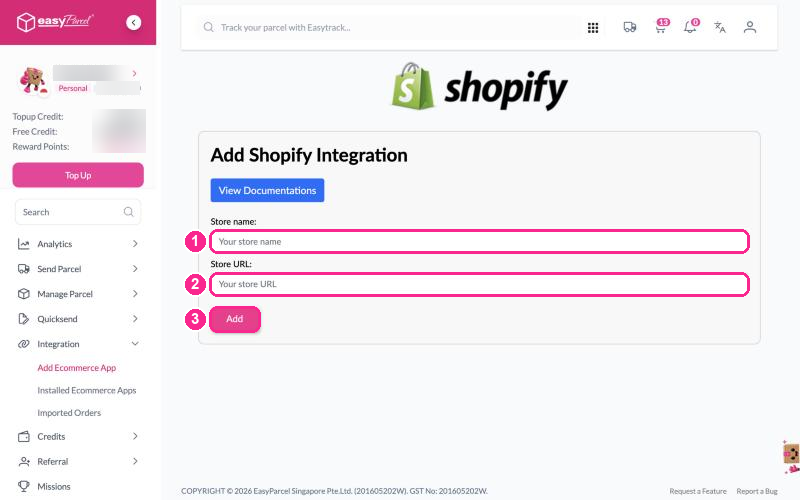
- Enter your Store name and Store URL.
- Click Add. You will see a Store added successfully message.
When you click Install App, choose the version: Seamless Version (1) or Import Version (2). Click Select on the one you want (3 or 4).
Then enter your Store name (1) and Store URL (2), and click Add (3).
Copy your API key
Your store page shows your API Key at the top. Click Copy and paste it into your store plugin. Never type it by hand and never share it in public chats or screenshots.
What's next?
Still need help?
Our team is happy to help. ? Live Chat | ✉️ Contact Us