
Quick Summary
You can connect many online stores, marketplaces and apps to EasyParcel. Find your platform below to see which version it uses and where to find the guide.
We'll Cover:
- Where to see all platforms?
- Online store plugins (Seamless)
- Import versions
- Partner apps and developers
- Other apps in the list
- Not sure which version to pick?
Where to see all platforms?
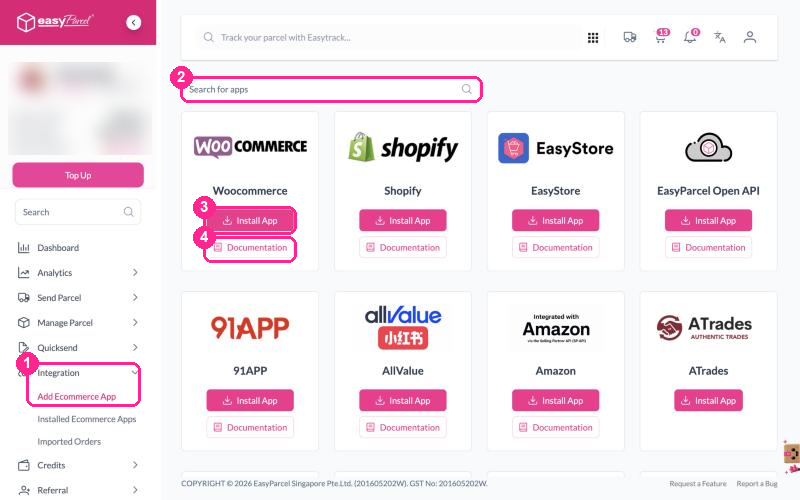
- Click Integration > Add Ecommerce App (1).
- Type your platform name in Search for apps (2).
- Click Install App (3) to connect it, or Documentation (4) to read the setup guide.
Online store plugins (Seamless)
| Platform | Where to find the guide |
|---|---|
| Shopify | Shopify plugin (Seamless) |
| WooCommerce | WooCommerce plugin (Seamless) |
| EasyStore | EasyStore plugin (Seamless) |
| 91APP | Other online stores |
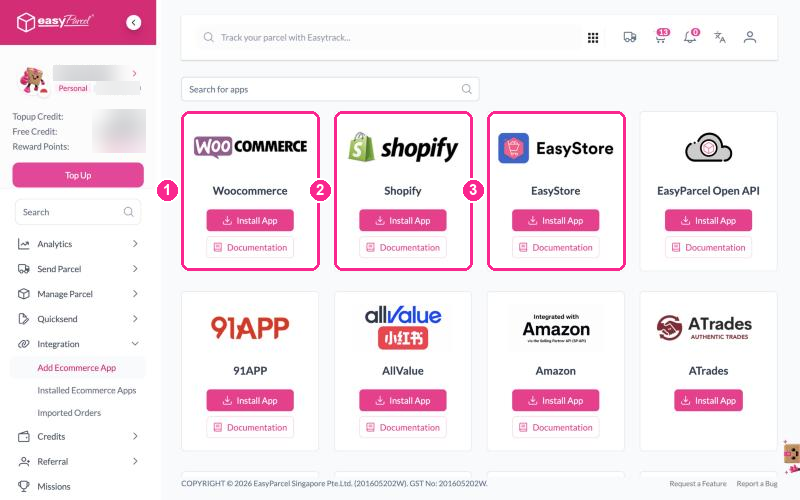
On the Add Ecommerce App page: Woocommerce (1), Shopify (2) and EasyStore (3).
Import versions
| Platform | Where to find the guide |
|---|---|
| Shopify | Shopify import version |
| WooCommerce | WooCommerce import version |
| Shopee, Lazada, TikTok Shop | Marketplaces: Shopee, Lazada & TikTok Shop |
| Amazon, eBay, Wix, Squarespace, AllValue, BigCommerce, Magento | Other online stores |
| OpenCart, ZenCart, CubeCart | Other online stores |
For COD, merging orders and packing lists with import versions, see Import version order tools.
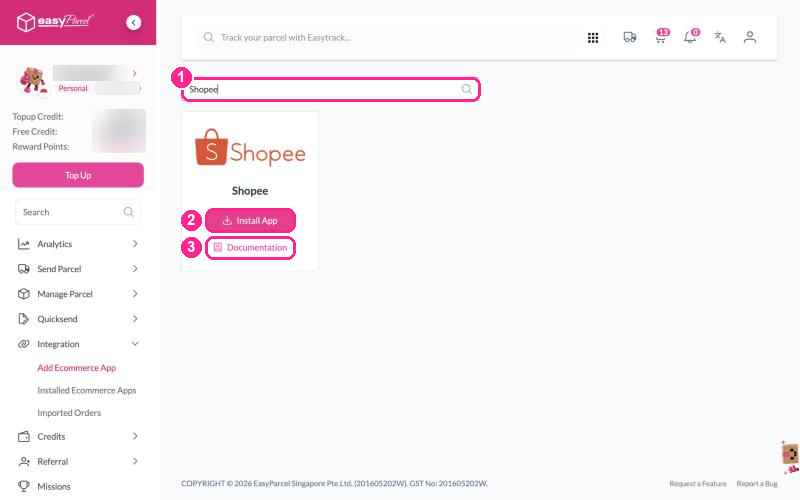
Type a marketplace in Search for apps (1), for example Shopee, then click Install App (2) or Documentation (3).
Partner apps and developers
| Platform | Where to find the guide |
|---|---|
| ATrades | Other online stores |
| Your own system or website | EasyParcel Open API |
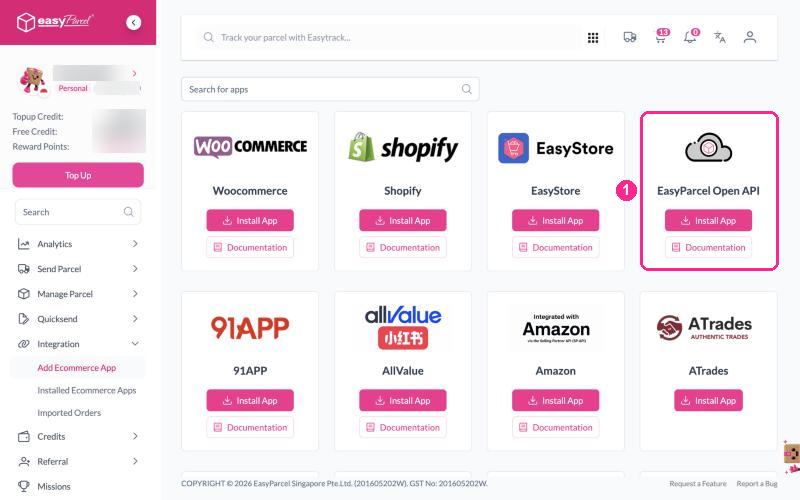
EasyParcel Open API (1) is on the same page.
Other apps in the list
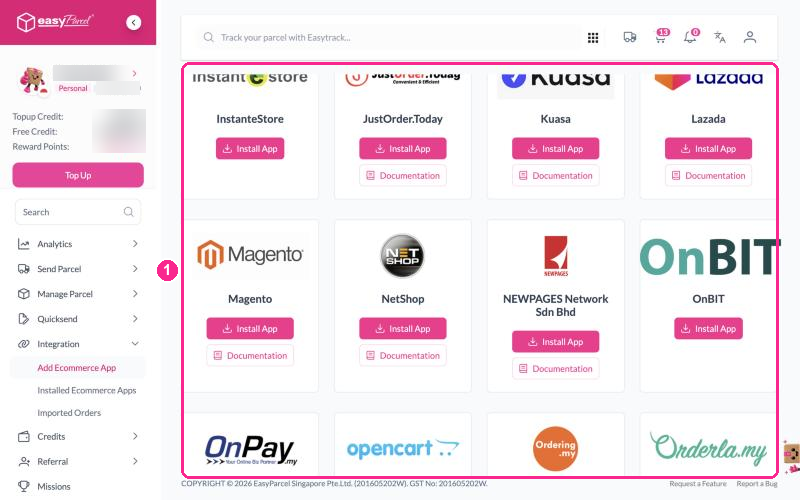
The app list also shows BCL, beam, BigSeller, BizApp, Boutir, EC2.0, Ejenkita, Exabytes, EzBoxup, Firesell, GoBuddy, Grabs, HouseGuru, InstanteStore, JustOrder.Today, Kuasa, NetShop, NEWPAGES Network, OnBIT, OnPay, Ordering.my, Orderla.my, OrderSini, Payrecon, ProppyApp, Shopcada, Shoppegram, SiteGiant, sql, Squarelet, Ulive, Unicart, Wasep.me, WhatsMenu and Yezza. We do not have a guide for these yet. Click Documentation on the app, or contact our support team for help.
Scroll down the page to see more apps (1).
Not sure which version to pick?
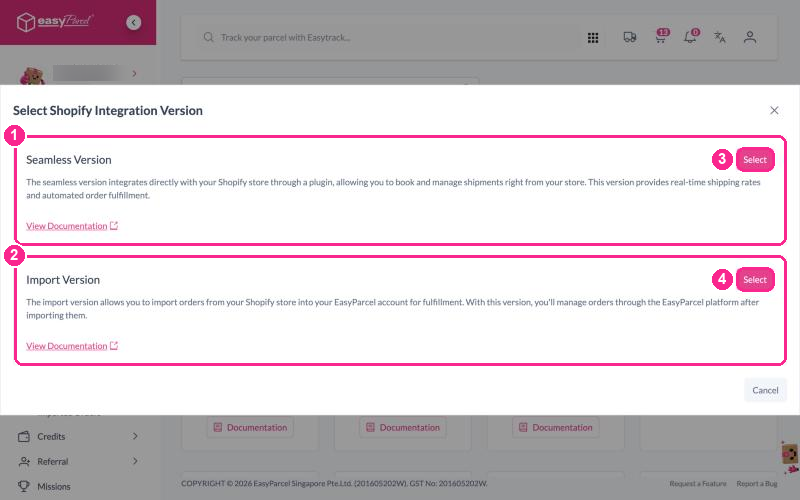
Read What is the difference between the Plugin (Seamless) and Import versions?
When you click Install App, you choose Seamless Version (1) or Import Version (2).
What's next?
Still need help?
Our team is happy to help. ? Live Chat | ✉️ Contact Us