
Quick Summary
Create width, height and length variant metafields in Shopify, then fill them in for each product.
We'll Cover:
Create the metafields
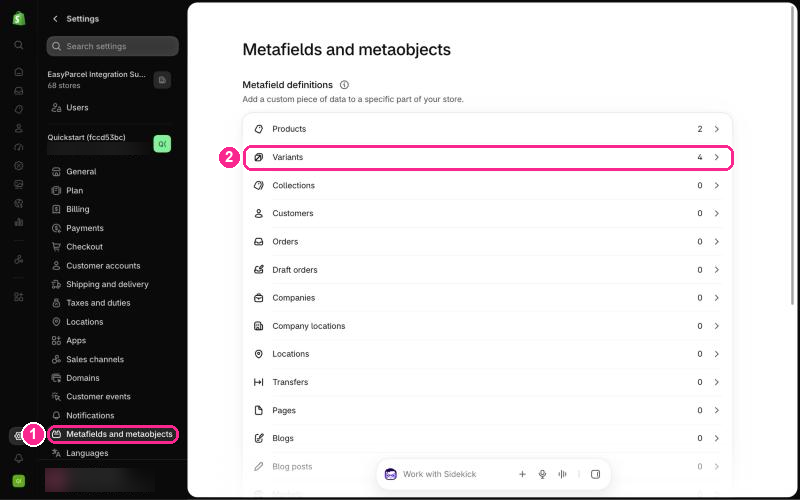
- In Shopify, click Settings > Metafields and metaobjects > Variants.
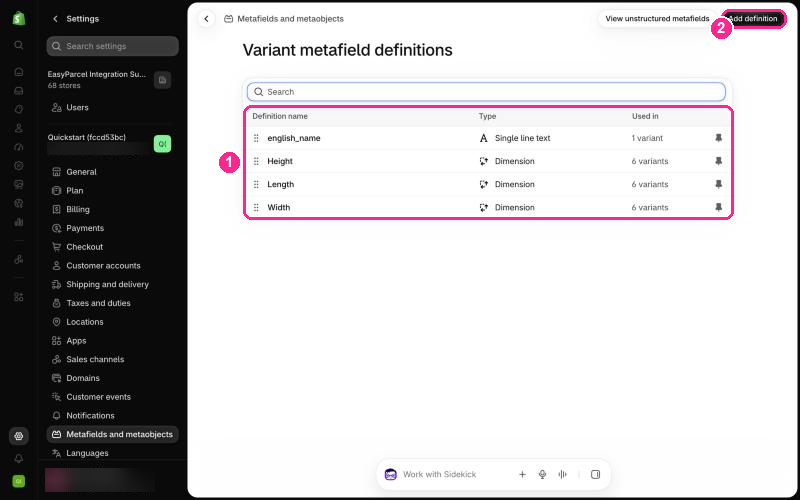
- Click Add Definition.
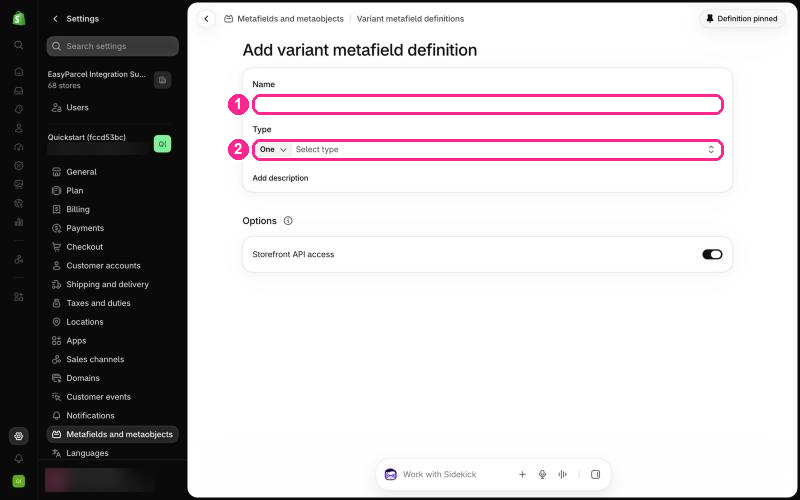
- Enter width as the name and choose Dimension as the type, then Save.
- Repeat for height and length.
The names must be exactly width, height and length. The system only detects these names.
In Shopify, open Metafields and metaobjects (1) and click Variants (2).
Click Add definition (2). When done, your definitions show in the list (1).
Enter the Name (1) and choose the Type (2).
Fill in each product
- Go to Products and open a product.
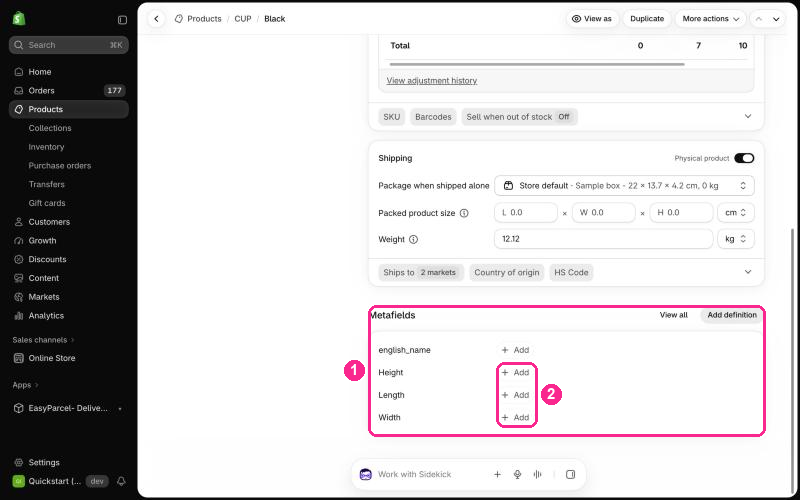
- Click the variant and scroll to Metafields and fill in all three fields.
Use cm if you can. Other units are converted to cm.
Open the product, click the variant and scroll to Metafields (1). Click Add (2) next to each field.
What's next?
Still need help?
Our team is happy to help. ? Live Chat | ✉️ Contact Us
