
Quick Summary
Create an english_name variant metafield so EasyParcel can read your item name.
We'll Cover:
Create the metafield
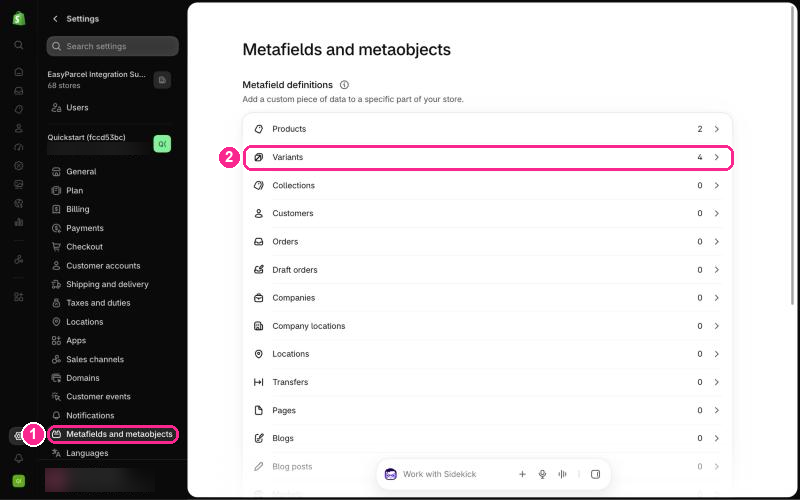
- In Shopify, click Settings > Metafields and metaobjects > Variants.
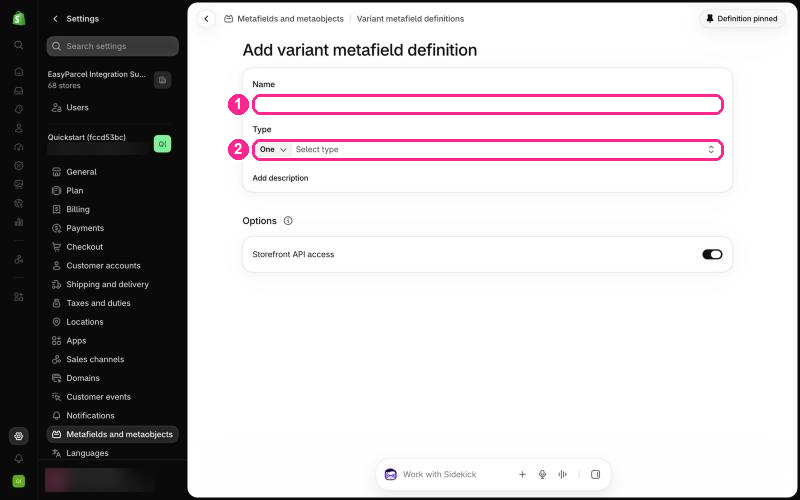
- Click Add Definition.
- Enter english_name and choose Single line text, then Save.
In Shopify, open Metafields and metaobjects (1) and click Variants (2).
Click Add definition, then enter the Name (1) and choose the Type (2).
Fill in each product
- Go to Products and open a product.
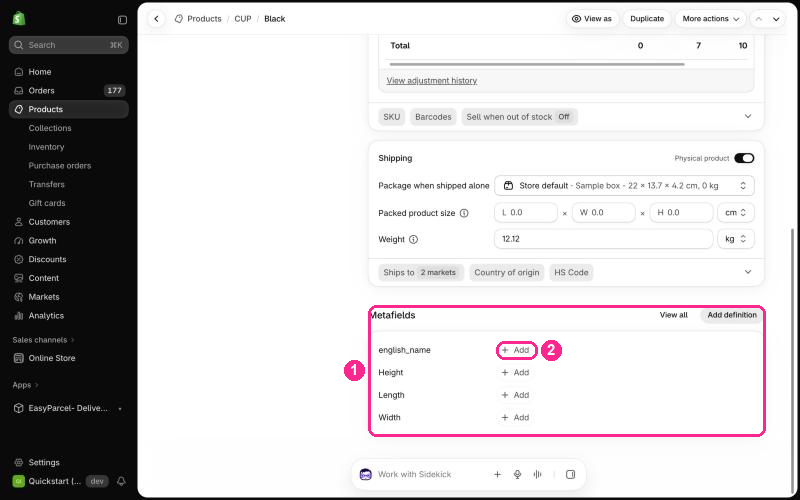
- Click the variant and scroll to Metafields, fill in english_name and save.
EasyParcel reads the item name from the variant metafield first.
Open the product, click the variant and scroll to Metafields (1). Click Add (2) next to english_name.
What's next?
Still need help?
Our team is happy to help. ? Live Chat | ✉️ Contact Us
