
Quick Summary
Turn on enable packing list on AWB in your store app's Settings, then download the AWB from the Order tab. This works for the Import version only.
We'll Cover:
Turn it on
- Click Integration > Installed Ecommerce Apps, find your store and click Open App.
- Open Settings and find enable packing list on AWB.
- Change it to Yes and click Update.
Download the AWB
- Switch to the Order tab.
- Select an order that is already fulfilled.
- Click Download AWB.
- Click here and the AWB downloads to your device. Open the file to check the packing list.
Note: Do not click the printer button or the tracking number. They do not include the packing list on your AWB.
In the app
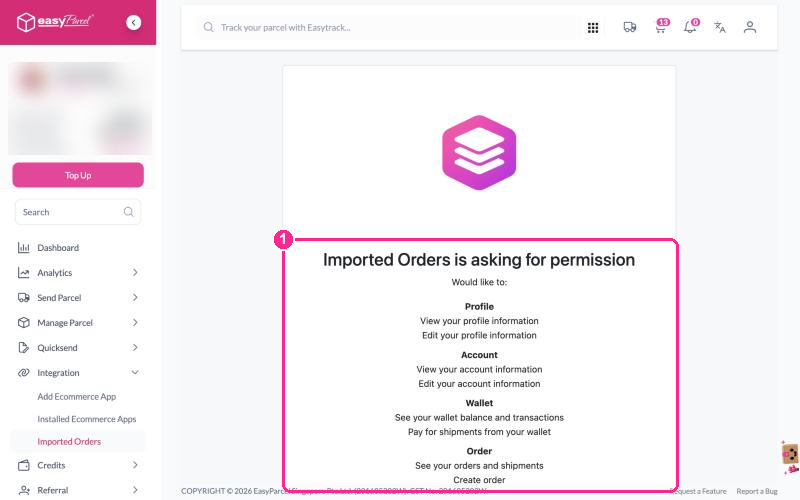
The first time you open Integration > Imported Orders, it asks for permission (1) to see your account, wallet and orders. Read it, then click Allow Access to continue.
Still need help?
Our team is happy to help. ? Live Chat | ✉️ Contact Us