We'll Cover:
1. Introduction
Hey EasyParcel fam,want to connect EasyParcel with your Lazada store? Check out this step-by-step guide to make the process smooth and easy! Any enquiry welcome to contact our customer service here.
☑️ Compare 60+ courier services:
Easily find and choose the best courier options for your business needs and customer locations.
☑️ Automated tracking number notification:
Keep your customers updated automatically with tracking details and reduce support inquiries.
☑️ Cheapest Courier Option:
Display the most affordable courier at checkout to cut costs and boost customer satisfaction.
2: Start integrating
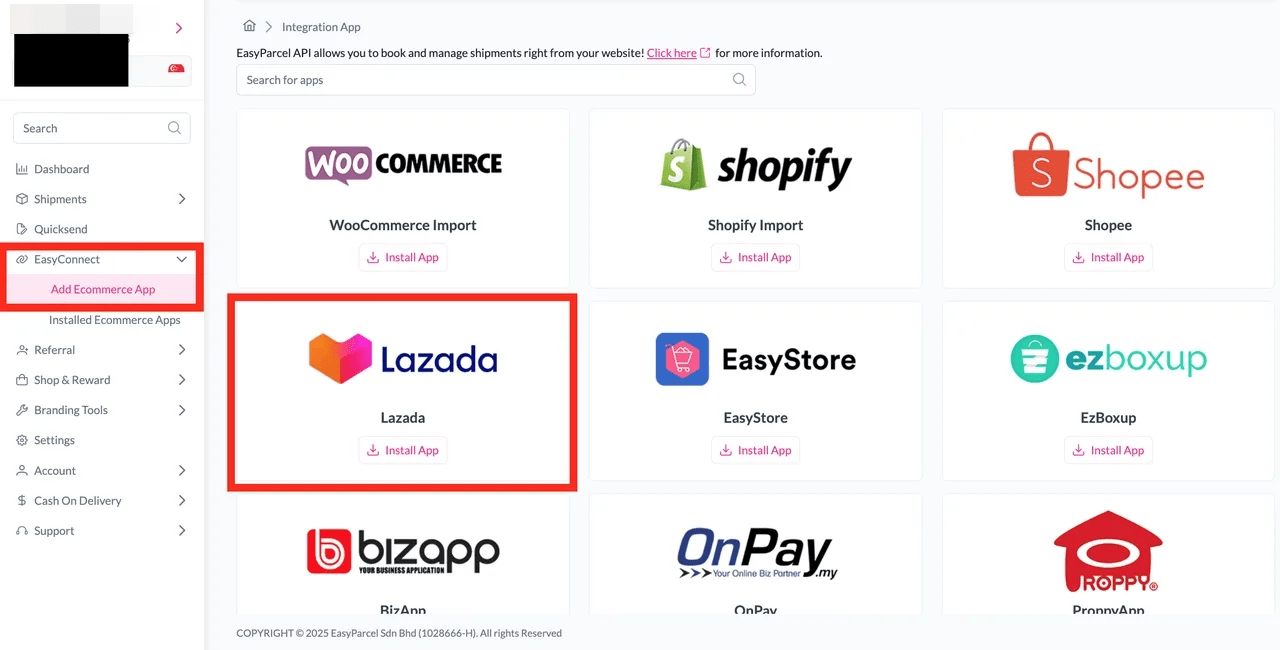
Step 1: Under EasyConnect section, click on “Add Ecommerce App”, find “Lazada” and click on “Install App”.
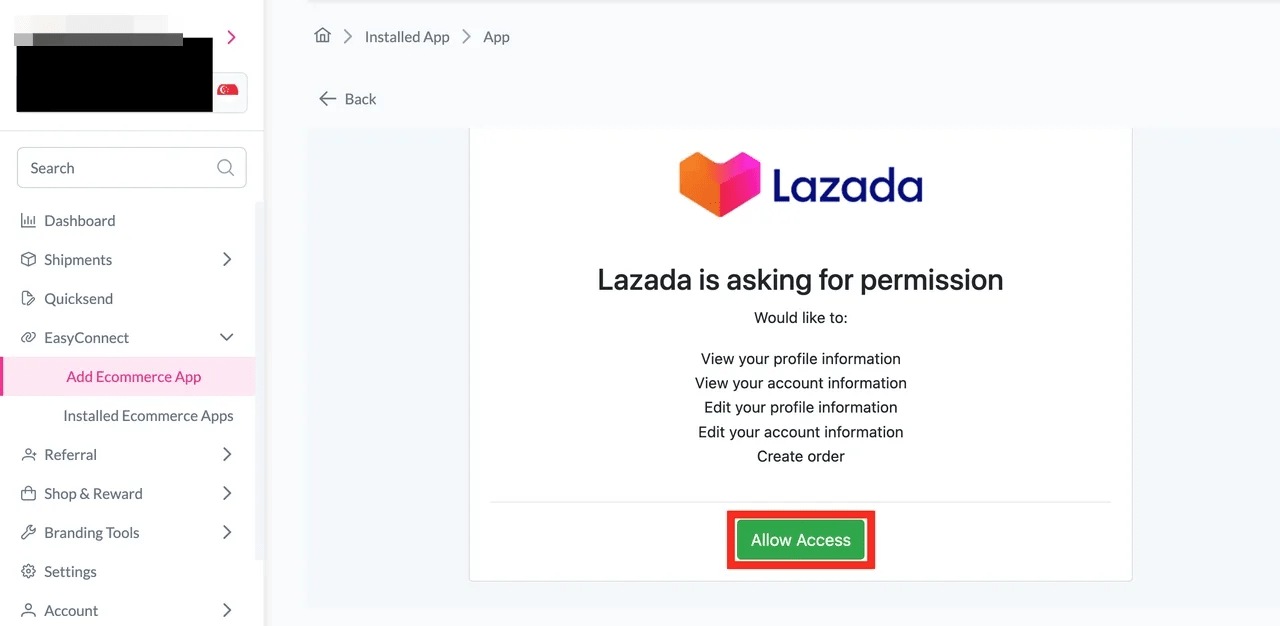
Step 2: Click on the “Allow Access” button.
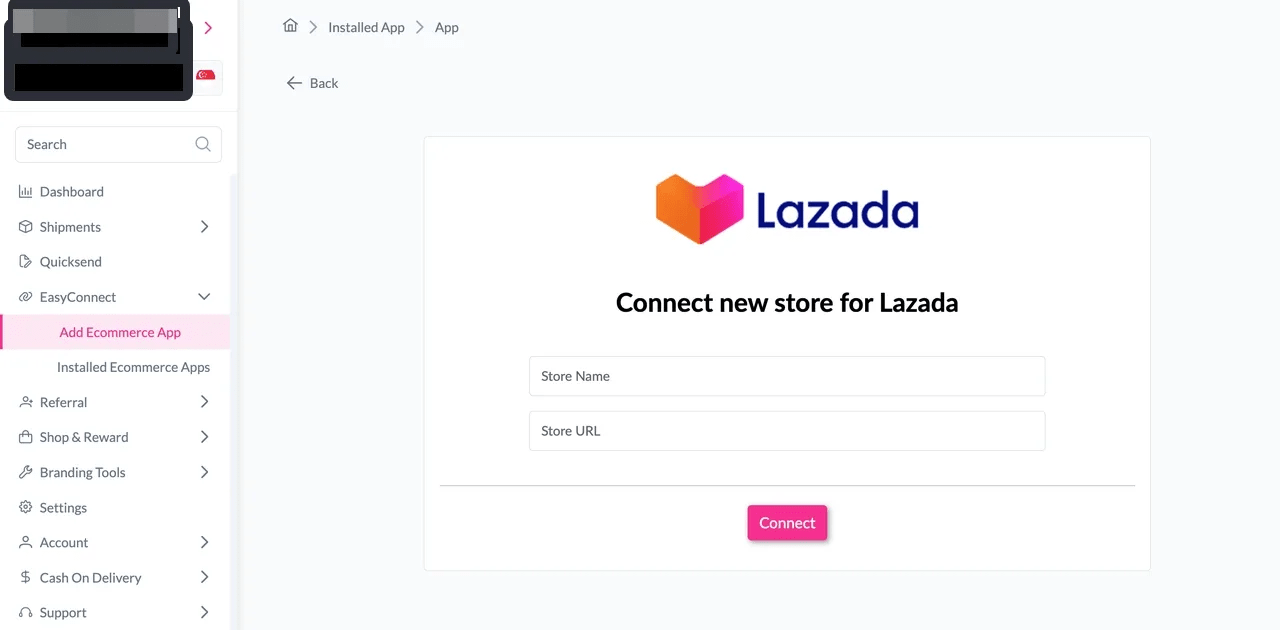
Step 3: Key in your “Store Name” and “Store URL” and click on the “Connect” button.
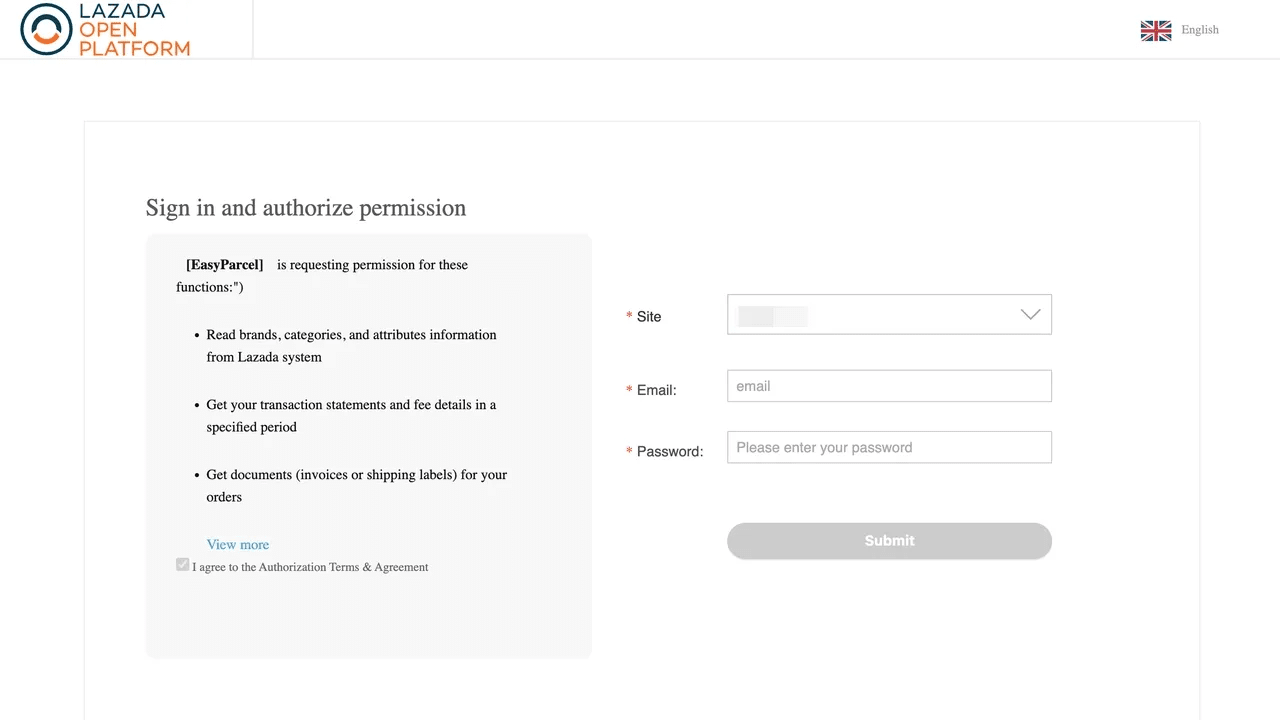
Step 4: Log in into your Lazada account.
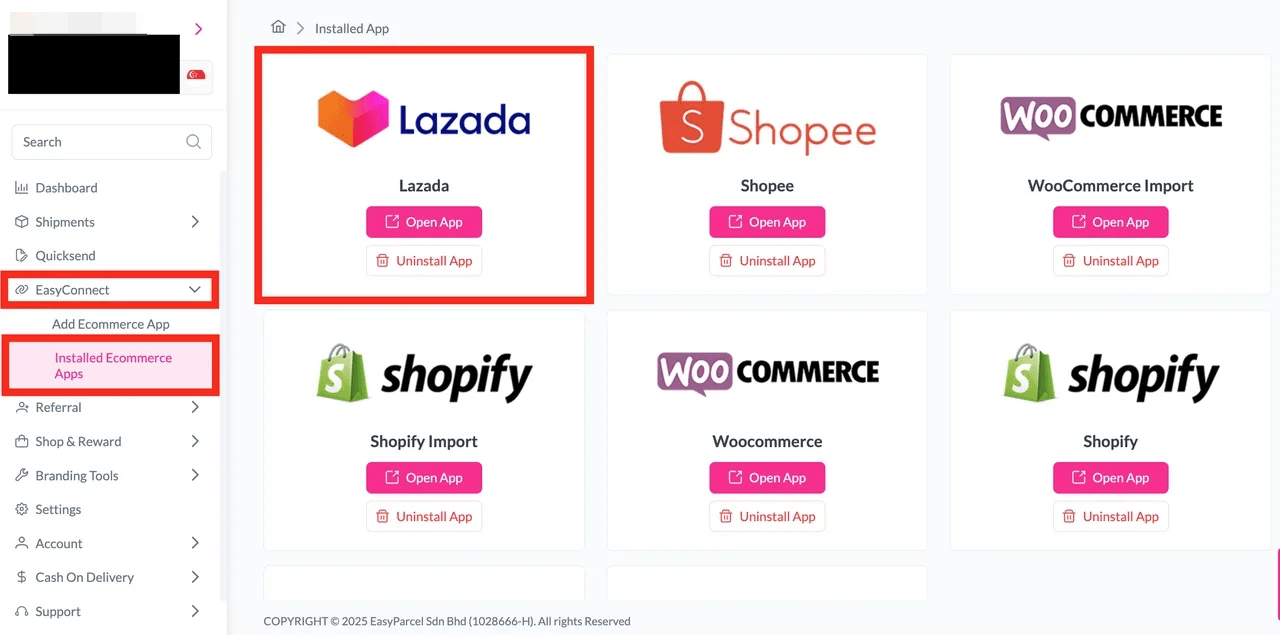
Step 5: Under “EasyConnect”, click on “Installed Ecommerce Apps”, find “Lazada” and click on “Open App” button.
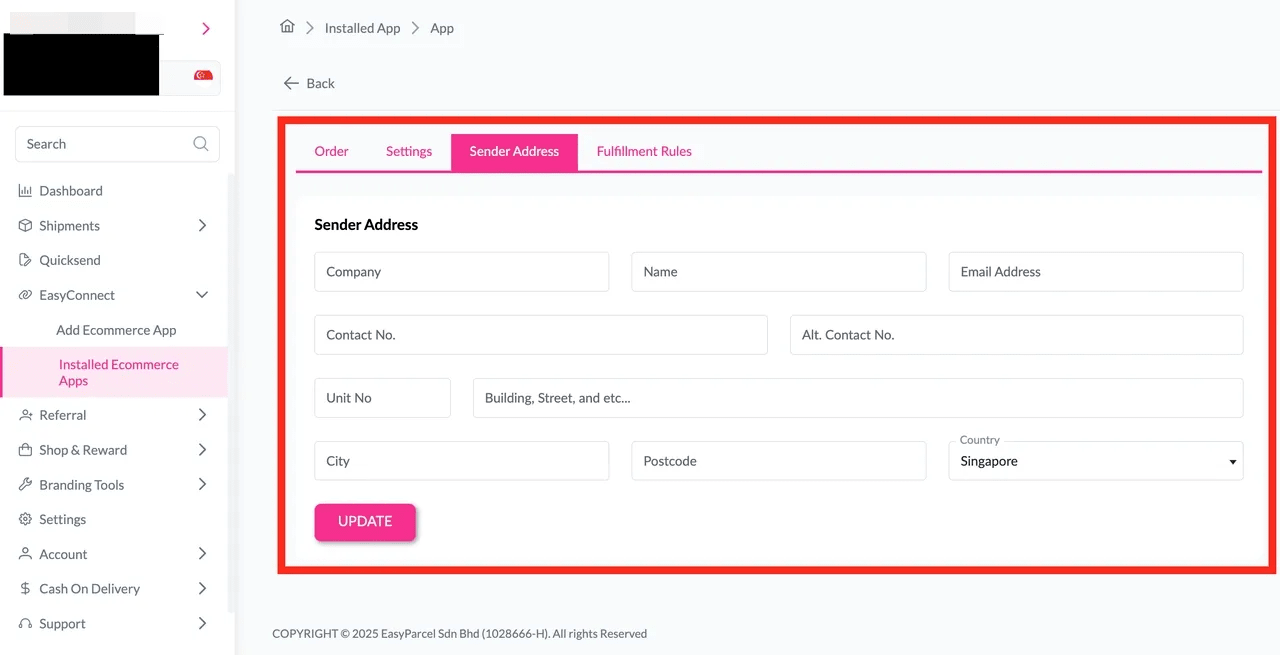
Step 6: In the store, click “Sender Address” and key in your sender details and click on the “Update” button.
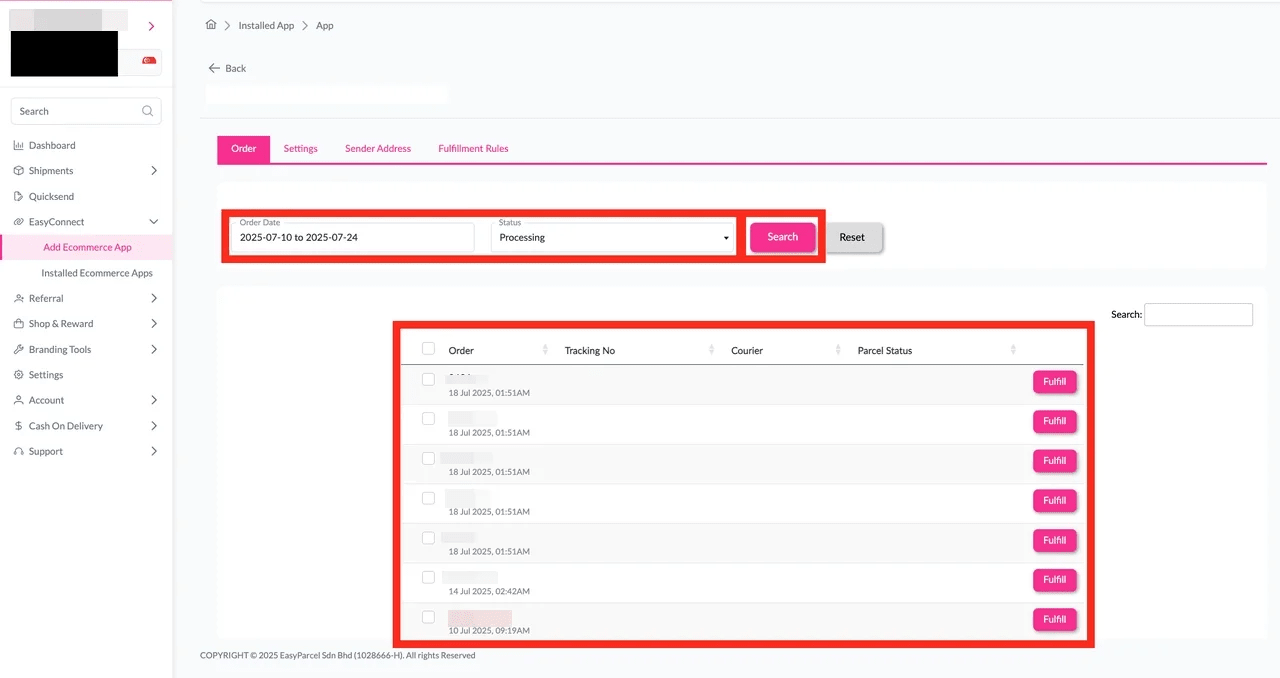
Step 7: Click on “Order”, select the order date and order status and click on the “Search” button. The order will be imported and shown in the list below. Then, click the “Fulfill” button on the order you want to fulfill.