
Quick Summary
Choose a courier service that offers COD, and in the Cash on Delivery section of the booking page, set Enable to Yes, choose the currency and enter the amount your receiver must pay. The COD charge for your courier is shown in the same section.
We'll Cover:
Book a COD parcel
- Get a quote and click Book on a courier service with the $ icon.
- Fill in the sender, receiver and parcel details.
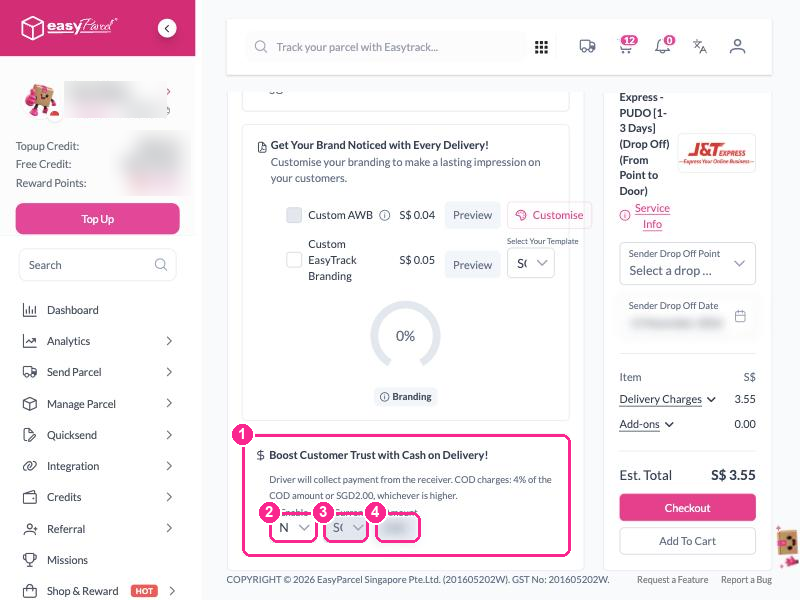
- Find Boost Customer Trust with Cash on Delivery! (1) on the booking page.
- Set Enable (2) to Yes, choose the Currency (3) and enter the Amount (4).
- Check out as usual.
COD charges
The section tells you the COD charge for your courier. For example, for J&T Express PUDO it shows: 4% of the COD amount or SGD 2.00, whichever is higher. Charges can differ by courier, so always check the booking page.
Note: The driver collects the payment from your receiver. You can follow your COD under Cash On Delivery > COD Shipment Listing.
Prefer a video? Watch How to Book COD Shipment in Support > Video Tutorial.
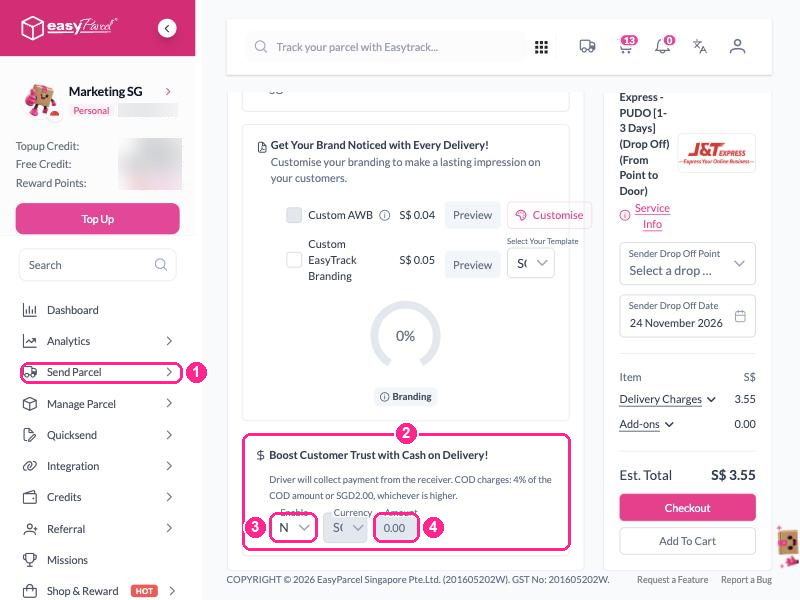
On the booking page (from Send Parcel (1)), find the Cash on Delivery (2) section. It shows the COD charge. Set Enable (3) to Yes and enter the Amount (4) to collect.
What's next?
Still need help?
Our team is happy to help. ? Live Chat | ✉️ Contact Us