
Quick Summary
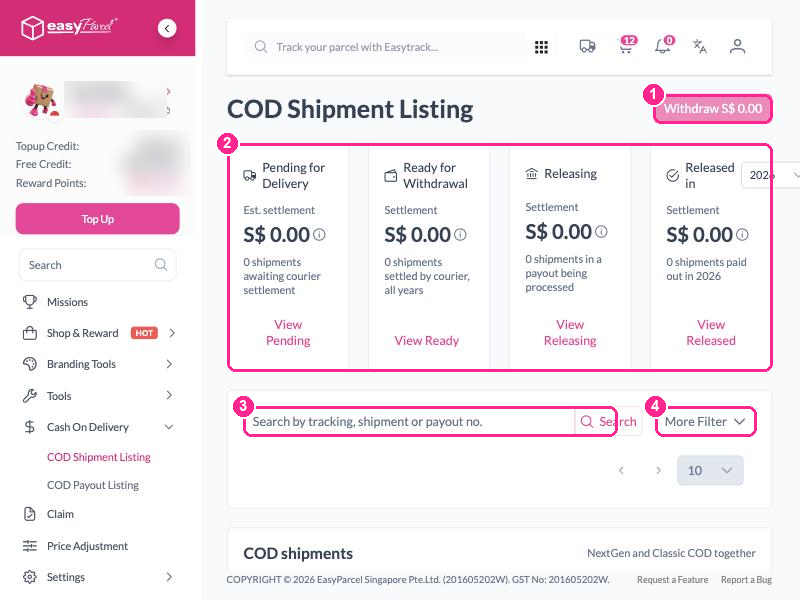
The COD Shipment Listing shows all your COD parcels and how much money is waiting, ready to withdraw, being released or already paid out. Open it from Cash On Delivery > COD Shipment Listing in the left menu.
We'll Cover:
The summary cards
The cards (2) show your COD money by status: Pending for Delivery, Ready for Withdrawal, Releasing and Released in a year you choose. Click View on a card to see those parcels. The Withdraw (1) button shows the amount you can withdraw.
Find a COD parcel
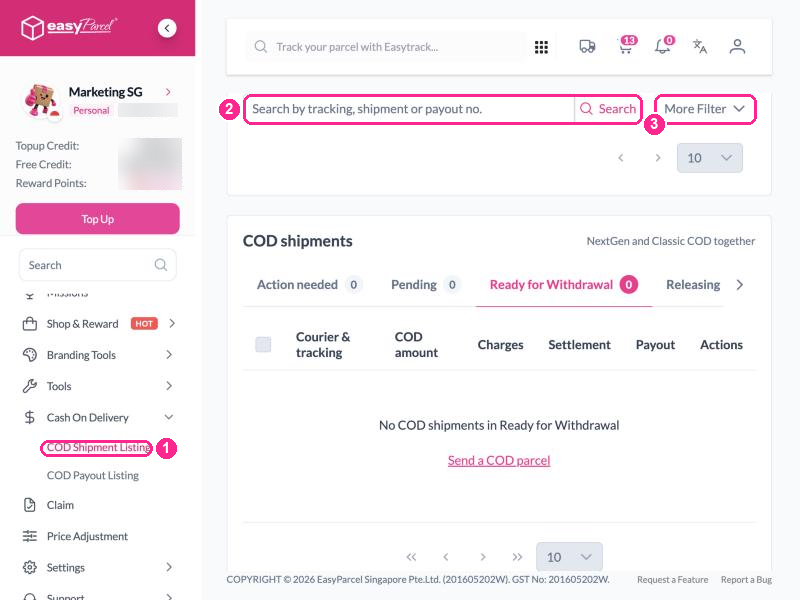
In COD Shipment Listing (1), use the search box (2) to find a parcel by tracking, shipment or payout number, or click More Filter (3).
The COD table
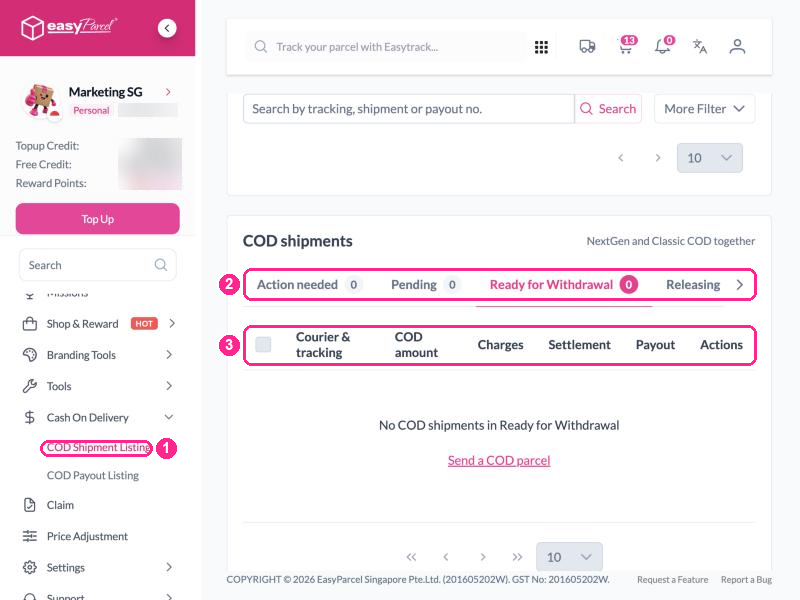
For each parcel, the table shows the courier and tracking number, the COD amount, the charges, the settlement, the payout and the actions. NextGen and Classic COD parcels appear together.
In COD Shipment Listing (1), the tabs (2) sort your COD parcels by status, and the columns (3) show the courier and tracking, COD amount, charges, settlement, payout and actions.
What's next?
Still need help?
Our team is happy to help. ? Live Chat | ✉️ Contact Us