
Quick Summary
Follow your reports and claims in Support > Enquiries History, and in Claim for claims. Our support team replies on the message board.
We'll Cover:
Where to look?
- Support > Enquiries History – your reports and enquiries
- Claim in the left menu – your claims, with the amount, payout and status
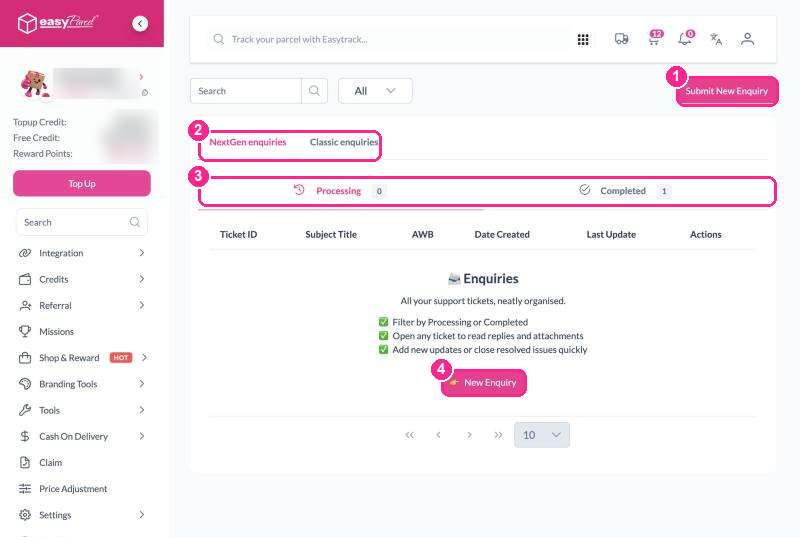
On the Enquiries page, use Submit New Enquiry (1) to send a new one. The tabs NextGen and Classic enquiries (2) separate your enquiries, and Processing and Completed (3) show their progress. Click New Enquiry (4) if the list is empty.
Still need help?
Our team is happy to help. ? Live Chat | ✉️ Contact Us