
Quick Summary
Add Shopify with the Import Version, enter your store, then set your sender address in the Shopify Import app.
We'll Cover:
Add the store
- In EasyParcel, click Integration > Add Ecommerce App.
- Find Shopify and click Install App.
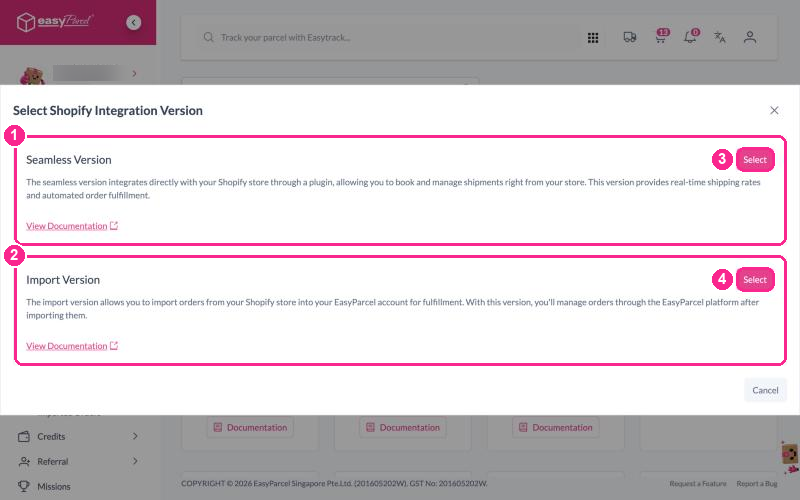
- Select Import Version.
- Enter Store Name and Store URL without https://, for example yourshop.myshopify.com, then click Connect.
- You are sent to Shopify admin. Click Update.
In the version window, click Select on Import Version (2, 4).
Set your sender address
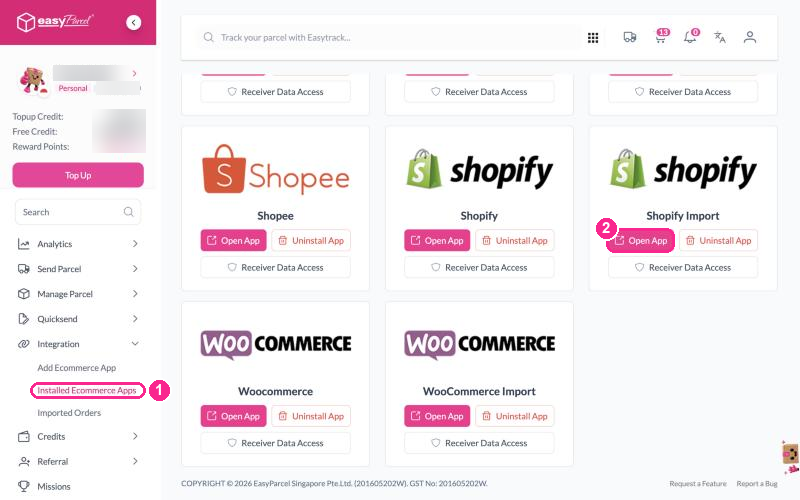
- Click Integration > Installed Ecommerce Apps, find Shopify Import and click Open App.
- Click your store.
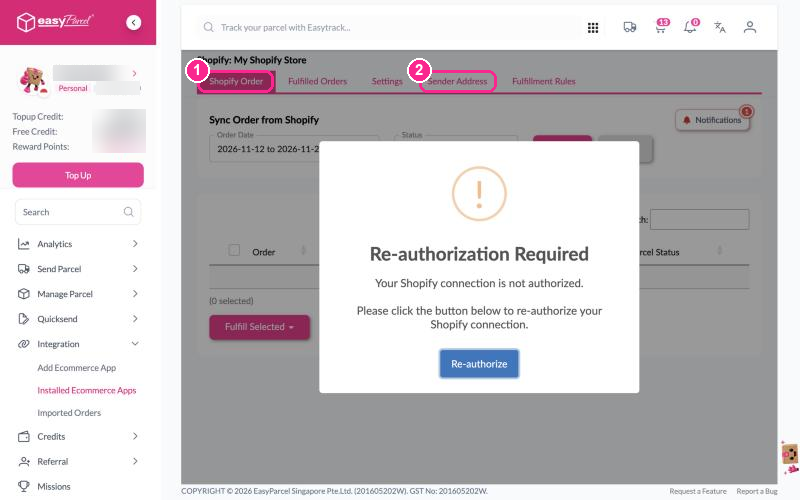
- Click Sender Address, enter your details and click Update.
- Click Shopify Order, choose the order date and status and click Search to import orders.
Go to Installed Ecommerce Apps (1) and click Open App (2) on Shopify Import.
Inside the app, use the Shopify Order (1) tab to import orders and the Sender Address (2) tab for your pick-up details.
What's next?
Still need help?
Our team is happy to help. ? Live Chat | ✉️ Contact Us
