
Quick Summary
When a customer pays you offline, they upload a proof of payment with their order. Check it before you ship.
We'll Cover:
Open the proof of payment
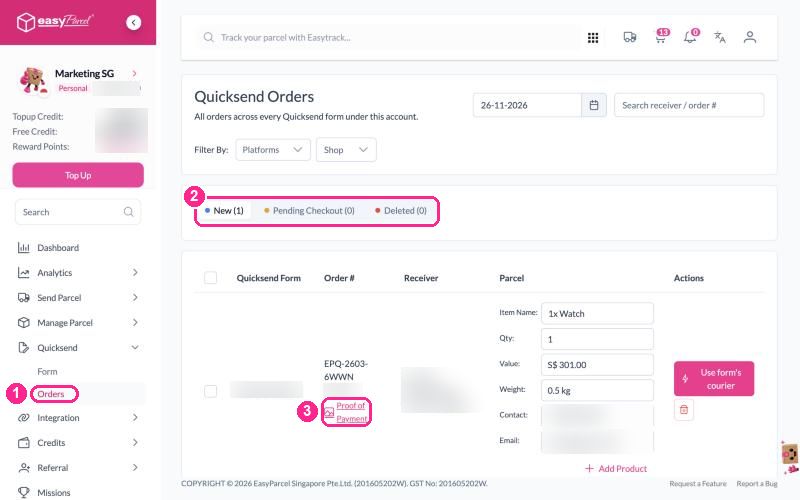
- Go to Quicksend > Orders (1).
- Find the order in the New or Pending Checkout tab (2).
- Click Proof of Payment (3) under the order number to open the customer's receipt.
Check it carefully
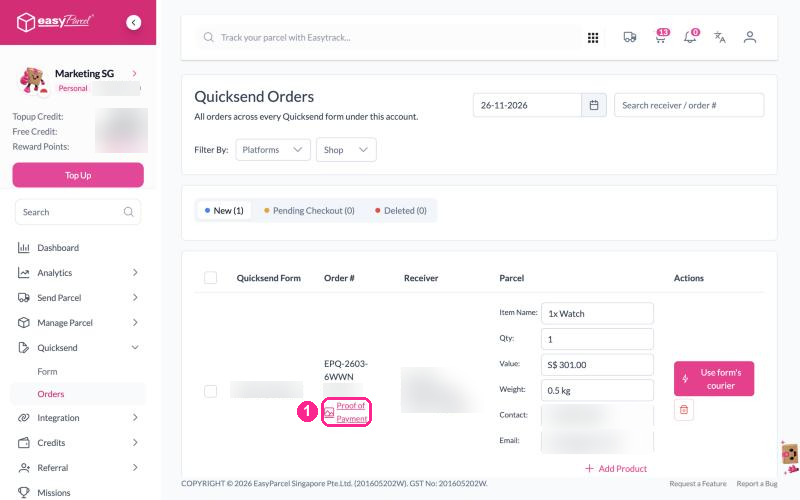
Open Proof of Payment (1) and check that:
- The amount matches the order total
- The money is in your bank account, not just a screenshot
- The date and reference look right
Then ship the order
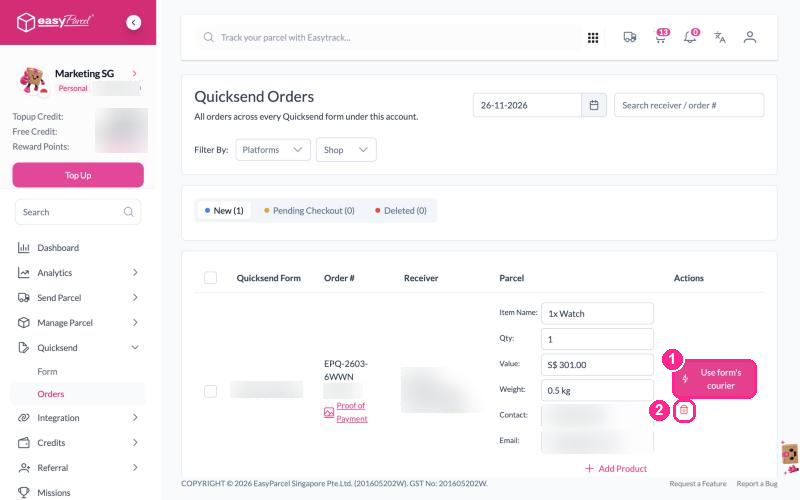
When the payment is correct, use the buttons under Actions:
- Change Courier (1) (truck icon): pick a different courier for the order.
- Checkout (2) (card icon): book and pay for the parcel.
- Delete (3) (bin icon): remove the order.
If the payment is wrong, contact your customer before you ship.
Still need help?
Our team is happy to help. ? Live Chat | ✉️ Contact Us