
Quick Summary
Quicksend lets your customers place an order themselves through a link or QR code that you share. You create an order form, share it, and the orders appear in Quicksend > Orders ready for you to ship.
We'll Cover:
- What Quicksend is?
- The Quicksend menu
- In the app
- Related articles
What Quicksend is?
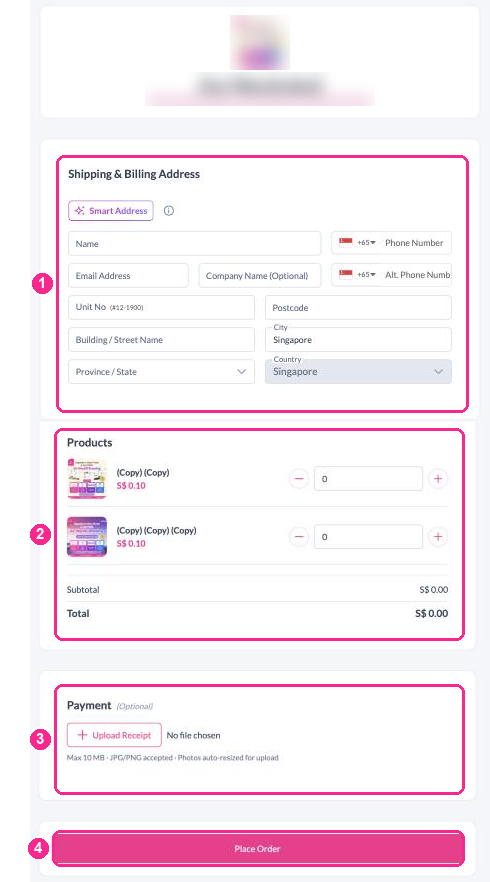
A simple way to take orders from social media chats or live sales without an online store. Your customer opens your form link, fills in their details and the items, and pays by the method you set up. This is what your customer sees:
The Quicksend menu
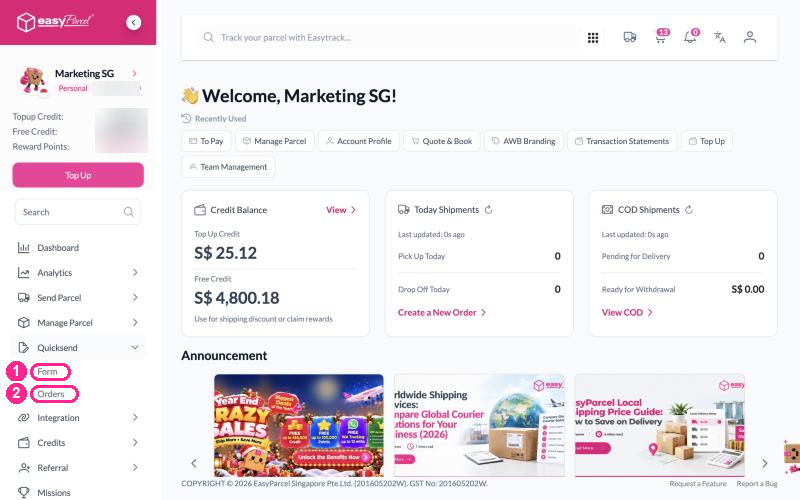
- Form (1): create and manage your order forms
- Orders (2): orders placed through your forms
In the app
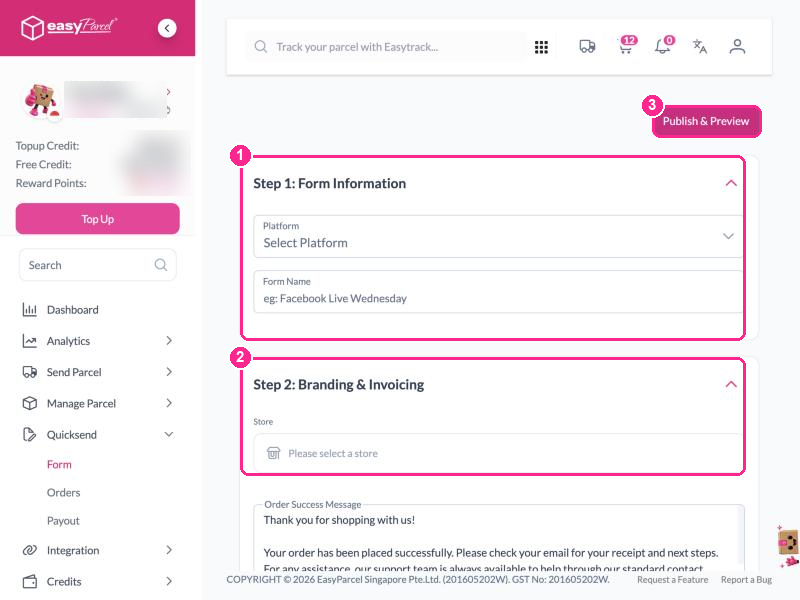
Create and manage forms in Quicksend > Form.
Related articles
Next steps with Quicksend:
- How do I create a Quicksend order form?
- How do I share my Quicksend form link or QR code?
- How do I check my Quicksend orders?
- How do my customers order through my Quicksend form?
- How do I check a customer's proof of payment in Quicksend?
What's next?
Still need help?
Our team is happy to help. ? Live Chat | ✉️ Contact Us