
Quick Summary
Your customer opens your form link or scans the QR code, fills in their details and the items, pays the way you set up, and submits. The order then appears in your Quicksend Orders.
We'll Cover:
What your customer does?
- Opens your form link, or scans your QR code.
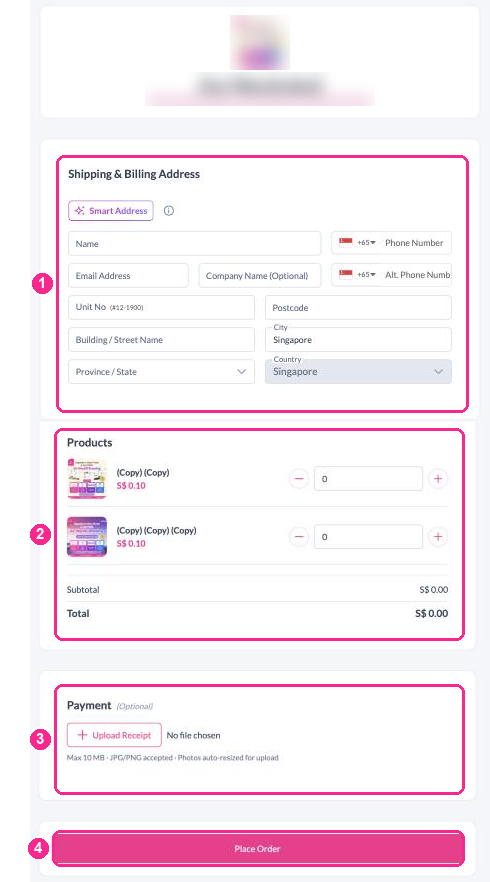
- Fills in their name, phone number and delivery address under Shipping & Billing Address (1).
- Chooses how many of each item they want under Products (2). The subtotal and total update.
- Pays the way you set up, for example by bank transfer, then uploads the receipt under Payment (3) (JPG or PNG, max 10 MB).
- Clicks Place Order (4) and sees your thank-you message.
What you do next?
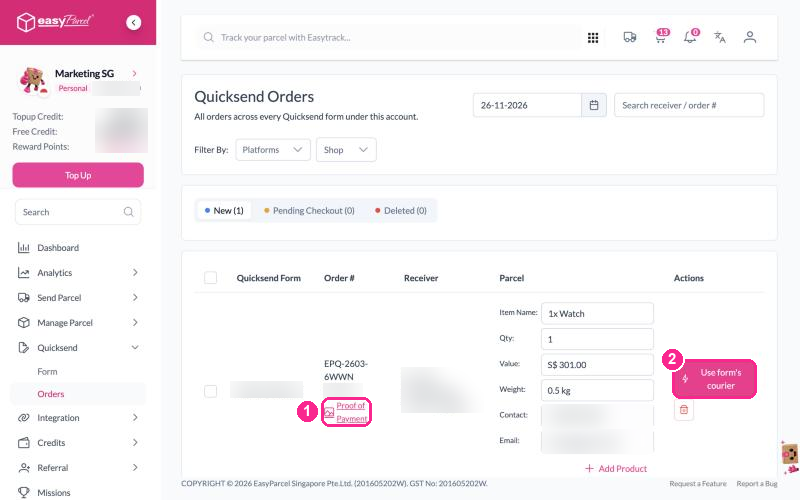
Check the order in Quicksend > Orders, verify the payment with Proof of Payment (1), then ship it with Use form's courier (2). See How do I check my Quicksend orders?
Share your form
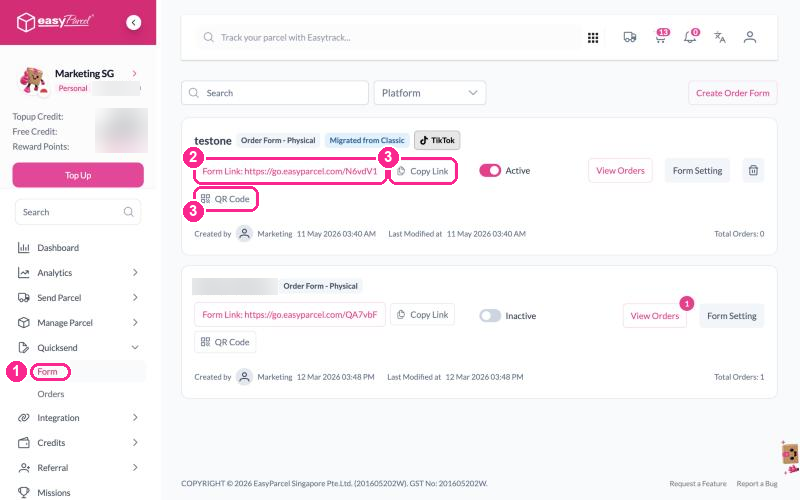
Send customers your Form Link (2) with Copy Link (3), or show them the QR Code (3). See How do I share my Quicksend form link or QR code?
Still need help?
Our team is happy to help. ? Live Chat | ✉️ Contact Us