
Quick Summary
You can personalize your Air Waybills (AWB) on EasyParcel SG by navigating to Marketing Tools > Custom Branding > AWB Branding. This feature allows you to add a promotional banner (S$0.05/parcel) or **custom text** (S$0.04/parcel) directly onto your shipping labels. Once you upload your design or enter your text and submit it for review, the EasyParcel team will typically approve it within 24 to 48 working hours. This service is available for several courier partners, including Ninja Van, J&T Express, and Pickupp, helping you maintain a professional brand image from the moment the parcel is handed over.
We'll Cover:
What is Air Waybill?
An Air Waybill (AWB) is a document detailing the parcel's important destination, sender details, receiver details and the content of the parcel. Every parcel is required to have an AWB to experience a smooth delivery process. Learn more about what AWB is and the importance of attaching it to your parcel.
Promotional Text At S$0.04 Nett Per AWB | Promotional Banner At S$0.05 Nett Per AWB |
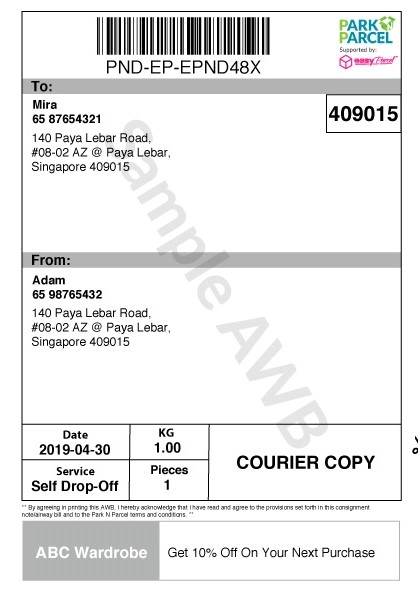 | 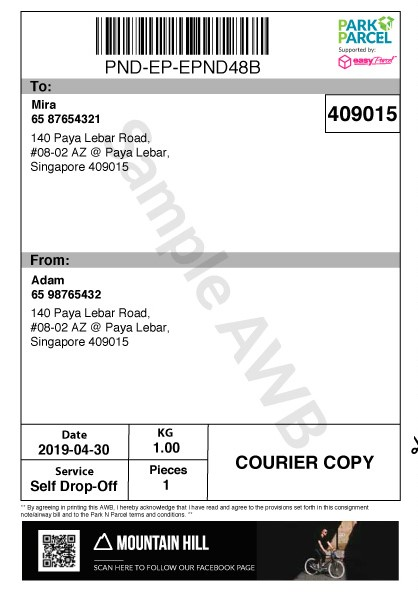 |
Applicable for TracX Logis (formerly Qxpress), Mystery Saver, UrbanFox, FeXpimiR Logistic, Park N Parcel, Pickupp, NinjaVan, MRight and J&T Express
How to set up Air Waybill Branding?
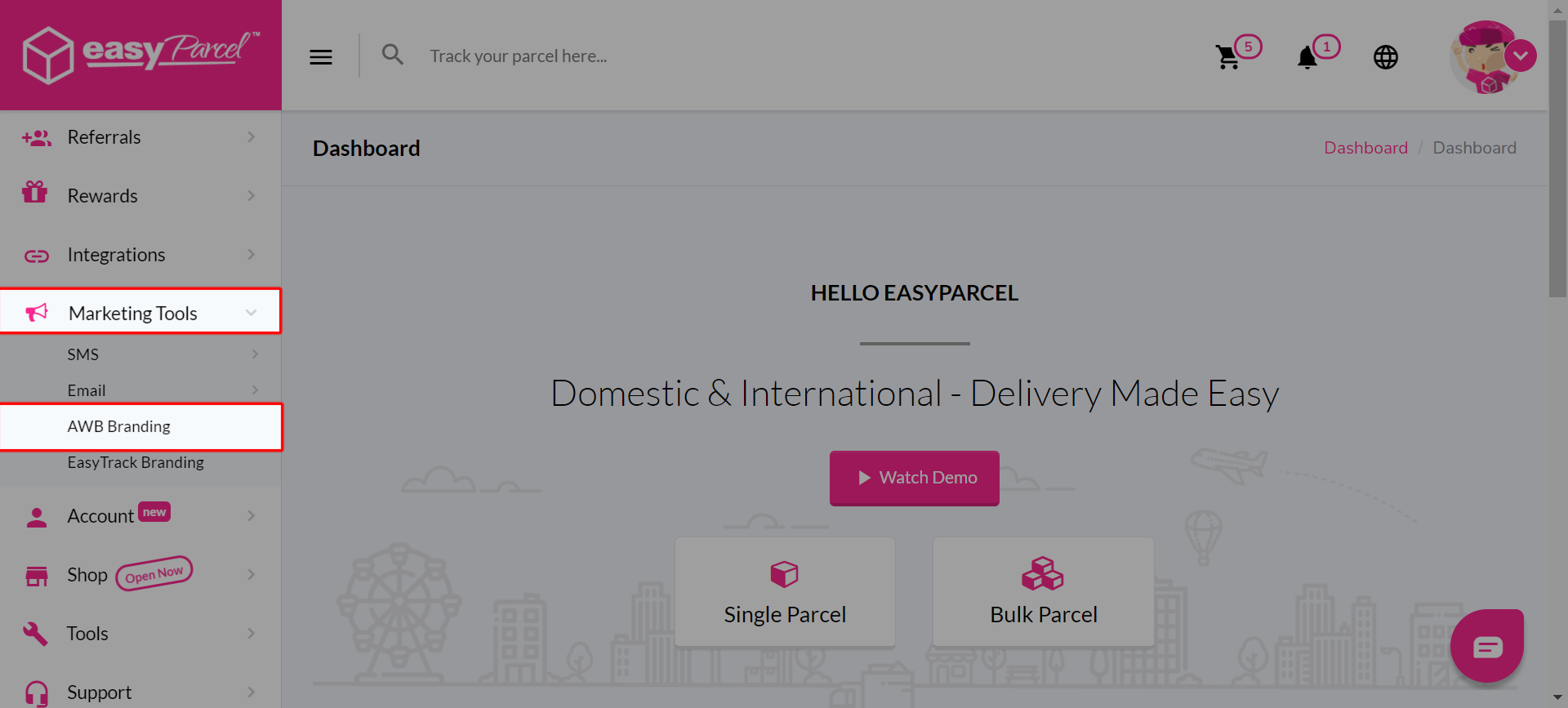
Step 1: Go to “Marketing Tools”, click on "Customs Branding", then click “AWB Branding”.
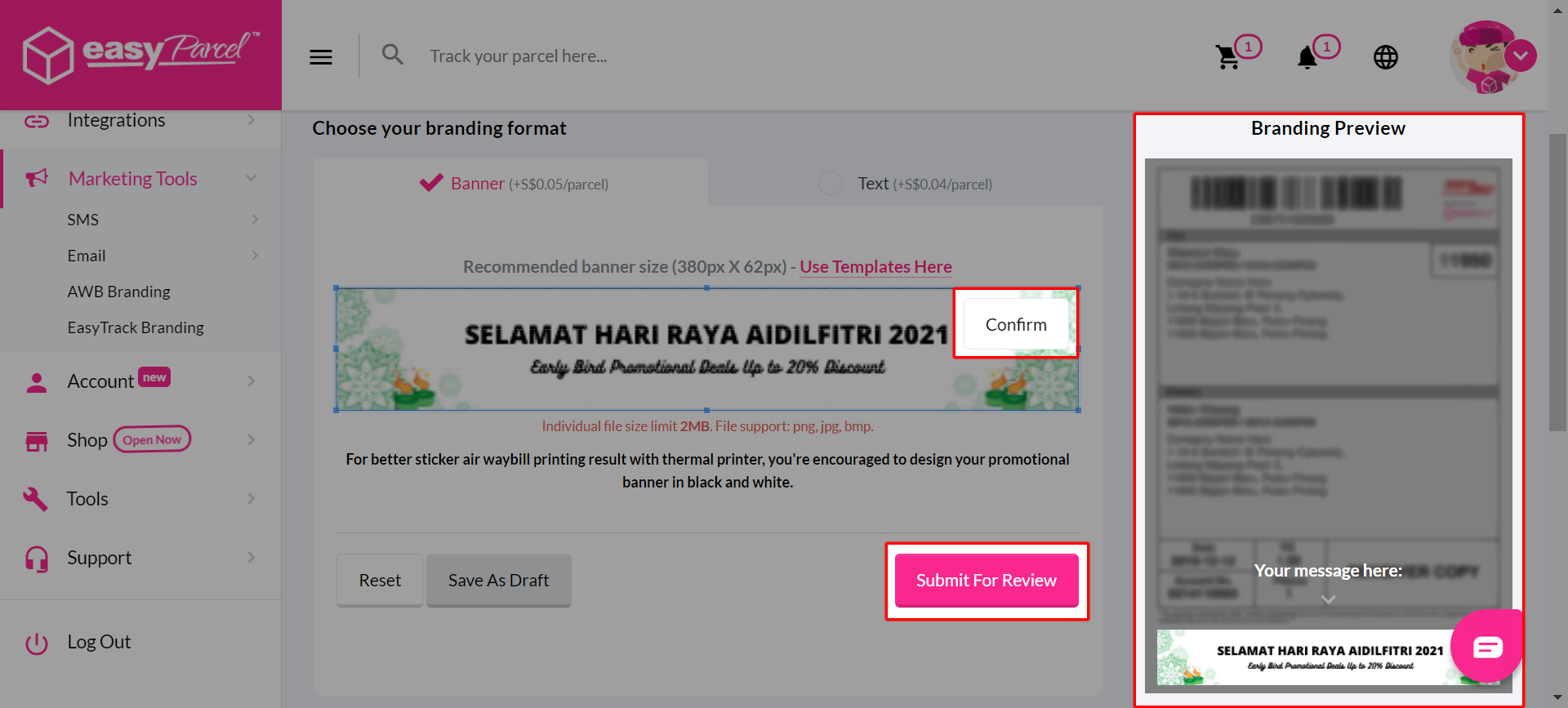
Step 2: Select "Banner (+0.05/parcel)" as your branding format.
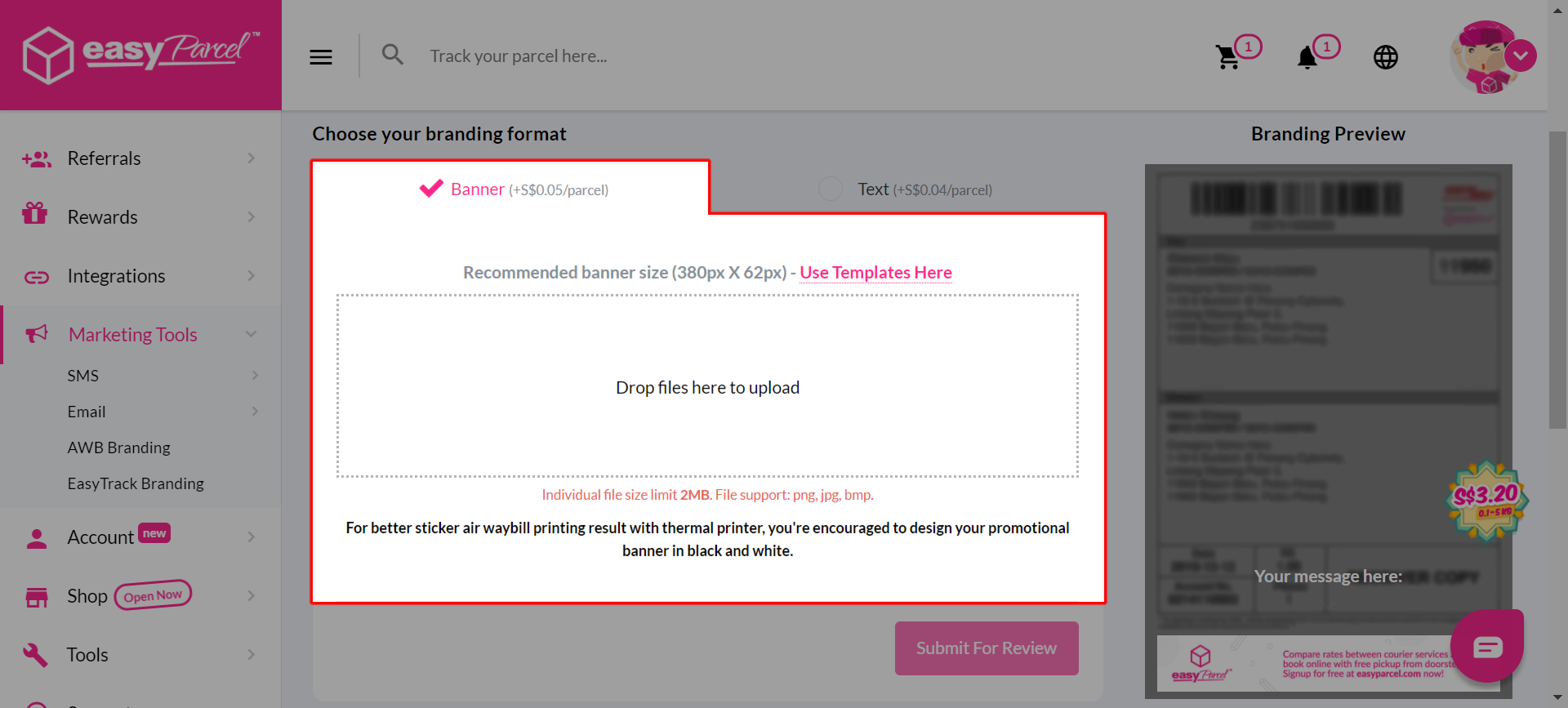
Step 3: Upload your banner and click "Confirm" > "Submit For Review". You can also preview your AWB on the right side.
Tips: use editing tools such as Canva to make easy and eye-catching promotional banner for your AWB Branding.
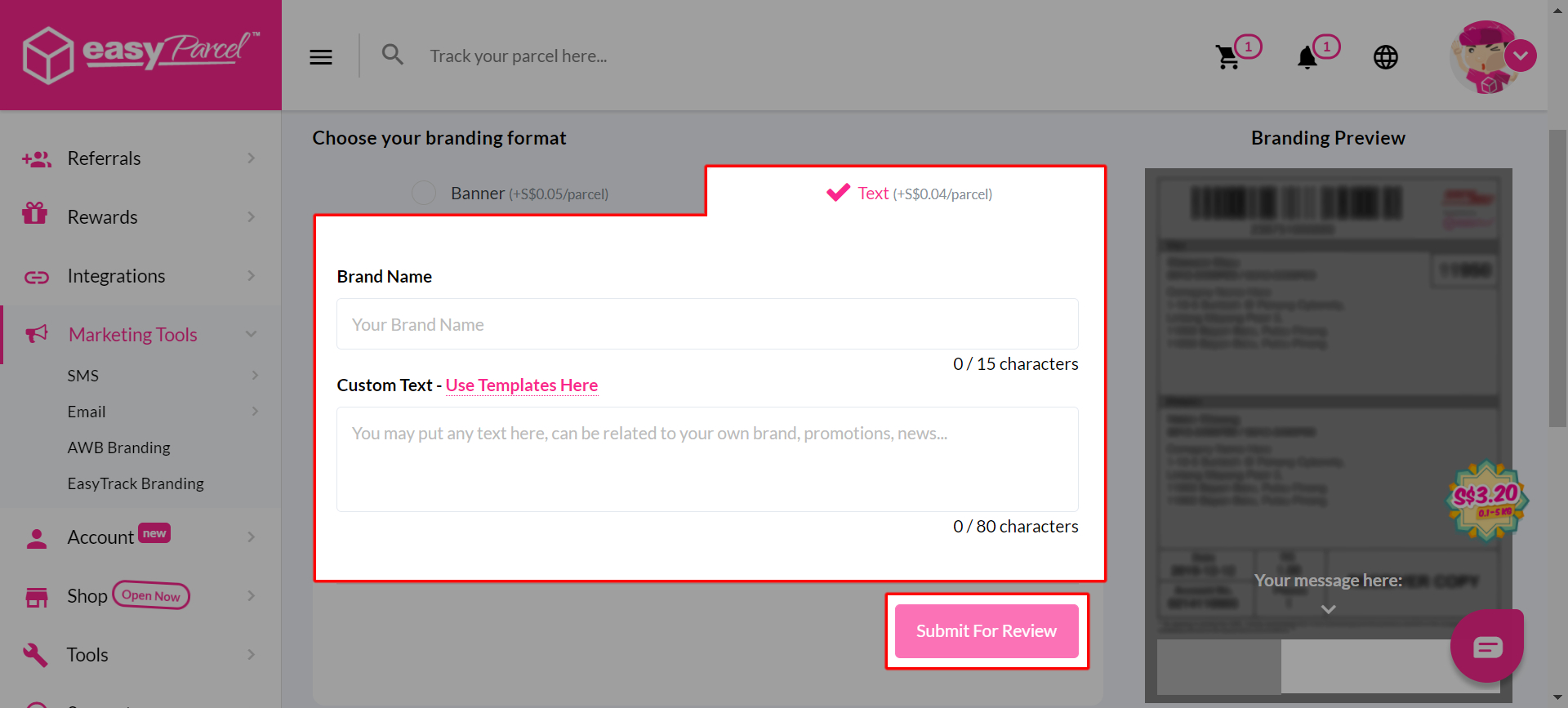
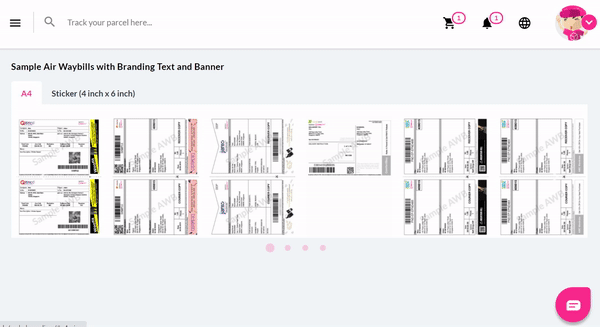
If you select "Text" format, simply fill in your brand name and custom text, then click "Confirm" > "Submit For Review". You can also click "View Sample Here" to refer some of the examples.
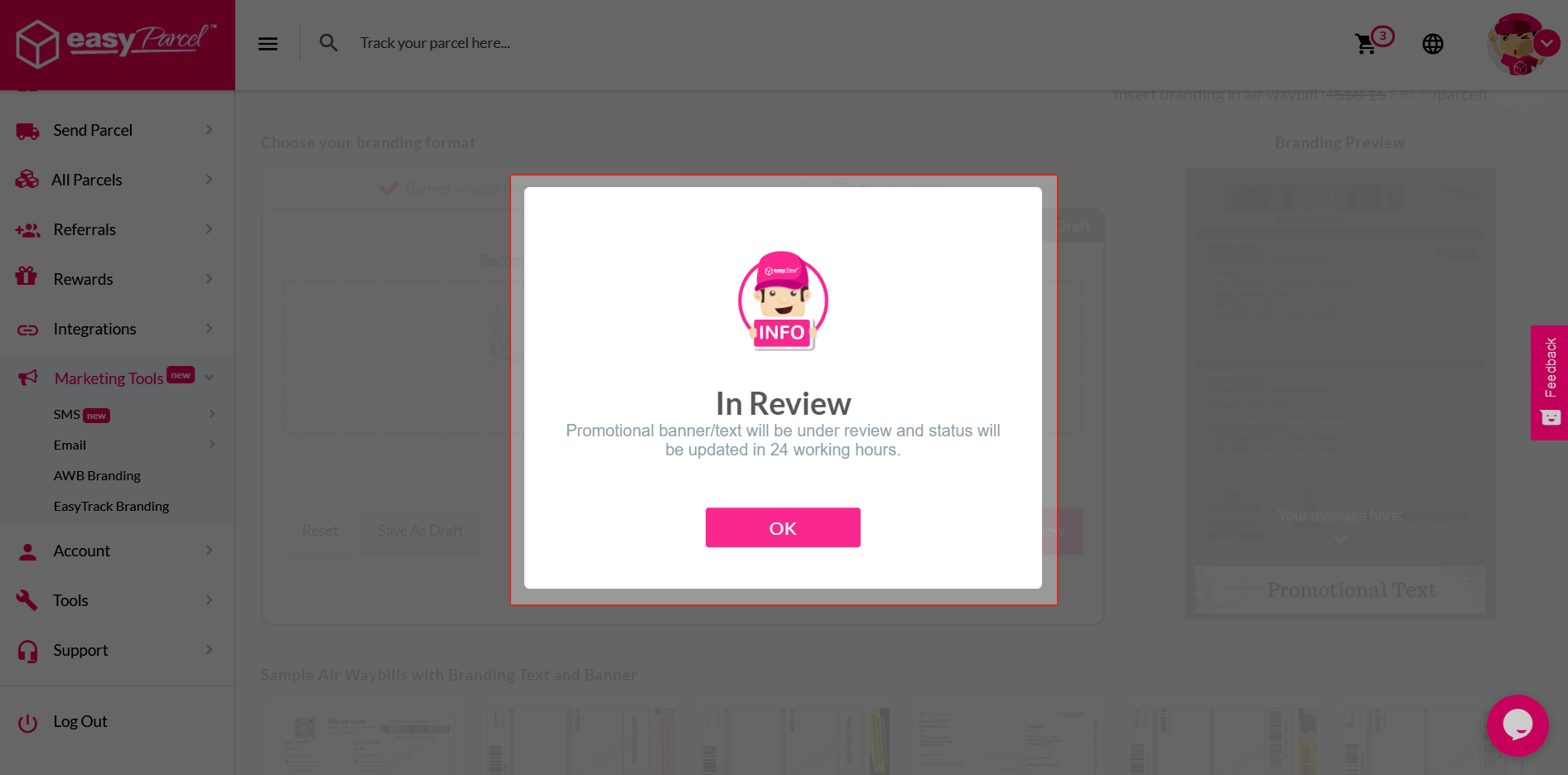
Step 4: The banner /texts submitted will be under review and status will be updated within 24 working hours.
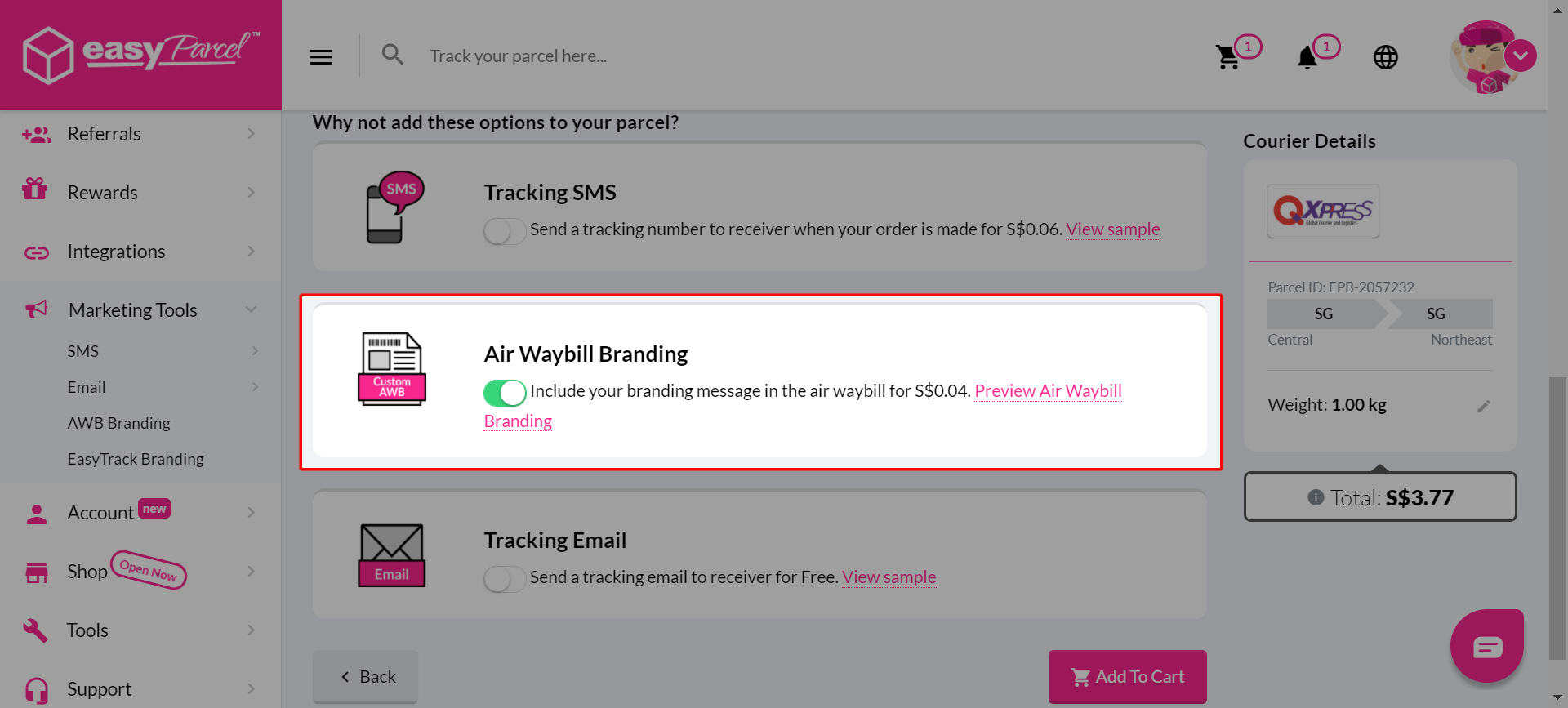
Step 5: Make order as usual, you will find "Air Waybill Branding" turned on automatically on booking page.
What are the Terms and Conditions for Air Waybill Branding?
1. All contents created for your own marketing purposes under EasyParcel Marketing Tools must NOT fall under:- Illegal products or services
- Discriminatory practices
- Alchohol & tobacco productsDrugs & drug-related products
- Weapons, ammunition, or explosives
- Adult products, services & content
- Violent & gore content
- Political, religious and racial content
- Misleading or false content
- Profanity and vulgar languages
- Gambling
- Counterfeit products & services
- Prohibited financial products and services
- Controversial content
2. All contents created will be reviewed by EasyParcel team and approval will be granted within 24 to 48 working hours.
3. Only English and Bahasa Malaysia language is allowed for all EasyParcel Marketing Tools – except for Custom Tracking Email (Mandarin language and emoji supported)
4. NO refunds will be given:
- Once payment for EasyParcel Marketing Tools is completed
- If the design does not comply to our guidelines
- For the day loss due to designs failure in complying to our guidelines