Quick Summary
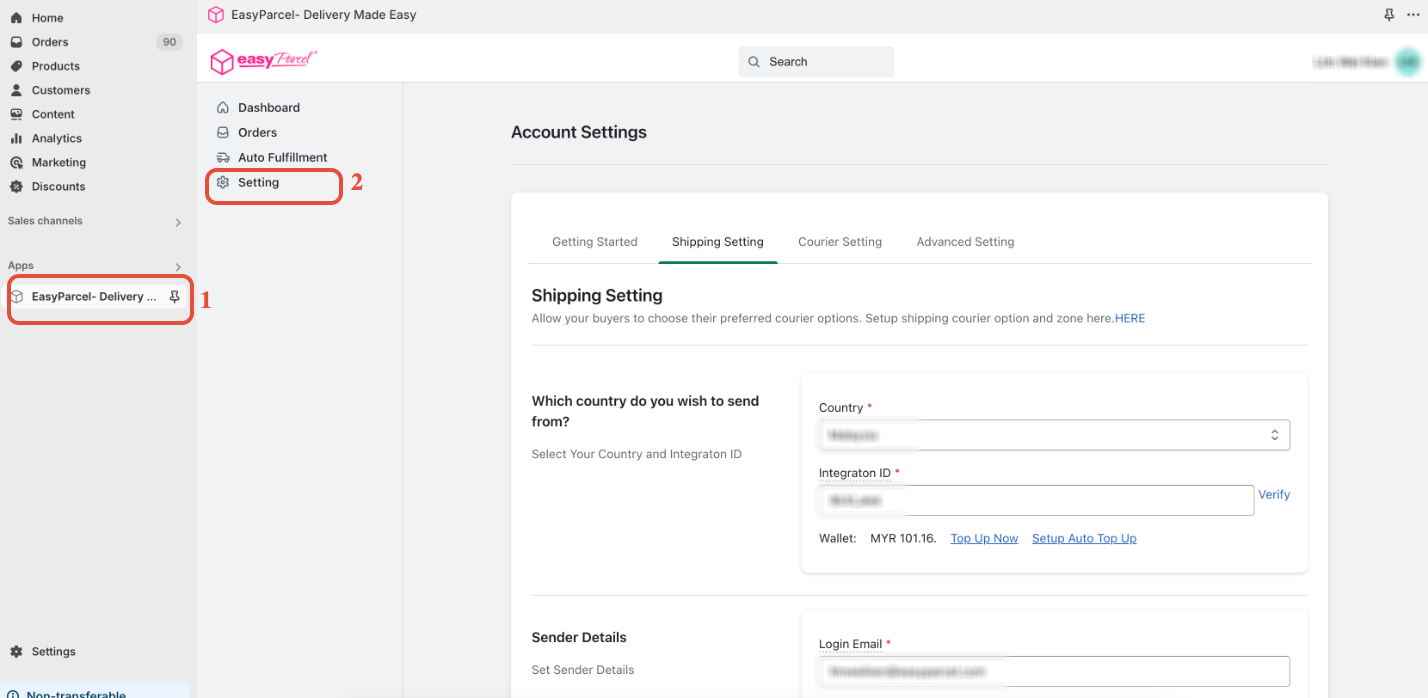
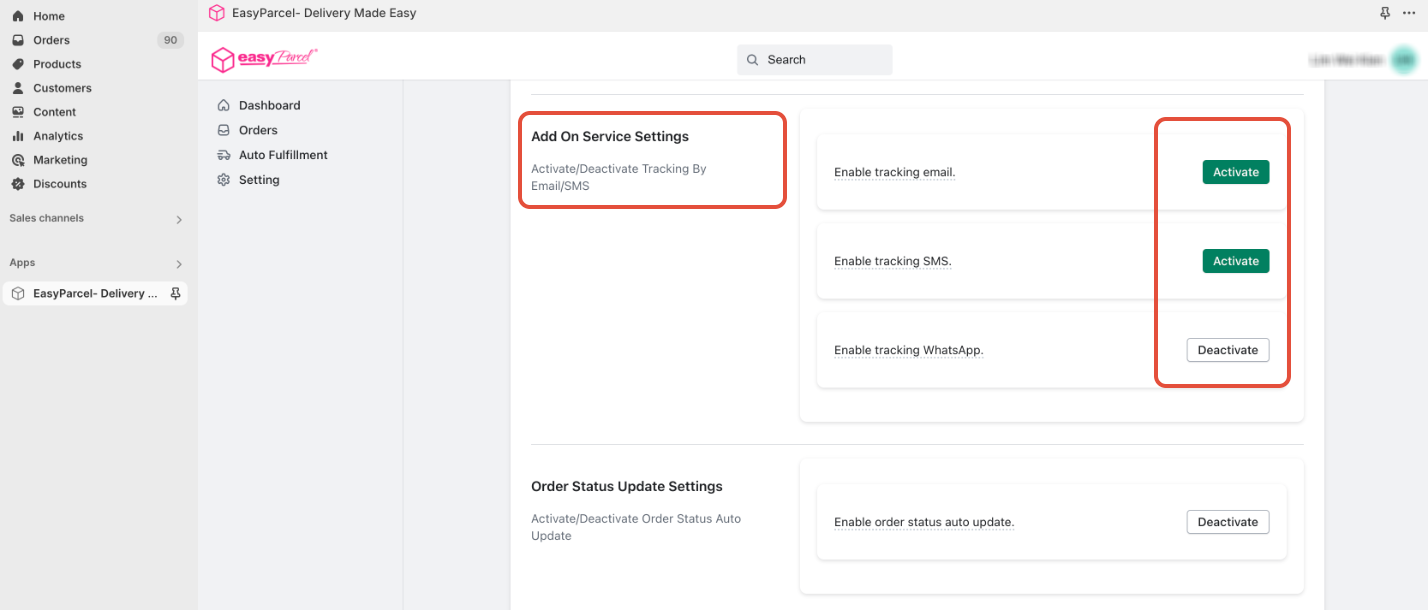
To activate automated tracking notifications, open the EasyParcel Shopify App, go to the Settings tab, and click Activate under Add-on Services Settings. This enables automatic Tracking Email, SMS, and WhatsApp alerts for your customers in Singapore as soon as their shipments are fulfilled, eliminating the need for manual updates.
Introduction:
Add-on services, including Tracking Email, Tracking SMS, and Tracking WhatsApp, enhance your customer communication and streamline your order fulfillment process. By enabling these services, you can automatically notify your buyers about their order tracking number and link as soon as you fulfill their shipments with EasyParcel shipping solutions. This eliminates the need for manual notifications, saving you time and resources.
- Tracking Email: Notifies your buyers via email. Ensure you have their email addresses.
- Tracking SMS & WhatsApp: Notifies your buyers via SMS and WhatsApp.
Step 1: Access the EasyParcel's Shopify App
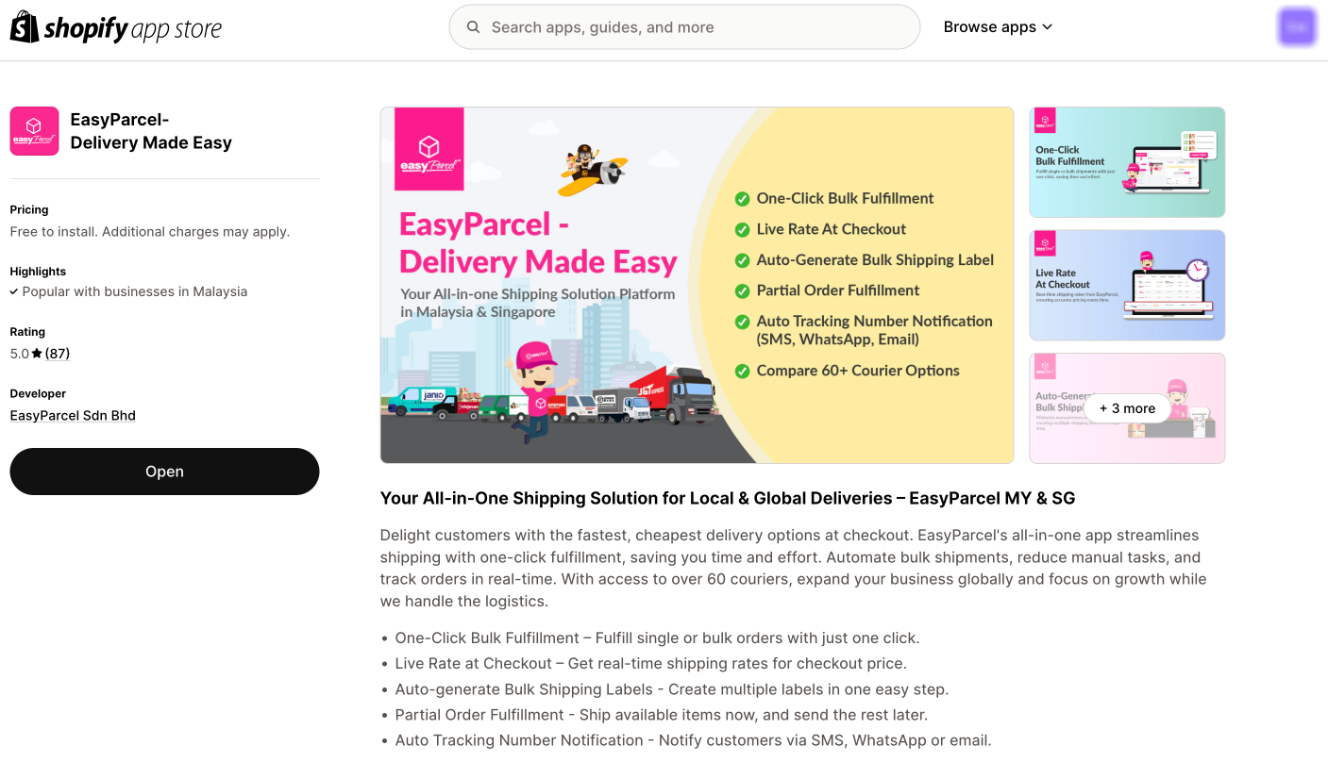
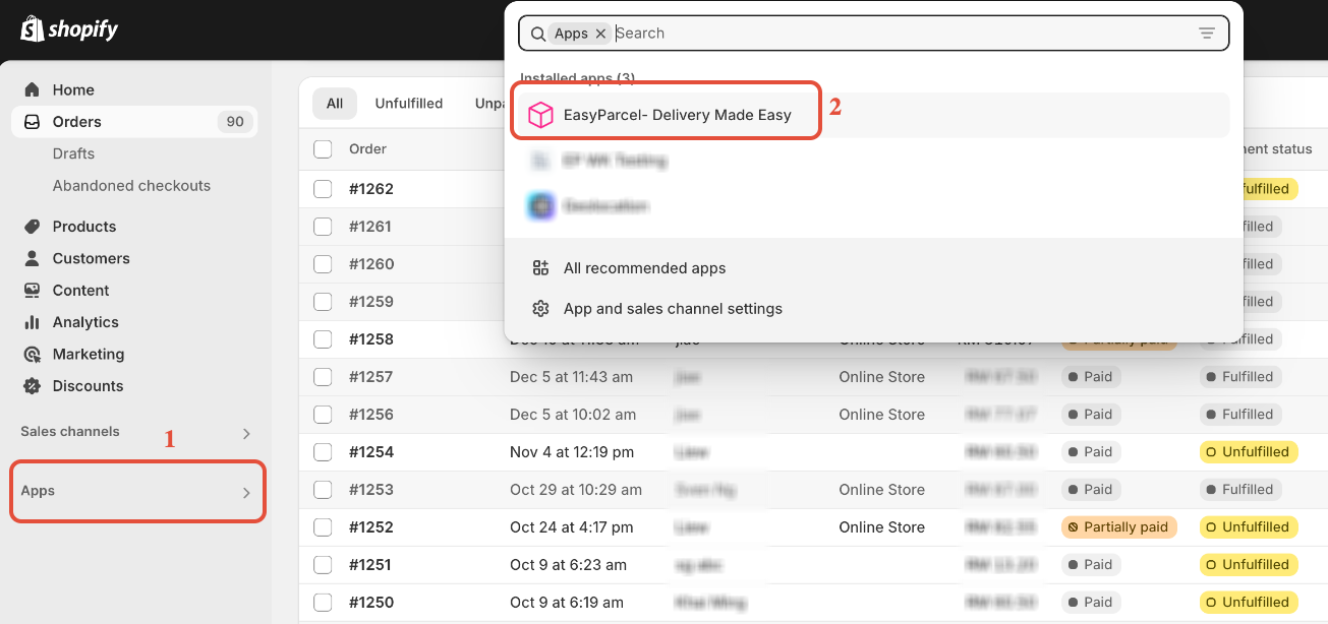
In your Shopify admin, click on "Apps" and select the "EasyParcel- Delivery Made Easy" Shopify APP.
- Note: If you haven't installed the EasyParcel Shopify app, learn how to integrate with EasyParcel here.
Step 2: Activate Add-on Services
Click on "Settings" within the EasyParcel Shopify app. Scroll down to the "Add-on Services Settings" section and click the "Activate" button.