Quick Summary
You can embed the EasyParcel Tracking Widget on your website by copying and pasting a simple iframe code snippet into your site's HTML. This tool, powered by EasyTrack, allows your customers to track their parcels from various couriers directly on your platform without being redirected to external sites. Integrating this widget helps reduce support inquiries like "Where is my parcel?" and improves customer retention by keeping traffic on your own website.
We'll Cover:
1. What is EasyParcel Tracking Widget?
The EasyParcel tracking widget is a user-friendly tool, you can embed on your website to let customers track their parcels using just a tracking number.
It’s powered by EasyTrack – EasyParcel’s multi-courier system, which means customers can check the status of shipments booked through various couriers—without being redirected to external courier websites.
2. Why You Need a Tracking Widget on Your Website?
Real-Time Parcel Updates: The EasyParcel tracking widget is a user-friendly tool, you can embed on your website to let customers track their parcels using just a tracking number.
Fewer Support Enquiries: By giving buyers self-service access to tracking, you reduce “Where’s my parcel?” messages.
Keep Traffic On-Site: Stop sending users to third-party courier sites. Keep them on your platform longer.
Easy Integration: The widget is ready-made. Copy, paste, done. No coding required.
Improve Trust and Retention: Shoppers are more likely to return when you offer full visibility and control.
3. How to Embed the Tracking Widget?
Step 1: Copy the Widget Code
This is the code that powers the EasyTrack widget. Just copy the snippet—you’ll paste it into your site in the next step.
Step 2: Insert The Code into Your Website
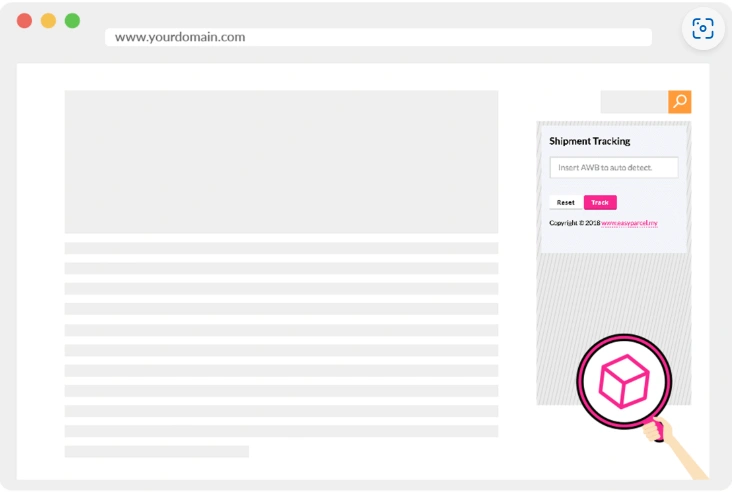
Once embedded, customers will see a clean, simple tracking box where they can enter their tracking number and instantly get updates—right from your site. Your page will looks like: