
Quick Summary
Bulk Upload lets you create many parcels at once from one Excel or CSV file, instead of filling in the booking form for every parcel. Use it when you have many orders to send. You can upload up to 1,000 shipments per file, and your own file works without changing its columns.
We'll Cover:
What Bulk Upload is?
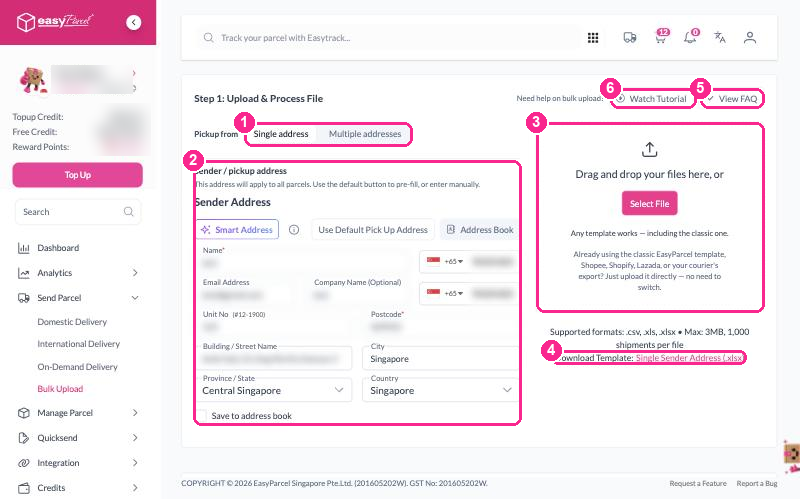
Open Send Parcel > Bulk Upload. In Step 1: Upload & Process File, choose where your parcels are picked up from (1), add your sender address (2) and upload your file (3). You can download the template (4) if you want to start from ours, watch the tutorial (6) or open the FAQ (5).
File rules
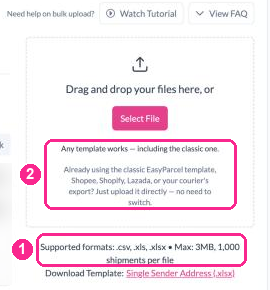
- Formats: .csv, .xls and .xlsx
- Size: up to 3MB
- Shipments: up to 1,000 per file. If you have more, split them into several files
- Template: you can use our template or your own file. Your column names are matched for you
You can see these rules on the Bulk Upload page: Supported formats (1) and Any template works (2).
Where to find it?
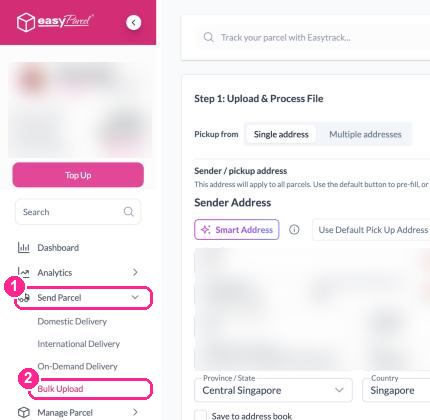
Click Send Parcel (1) > Bulk Upload (2) in the left menu.
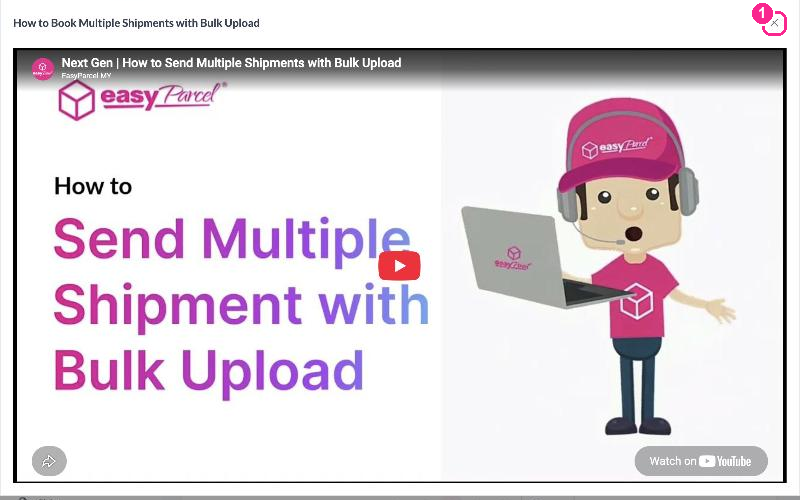
A short tutorial video may open the first time. Click the X (1) to close it and continue.
Tip: Try a small file with one or two rows first, then upload the full file.
What's next?
- Book your parcels: follow the steps in How do I book many parcels with Bulk Upload?
- Use your own file: see Can I use my own Excel file for Bulk Upload?
- Ship from more than one address: see How do I use more than one pick-up address in a bulk file?
Still need help?
Our team is happy to help. ? Live Chat | ✉️ Contact Us