
Quick Summary
A price adjustment is an extra charge from the courier after collection, for example when your parcel is heavier or bigger than you declared. See and settle them under Price Adjustment in the left menu.
We'll Cover:
Where to see your adjustments?
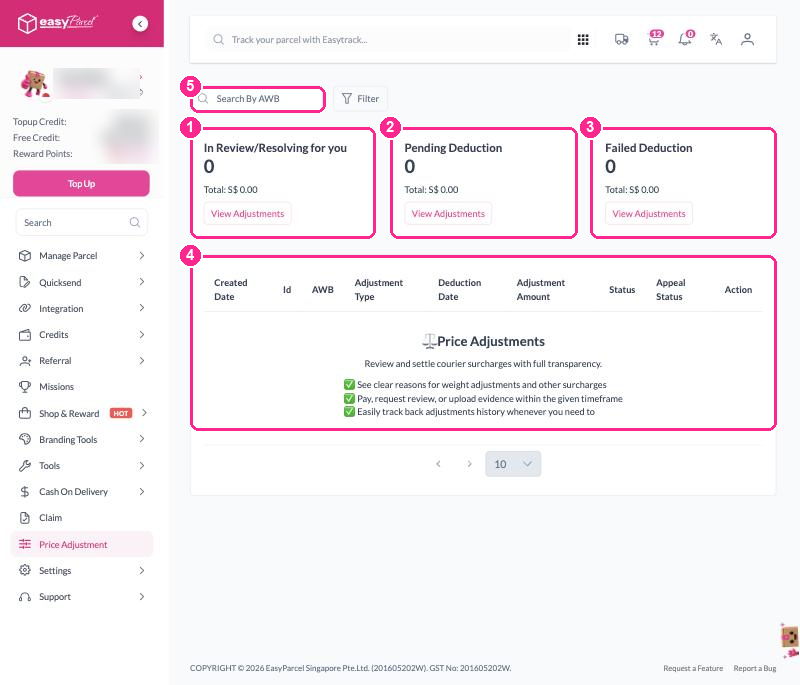
Click Price Adjustment in the left menu. The cards show adjustments In Review/Resolving for you (1), Pending Deduction (2) and Failed Deduction (3), each with a total. The table (4) lists the created date, ID, AWB, adjustment type, deduction date, amount, status and appeal status. Search by AWB (5) or use Filter.
What you can do about an adjustment?
The page lets you see the reason for weight adjustments and other surcharges, pay, request a review, or upload evidence within the given timeframe, and track your adjustment history.
Tip: Enter your parcel's real weight and size when you book to avoid adjustments.
See How do I get an accurate delivery rate?
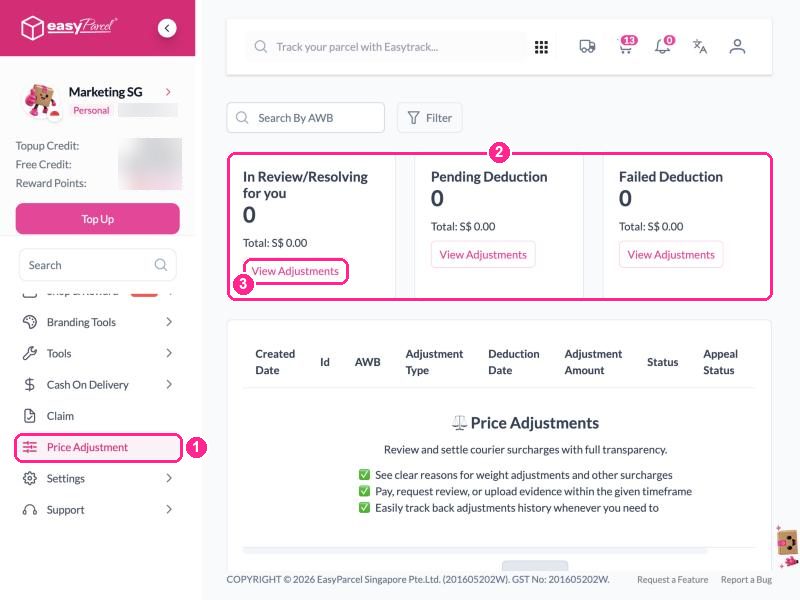
Click Price Adjustment (1) in the left menu. The boxes (2) show adjustments in review, pending and failed. Click View Adjustments (3) to see them.
Prefer a video?
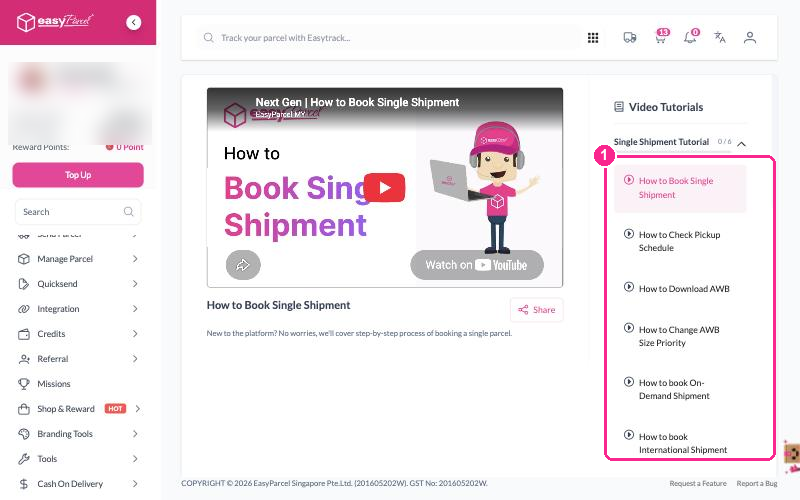
Watch How to Pay for Price Adjustment and How to Request Review for Price Adjustment in Support > Video Tutorial.
Open Support > Video Tutorial and find the videos.
What's next?
Still need help?
Our team is happy to help. ? Live Chat | ✉️ Contact Us