
Quick Summary
A weight discrepancy happens when the courier records a heavier or bigger parcel than you declared, and charges the difference. To avoid it, enter the real weight and size. If you think the charge is wrong, report it from Manage Parcel > All Parcels > Report > Weight Discrepancy.
We'll Cover:
- Why it happens?
- How to avoid it?
- How to report a charge you disagree with?
- How couriers find weight differences?
Why it happens?
- The courier's scale reads differently from yours
- The packaging weight was not counted
- A handling or scanning error
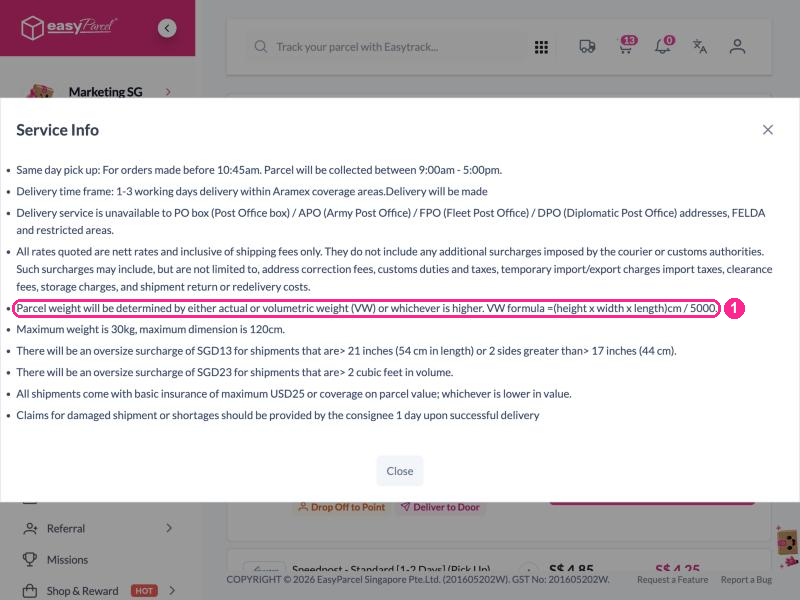
Service Info shows how the courier works out the weight, for example the VW formula (1) for Aramex.
How to avoid it?
- Weigh and measure your parcel after it is packed
- Use the Volumetric Calculator for large, light parcels
- If you find a mistake before the courier collects, cancel and rebook with the correct weight
Use Tools > Volumetric Calculator (1): enter the Width (2), Length (3) and Height (4), check the Divisor (5) and read the Volumetric Weight (6).

How to report a charge you disagree with?
- Go to Manage Parcel > All Parcels.
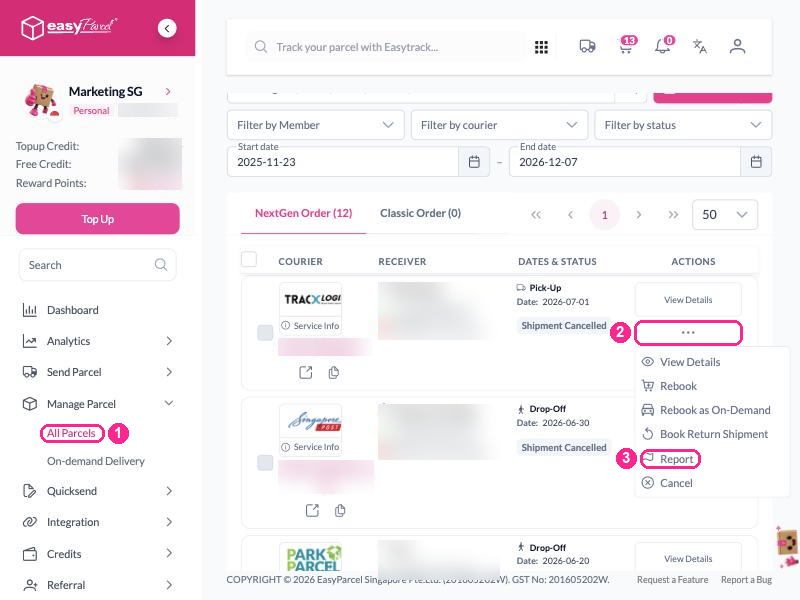
- Click More Action on the parcel and choose Report (1).
Click Manage Parcel > All Parcels (1), click ⋯ (2) on the parcel and choose Report (3).
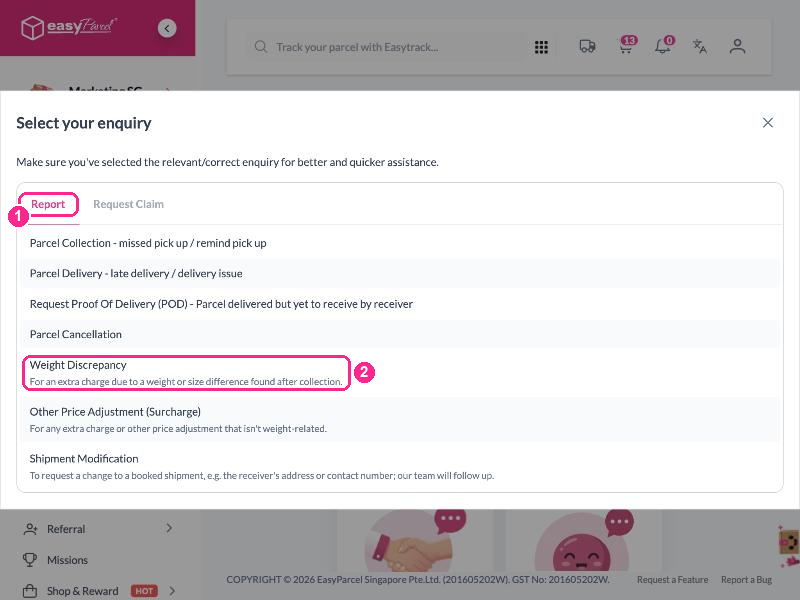
- Select Weight Discrepancy (1). It is for an extra charge due to a weight or size difference found after collection.
On the Report (1) tab, choose Weight Discrepancy (2).
Photos of the packed parcel on a scale help our team review it. You can also follow the charge under Price Adjustment.
How couriers find weight differences?
How couriers check
- Automatic weighing and scanning at sorting hubs
- Data checks on the booking details
- Manual checks by trained staff when needed
What happens next
If your parcel does not match the booking, you may see a price adjustment. See What is a price adjustment and where can I see it? and What is a weight discrepancy and what can I do about it?
Tip: Enter the real weight and size when you book. See What is volumetric weight and chargeable weight?
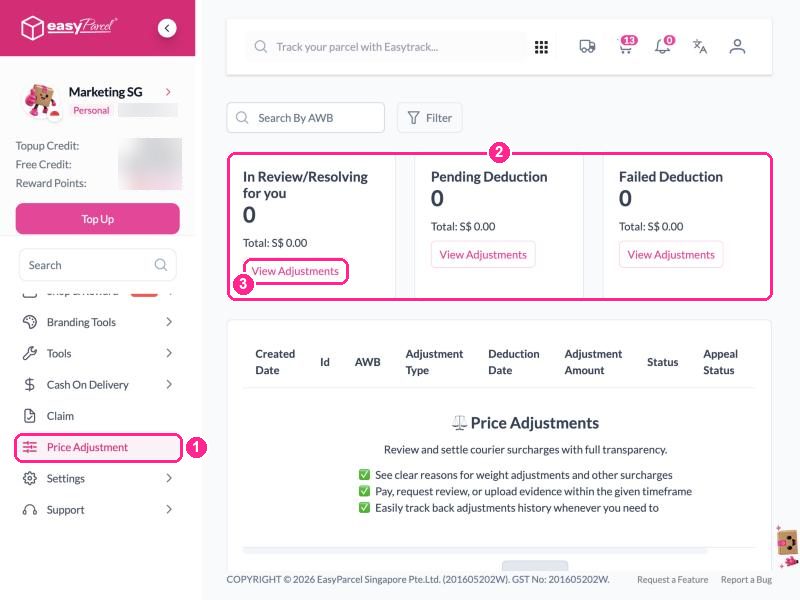
Click Price Adjustment (1) in the left menu. The boxes (2) show adjustments in review, pending and failed. Click View Adjustments (3) to see them.
What's next?
Still need help?
Our team is happy to help. ? Live Chat | ✉️ Contact Us