
Quick Summary
On-Demand delivery sends your parcel by a driver on the same day. Go to Send Parcel > On-Demand Delivery, enter the pick-up and drop-off points, choose the pick-up date and time and the transport type, click Quote, pick a service and click Book. You pay with Pay Now.
We'll Cover:
Get an On-Demand quote
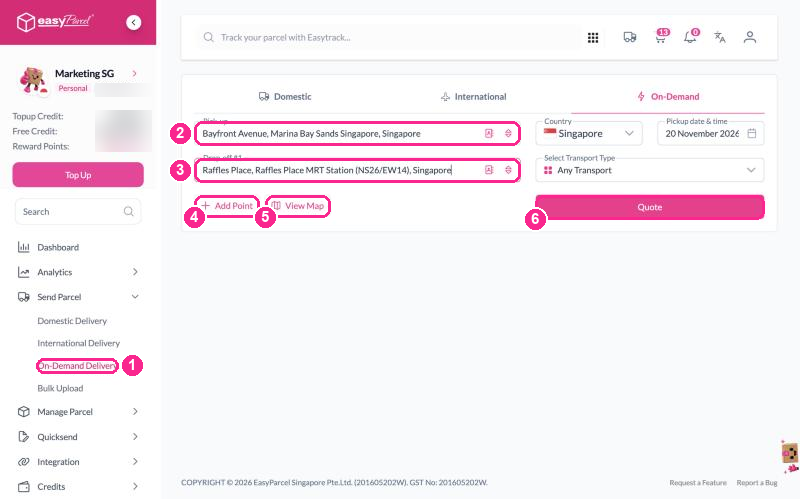
- Click Send Parcel > On-Demand Delivery.
- Enter the Pick-up (1) point and choose it from the suggestions.
- Enter the Drop-off #1 (2) point and choose it from the suggestions. Click Add Point (3) to add more drop-offs, or View Map (4) to check the route.
- Choose the Country (5), the Pickup date & time (6) and the Transport Type (7), or leave it on Any Transport.
- Click Quote (8).
Click On-Demand Delivery (1). Enter the Pick-up (2) and Drop-off #1 (3) points and choose them from the suggestions. Use Add Point (4) for more drop-offs (up to 10 stops), or View Map (5) to check the route. Choose the country, pick-up date and time and transport type, then click Quote (6).
Compare services
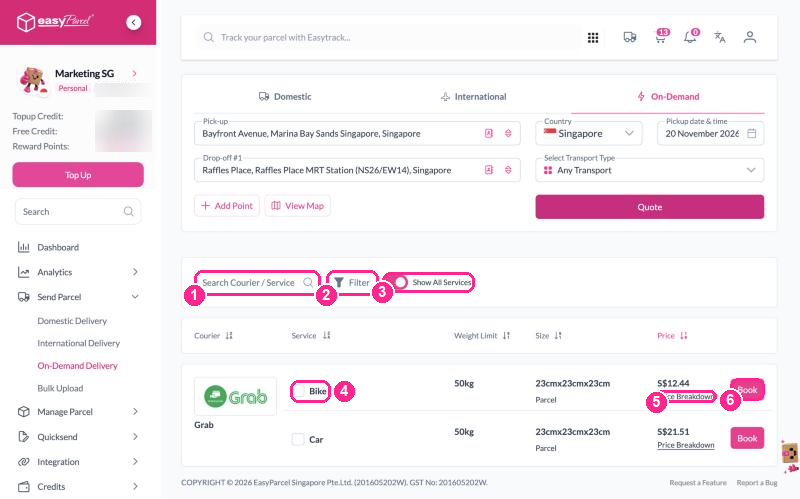
Use Search Courier / Service (1), Filter (2) and Show All Services (3) to narrow the list. Tick one or more services (4). Picking more than one lets Express Driver Finder get you a driver faster. Click Price Breakdown (5) to see the price, or Book (6) for a single service.
Fill in the booking details and pay
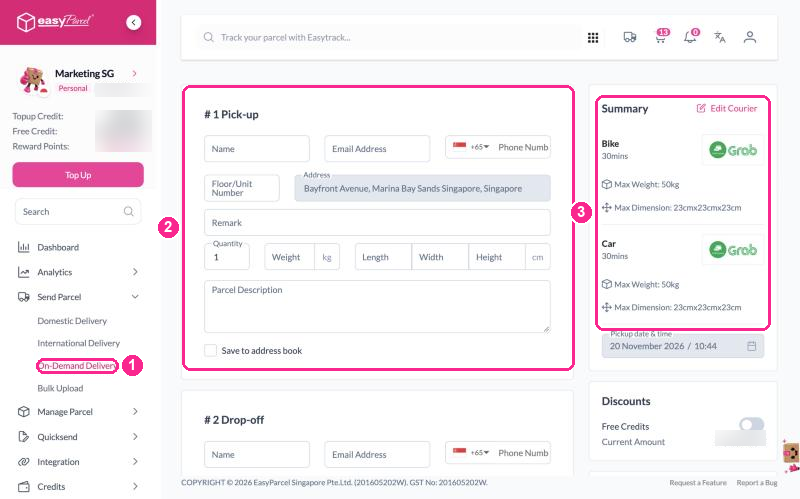
Fill in the #1 Pick-up (2) details: name, email, phone, floor or unit, remark, quantity, weight, size and parcel description. The Summary (3) shows every courier option you picked, with the estimated time, maximum weight and size.
Scroll down, fill in the #2 Drop-off (1) details and choose tracking notifications if you want them. Check the total, then click Pay Now (2). The total is the price of your most expensive option. If a cheaper courier accepts, the difference goes back to your credit.
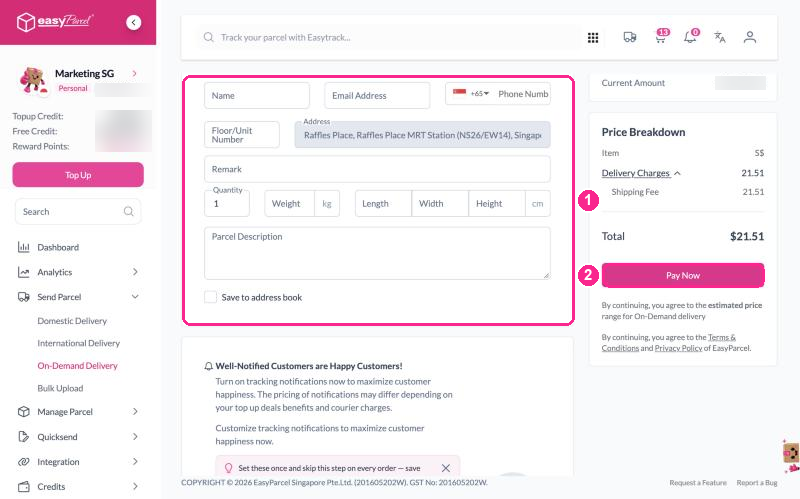
Note: There is no Add To Cart for On-Demand. The order is placed when you pay.
Prefer a video? Watch How to book On-Demand Shipment in Support > Video Tutorial.
What's next?
Still need help?
Our team is happy to help. ? Live Chat | ✉️ Contact Us