
Quick Summary
To create an account, open the EasyParcel Singapore website or app, choose Sign Up for Free and follow the steps. Then verify your phone number and your account.
We'll Cover:
Sign up
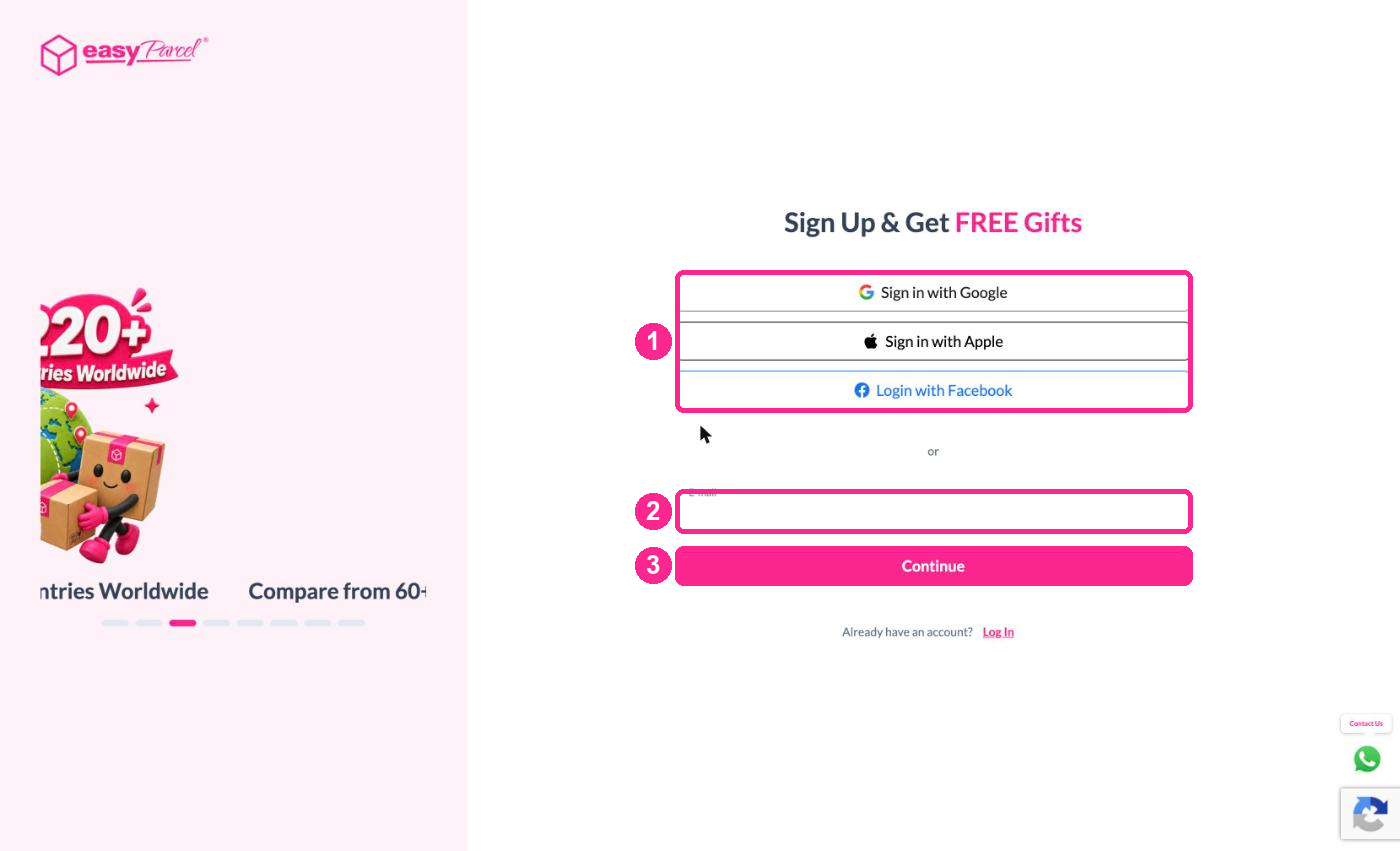
- Go to the EasyParcel Singapore website and click Sign Up For Free.
- On the sign-up page, click Sign in with Google, Apple or Facebook (1).
- Or enter your E-mail (2) and click Continue (3).
- Follow the steps and verify your details.
After you sign up
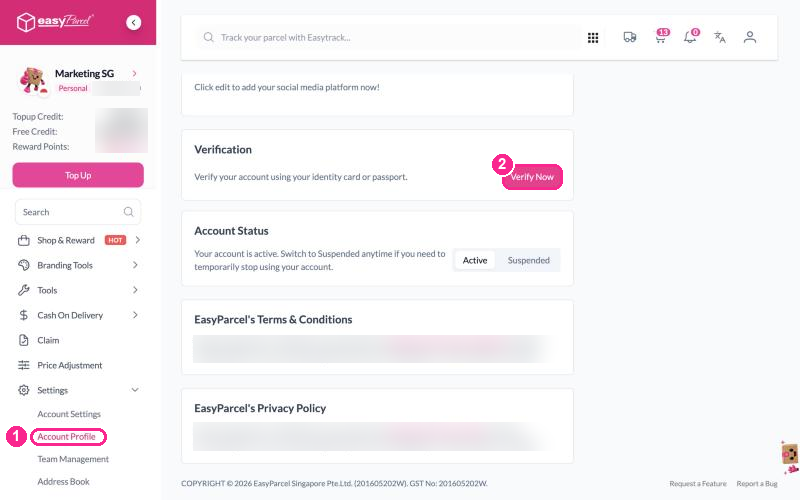
Verify your mobile number and your account.
Go to Settings > Account Profile (1) and click Verify Now (2) in the Verification section.
What's next?
Still need help?
Our team is happy to help. ? Live Chat | ✉️ Contact Us