
Quick Summary
Connect your Google, Facebook or Apple account in User Profile. You can then log in with one click instead of typing your password.
We'll Cover:
Connect a social account
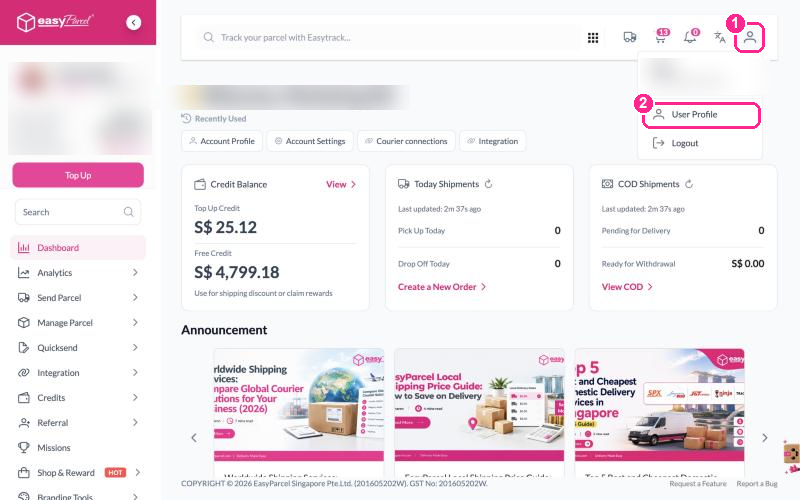
- Click the profile icon at the top right (1).
- Click User Profile (2).
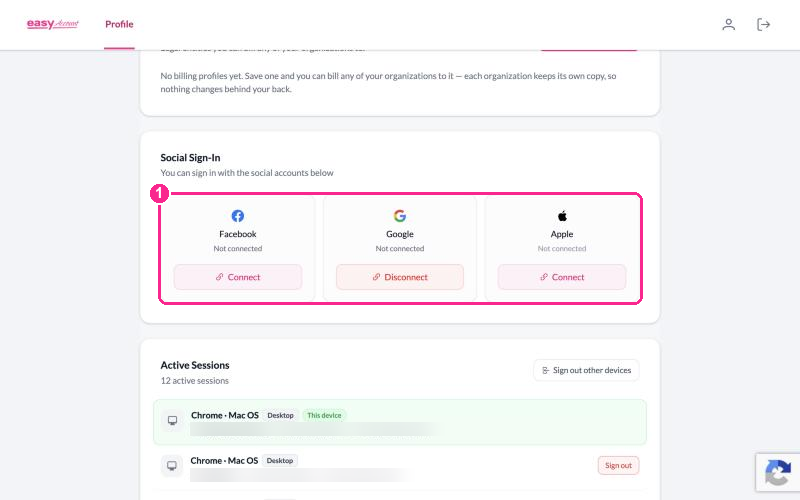
- Scroll down to Social Sign-In (1).
- Click Connect under Facebook, Google or Apple.
- Log in to that account and allow access. You return to your User Profile.
Log in with it
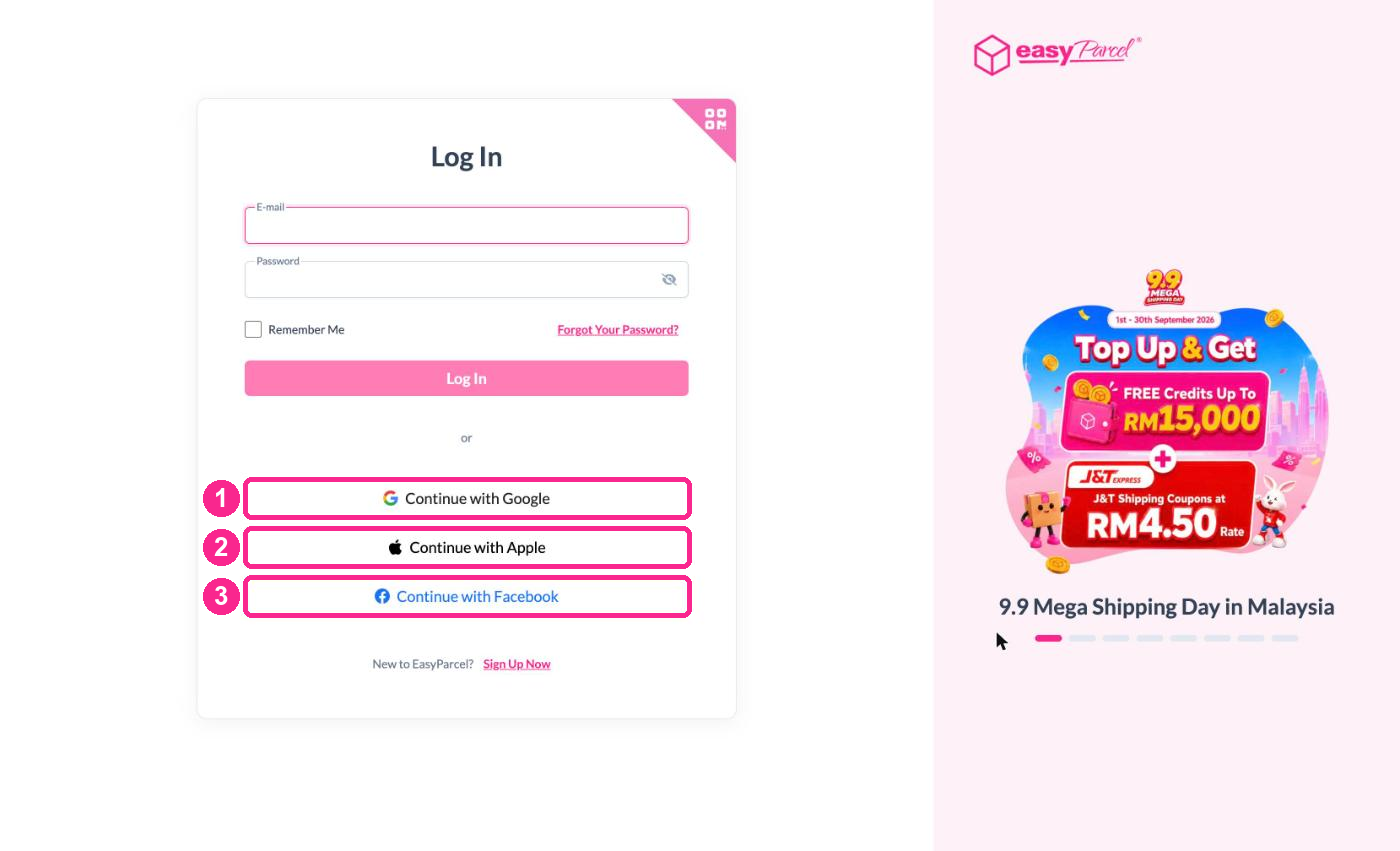
On the EasyParcel login page, click Continue with Google, Continue with Apple or Continue with Facebook.
Click Continue with Google (1), Continue with Apple (2) or Continue with Facebook (3).
Disconnect it
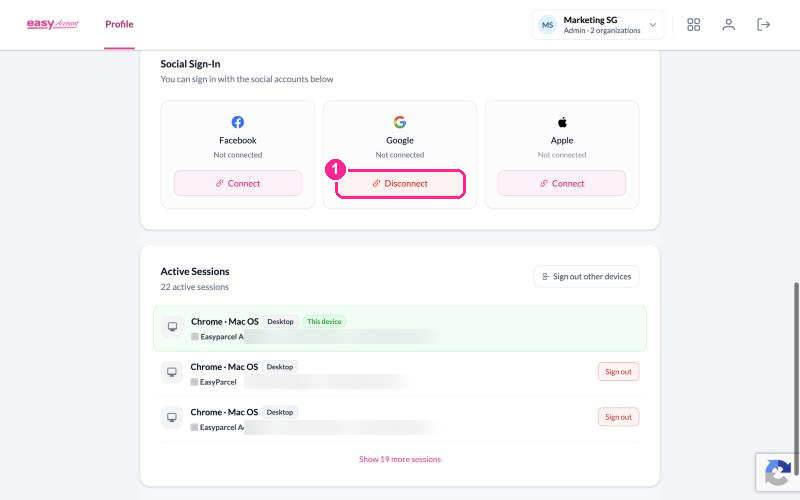
In Social Sign-In, click Disconnect under the account. Make sure you know your password first, so you can still log in.
For example, click Disconnect (1) under Google.
What's next?
Still need help?
Our team is happy to help. ? Live Chat | ✉️ Contact Us