
Quick Summary
You can see every device logged in to your login and to your account, and sign out any you don't recognise.
We'll Cover:
In User Profile (your login)
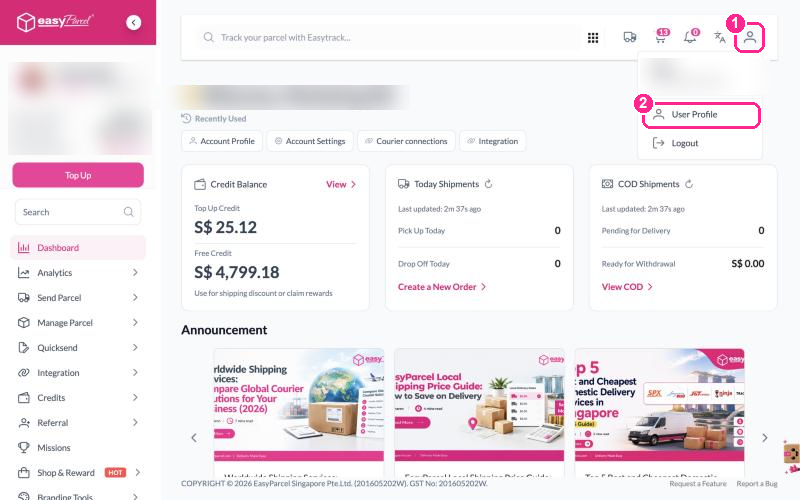
- Click the profile icon at the top right (1).
- Click User Profile (2).
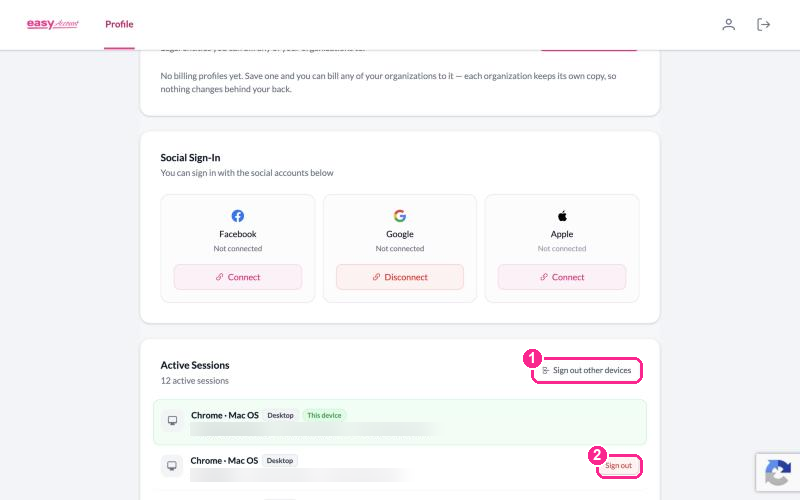
- Scroll down to Active Sessions. You see each device, browser, location and last time used.
- Click Sign out other devices (1) to sign out everywhere except this device.
- Or click Sign out (2) next to one device.
In the app (Active Sessions)
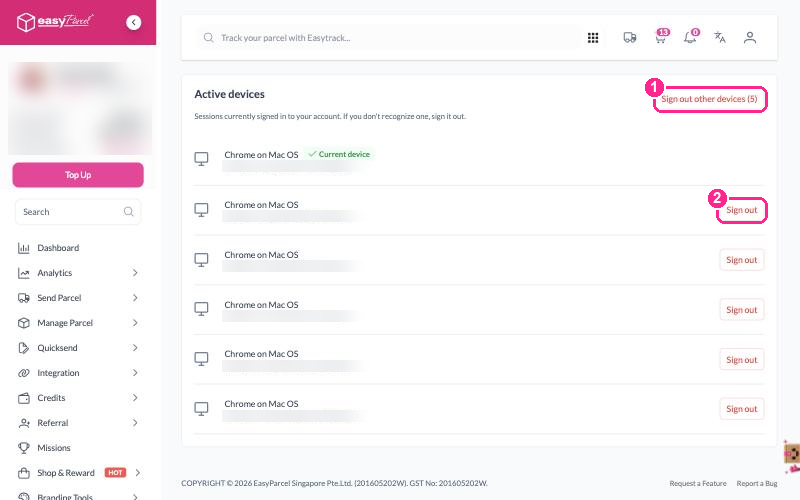
- Open the Active Sessions page.
- Click Sign out other devices (1), or Sign out (2) next to one device.
If you see a device you don't know
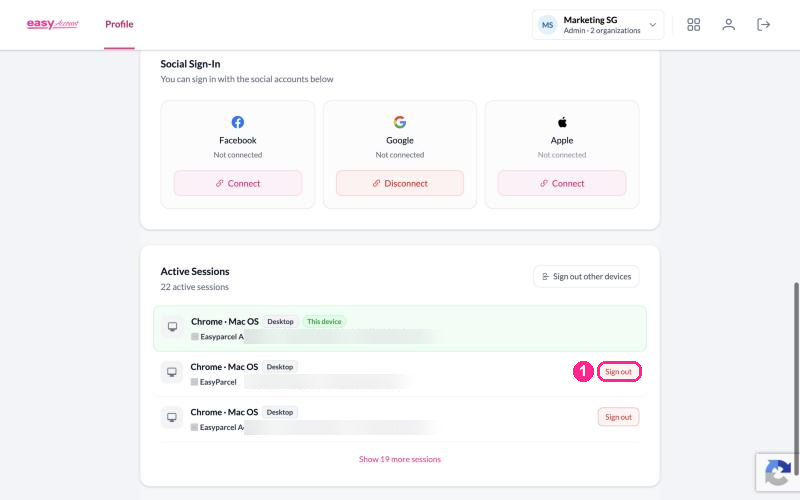
- Sign it out.
- Change your password straight away.
- Contact our support team if you think someone else used your account.
Click Sign out (1) next to the device.
What's next?
Still need help?
Our team is happy to help. ? Live Chat | ✉️ Contact Us