
Quick Summary
Your User Profile is your own login: your name, password and sign-in methods. Your Account Profile is your business account on EasyParcel: addresses, verification and account status. One login can belong to more than one account.
We'll Cover:
Quick comparison
| User Profile | Account Profile | |
|---|---|---|
| What it is | You, the person who logs in | The business account you ship with |
| Where | Profile icon (top right) > User Profile | Settings > Account Profile |
| What you manage | Name, photo, password, Google/Facebook/Apple sign-in, devices you are logged in on, billing profiles | Account name, pick-up/billing/delivery addresses, e-invoice details, verification, account status |
| Shared with your team? | No. Each person has their own | Yes. Team members work in the same account |
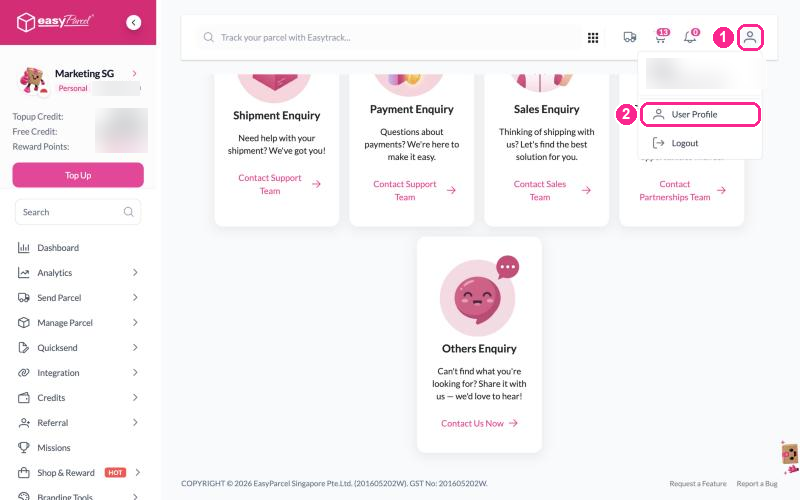
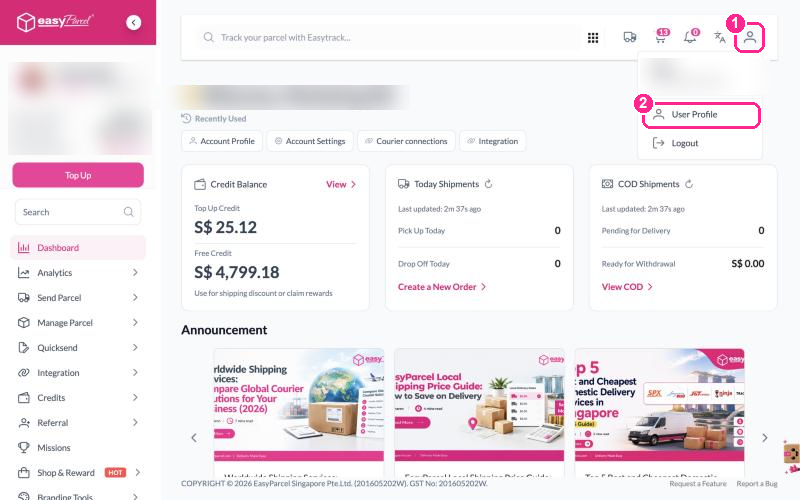
Open your User Profile from the profile icon (1): User Profile (2).
Open your User Profile
- Click the profile icon at the top right (1).
- Click User Profile (2).
What you can change in User Profile?
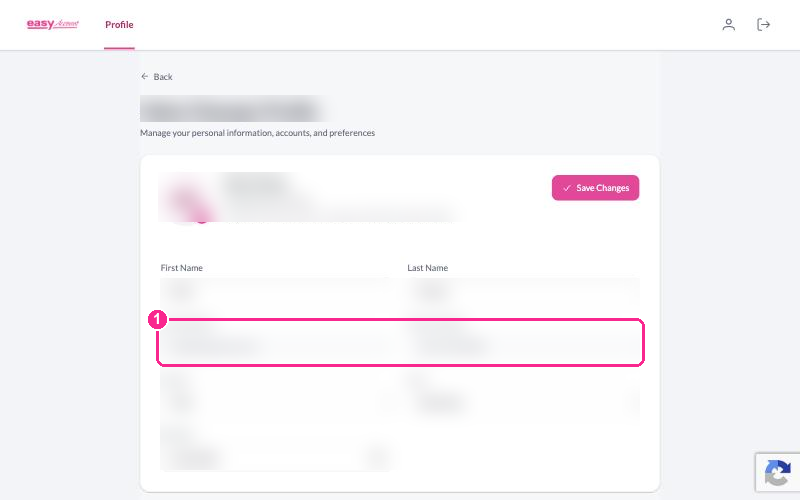
- Your first name, last name, gender and birthday. Click Save Changes after editing.
- Your email address and phone number are greyed out (1). Contact our support team to change them.
Open your Account Profile
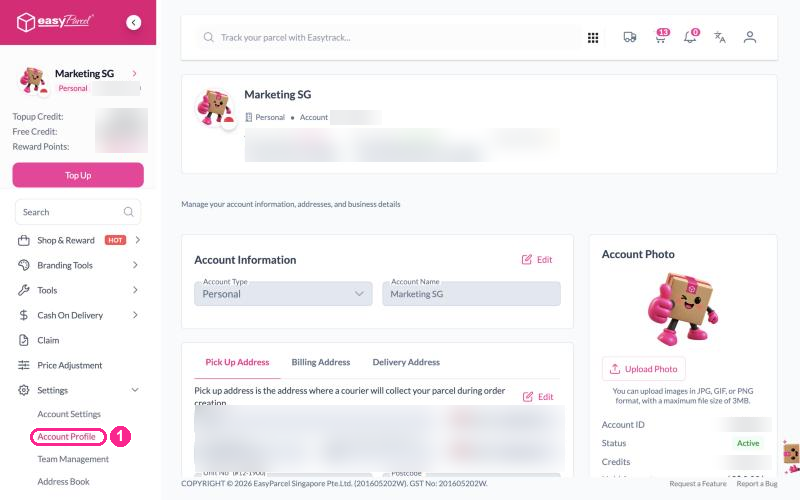
In the left menu, click Settings > Account Profile. See How do I update my profile details and photo?
Click Account Profile (1) under Settings.
What's next?
Still need help?
Our team is happy to help. ? Live Chat | ✉️ Contact Us