
Quick Summary
Change your password in User Profile. You need your current password and a verification code sent to your phone or email.
We'll Cover:
Steps
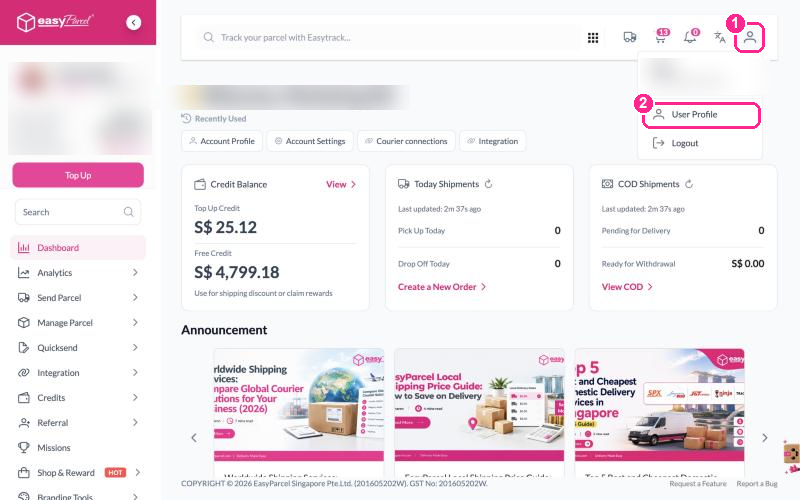
- Click the profile icon at the top right (1).
- Click User Profile (2).
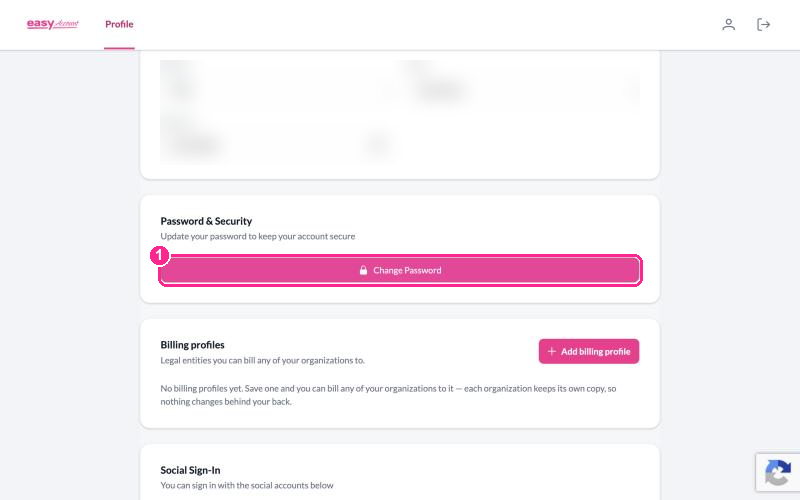
- Under Password & Security, click Change Password (1).
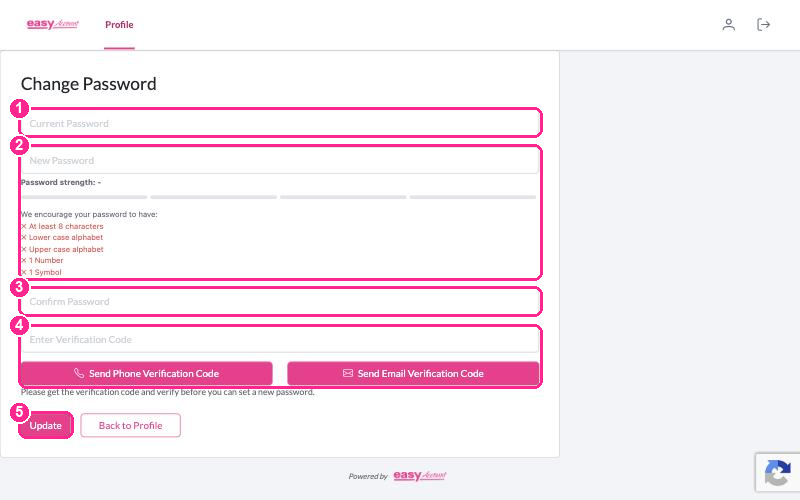
- Enter your Current Password (1).
- Enter a New Password (2). Use at least 8 characters with a lower case letter, an upper case letter, a number and a symbol.
- Enter the new password again in Confirm Password (3).
- Click Send Phone Verification Code or Send Email Verification Code, then enter the code (4).
- Click Update (5).
Forgot your password?
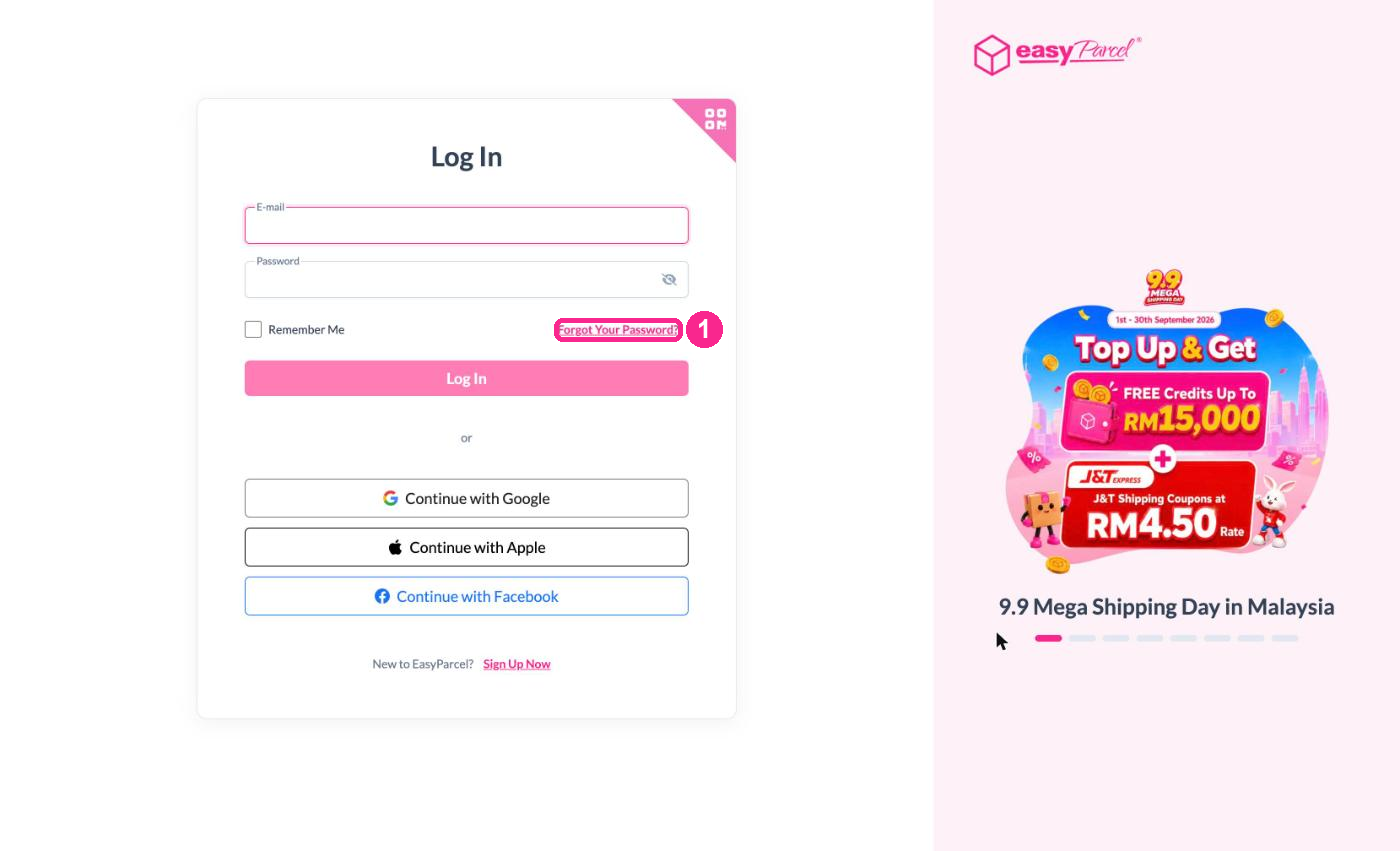
Log out, then click Forgot Your Password? on the login page. We send instructions to your registered email.
Click Forgot Your Password? (1) on the login page.
Good to know
- Your password is for your own login only. Do not share it with your team. Add them as team members instead.
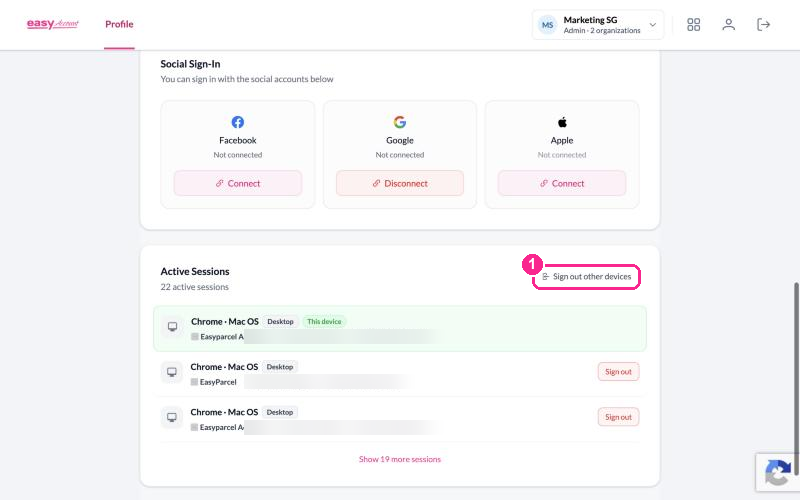
- After you change your password, sign out devices you no longer use. See How do I see and sign out of devices on my account?
Click Sign out other devices (1) after you change your password.
What's next?
Still need help?
Our team is happy to help. ? Live Chat | ✉️ Contact Us