
Quick Summary
You can have more than one EasyParcel account under the same login. Click your account name at the top of the left menu to switch accounts, or click Add Account to add another one.
We'll Cover:
Switch account
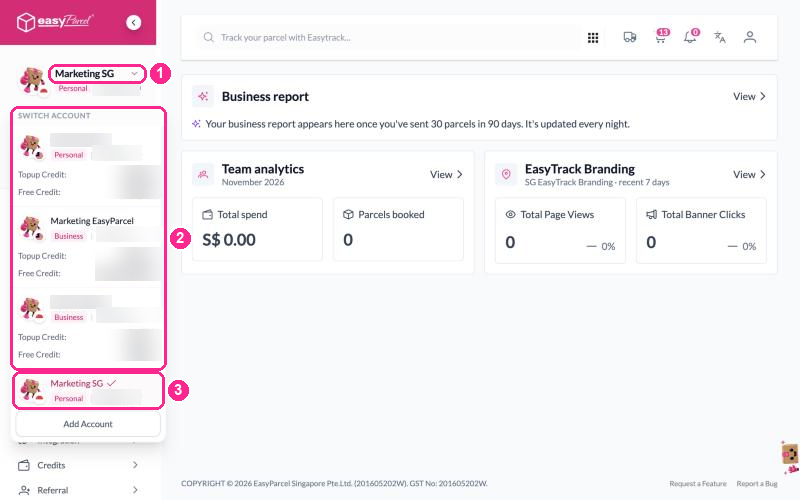
- Click your account name at the top of the left menu (1).
- Under Switch Account (2), you see all your accounts. The one you are using now has a tick (3).
- Click the account you want to use.
What changes when I switch?
- Each account has its own credit, parcels, addresses and settings.
- Your role can be different in each account, for example Owner in one and Admin in another.
- Your login, password and User Profile stay the same.
See What is the difference between my User Profile and Account Profile?
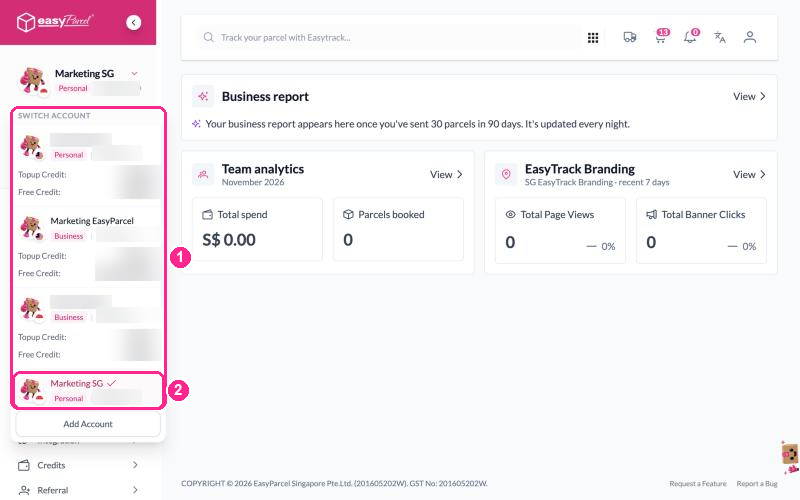
In the account menu, you see all your accounts under Switch Account (1). Your current account has a tick (2).
Add an account
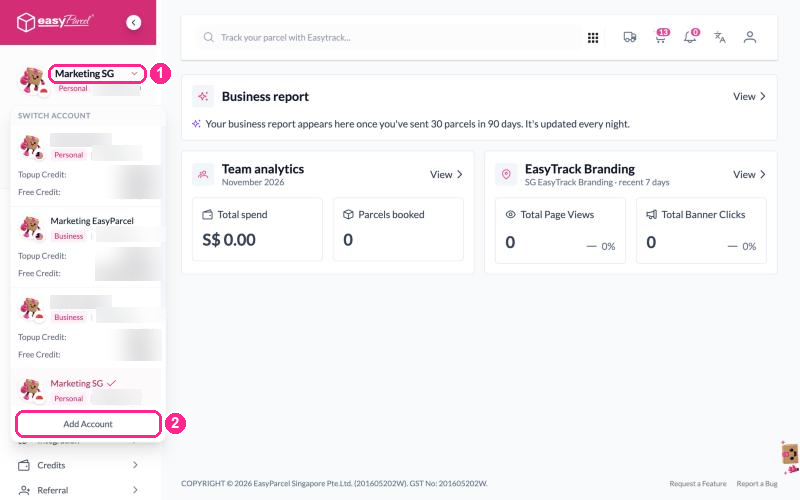
- Click your account name at the top of the left menu (1).
- Click Add Account (2) at the bottom of the menu.
- Continue the flow from here.
Why have more than one account?
- Keep personal and business shipping apart
- Separate credit, billing and invoices for each business
- Give your team access to one business only
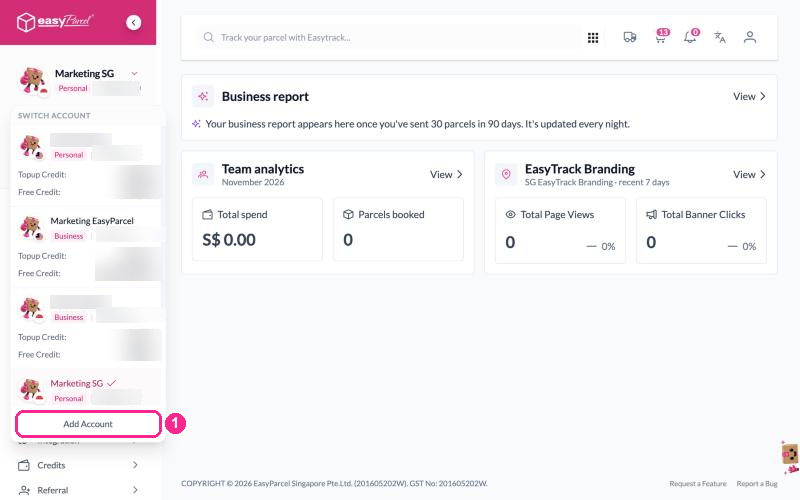
Click Add Account (1) in the account menu.
What's next?
Still need help?
Our team is happy to help. ? Live Chat | ✉️ Contact Us