
Quick Summary
Choose how you get notifications in Settings > Account Settings > Notification preferences. Security alerts about your account are always sent. You can turn other alerts on or off, including the tracking messages your receivers get.
We'll Cover:
- Open notification settings
- Which notifications can I turn off?
- How do I set tracking messages for my receivers?
- Alerts you always get
- Choose your other alerts
- Other alert groups
Open notification settings
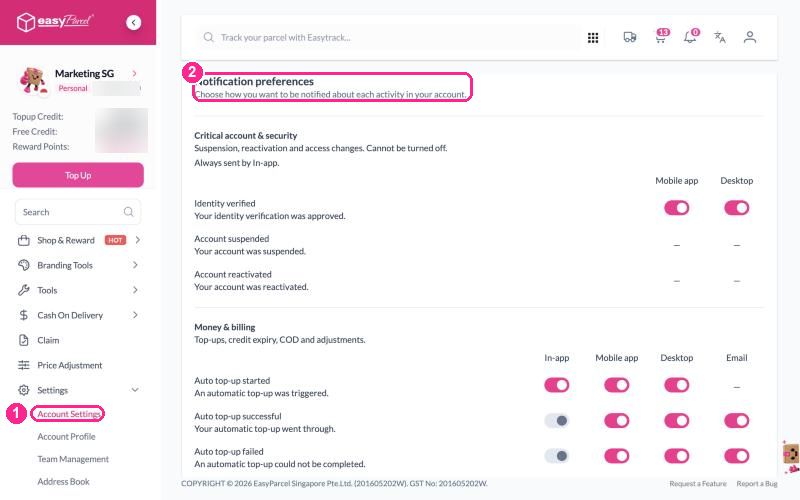
Go to Settings > Account Settings and scroll to Notification preferences.
In Settings > Account Settings (1), scroll to Notification preferences (2).
Which notifications can I turn off?
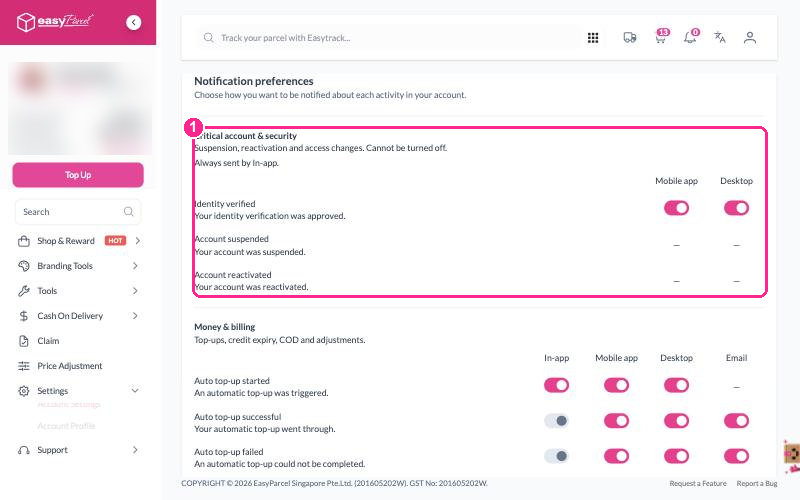
Critical account and security alerts (1) are always on. For the other groups, switch each alert on or off for In-app, Mobile app, Desktop and Email, then click Save changes.
| Group | Examples |
|---|---|
| Critical account & security | Identity verified, account suspended or reactivated (always on) |
| Money & billing | Auto top-up started, successful or failed |
| Shipments & pickups | Booking completed, order placed, AWB ready, AWB or pickup failed |
| Rewards & promotions | New challenge, mission reward, challenge ending soon |
How do I set tracking messages for my receivers?
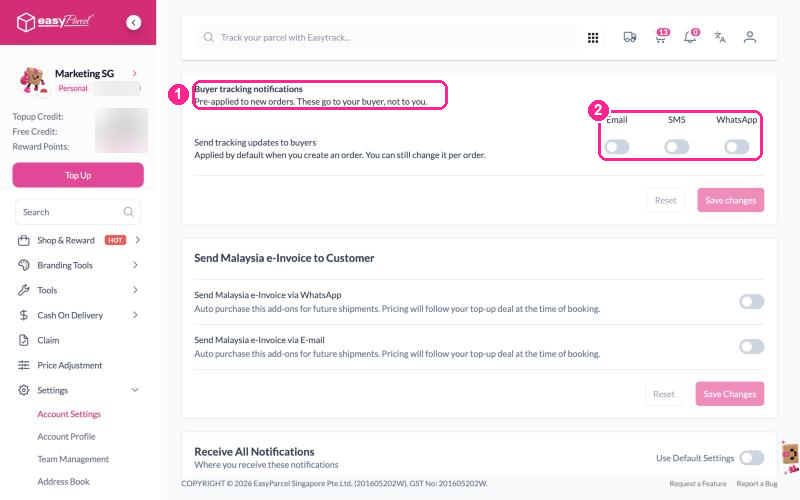
Under Buyer tracking notifications (1), switch on Email, SMS or WhatsApp (2) to add them to every new order by default. You can still change them per order.
Alerts you always get
Critical account & security alerts (1) are always sent in the app and cannot be turned off:
- Identity verified: your verification was approved.
- Account suspended: your account was suspended.
- Account reactivated: your account was reactivated.
Choose your other alerts
- Click Settings > Account Settings.
- Scroll to Notification preferences.
- Turn each alert on or off for In-app, Mobile app, Desktop and Email.
- Click Save changes.
Find Notification preferences (2) in Settings > Account Settings (1).
Other alert groups
| Group | Examples |
|---|---|
| Money & billing | Auto top-up started, successful or failed |
| Shipments & pickups | Booking completed, order placed, AWB ready, AWB generation failed, pickup request failed |
| Rewards & promotions | New challenge, mission reward, challenge ending soon |
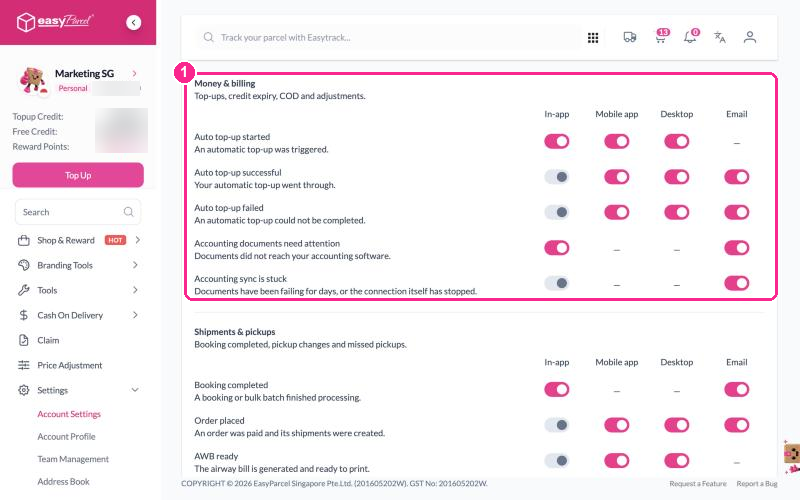
For example, the Money & billing (1) group.
What's next?
Still need help?
Our team is happy to help. ? Live Chat | ✉️ Contact Us