
Quick Summary
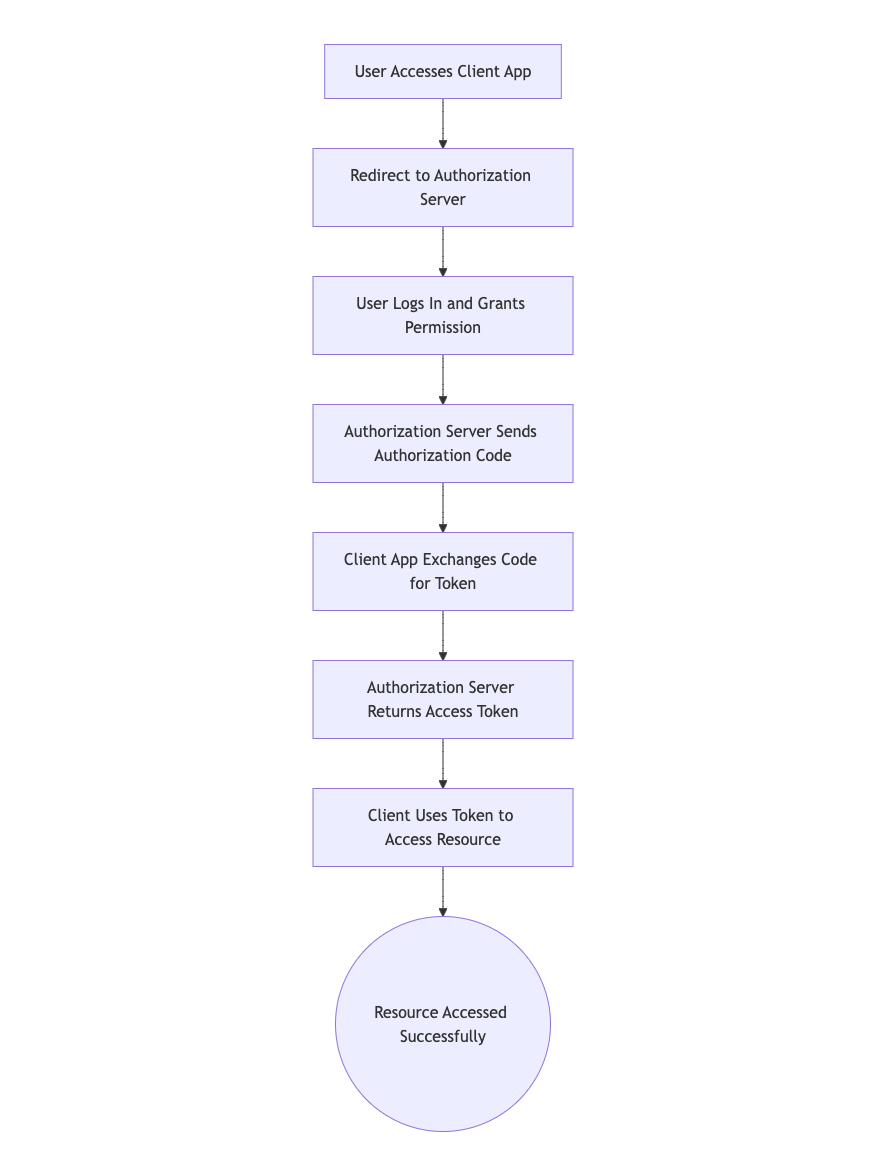
EasyParcel uses OAuth 2.0 with the Authorization Code flow. You send the user to the login page, get a code back, then swap the code for an access token. You send that token in every API request.
We'll Cover:
- The steps
- Use the token
- When the token expires
- Good to know
The steps
- Send the user to
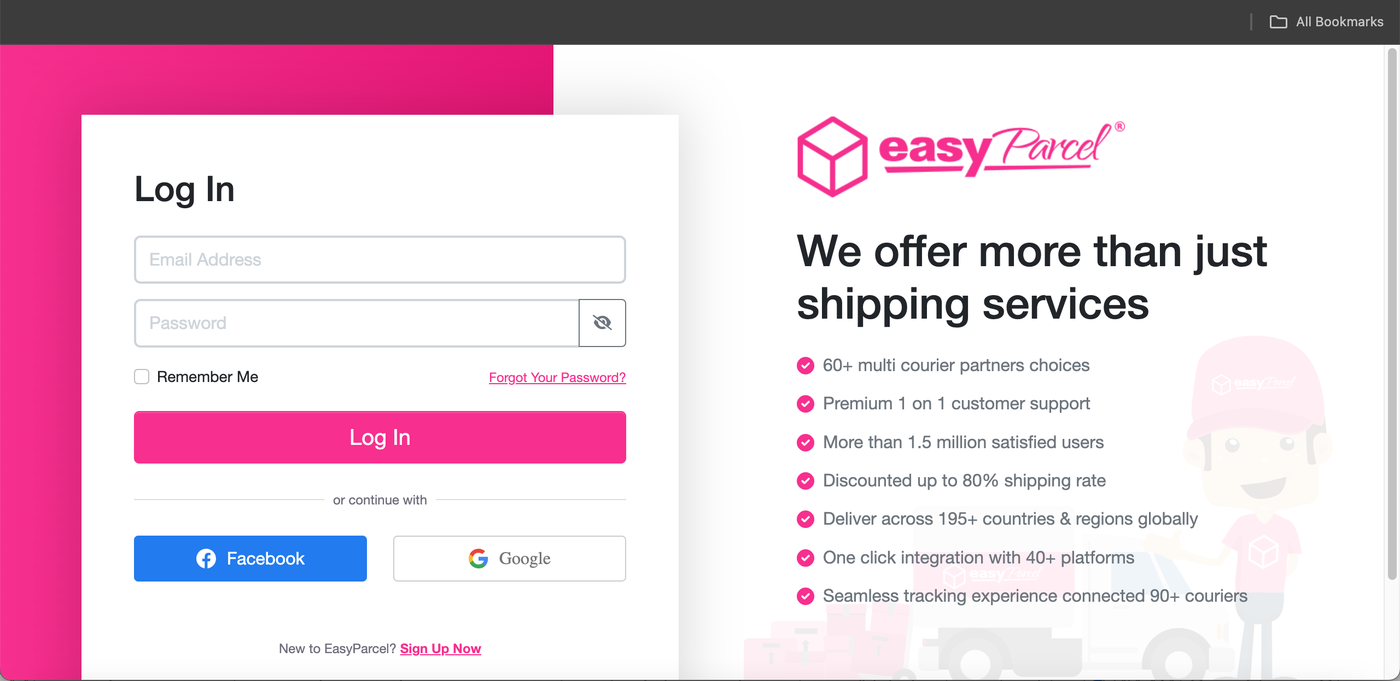
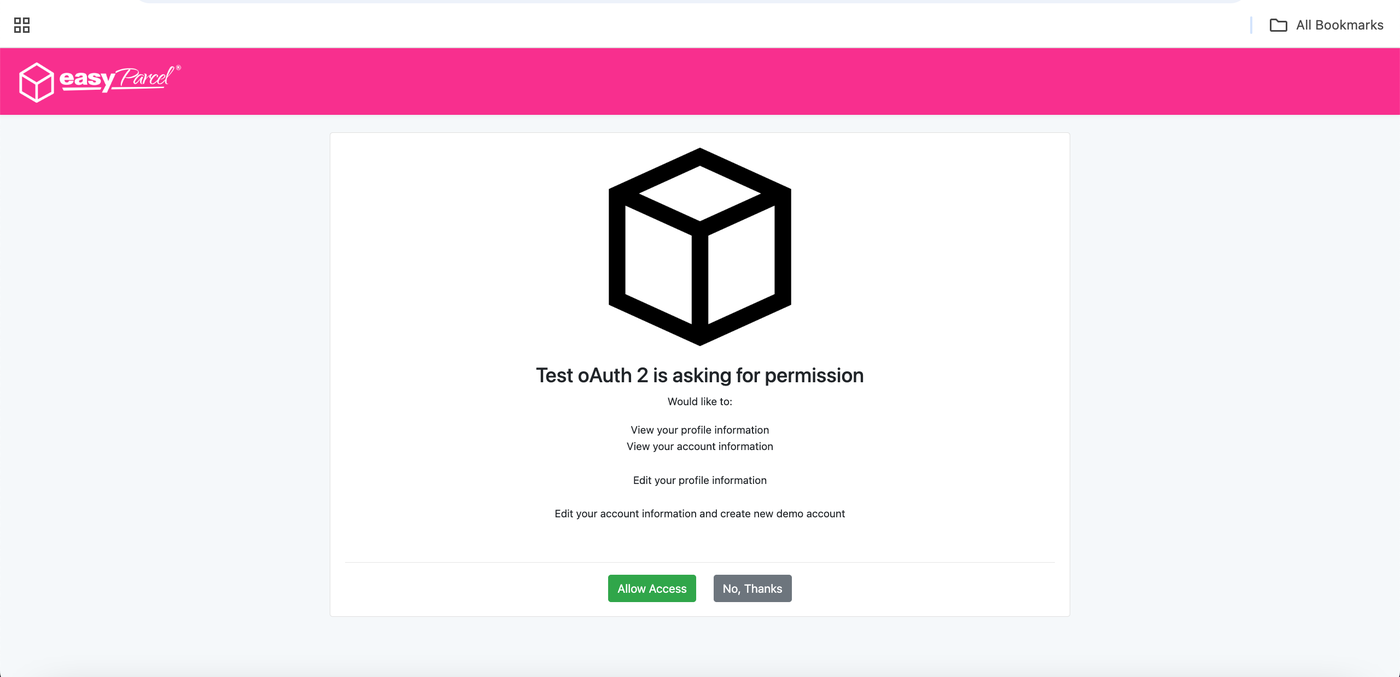
https://api.easyparcel.com/oauth/loginwith your client_id, your redirect_uri and, if you want, a state value (a random text that protects against forged requests). - The user logs in to EasyParcel, chooses the account to link (Sandbox or Live) and clicks Allow Access.
- EasyParcel sends the user back to your redirect URI with a code (and your state).
- Your server sends a POST to
https://api.easyparcel.com/oauth/tokenwith grant_type = authorization_code, the redirect_uri and the code. Add the headerAuthorization: Basicfollowed by your client ID and client secret joined with a colon and encoded in Base64. - The reply has your access_token (token type Bearer), expires_in (36000 seconds, which is 10 hours) and a refresh_token.
The sign-in flow in short.
Step 2: the user logs in to EasyParcel.
The user chooses the account to link.

The user clicks Allow Access.
Use the token
Send the access token in the header of every API call:
Authorization: Bearer YOUR_ACCESS_TOKEN
When the token expires
The refresh token lasts much longer than the access token (about a year). When the access token ends, send a POST to the same token address with grant_type = refresh_token and your refresh_token, using the same Basic header. Do not ask the user to sign in again unless the refresh token has also ended.
Good to know
- Use HTTPS only.
- The redirect URI must be one you registered in your app. See How do I get started with the EasyParcel Open API (Developer Hub)?.
- The account the user links decides Sandbox or Live. See What is the difference between Sandbox and Live in the Open API?.
- Keep the client secret on your server.
What's next?
Still need help?
Our team is happy to help. ? Live Chat | ✉️ Contact Us