
Quick Summary
EasyParcel has a Postman collection you can use to try the API. Import it, set three variables, sign in, then send the Get Wallet Balance request as your first test.
We'll Cover:
- Import the collection
- Set it up
- Sign in
- Send your first request
- If something goes wrong
Import the collection
- Download the collection file from the EasyParcel Open API documentation. There is one for Postman v11 or older and one for v12 or newer.
- Open Postman and click Import.
- Choose the File tab, select the file and click Import.
Set it up
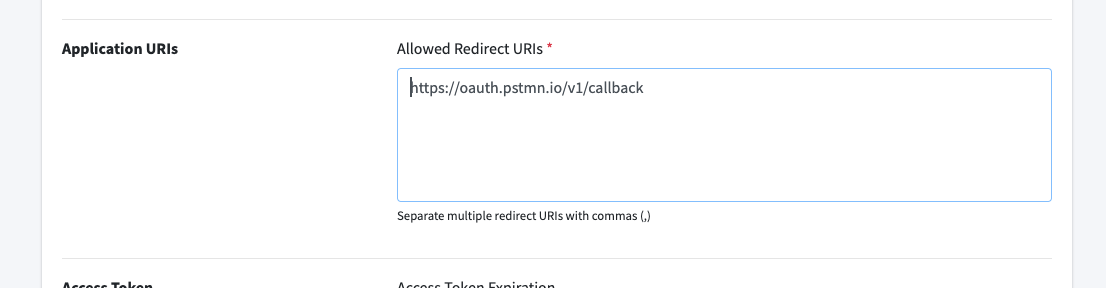
- In your Developer Hub app, add this Allowed Redirect URI:
https://oauth.pstmn.io/v1/callback. See How do I get started with the EasyParcel Open API (Developer Hub)?. - In Postman, create a new environment with these variables: apiVersion = 2026-09, clientId and clientSecret (from your app).
The redirect address for Postman goes in your app.
Sign in
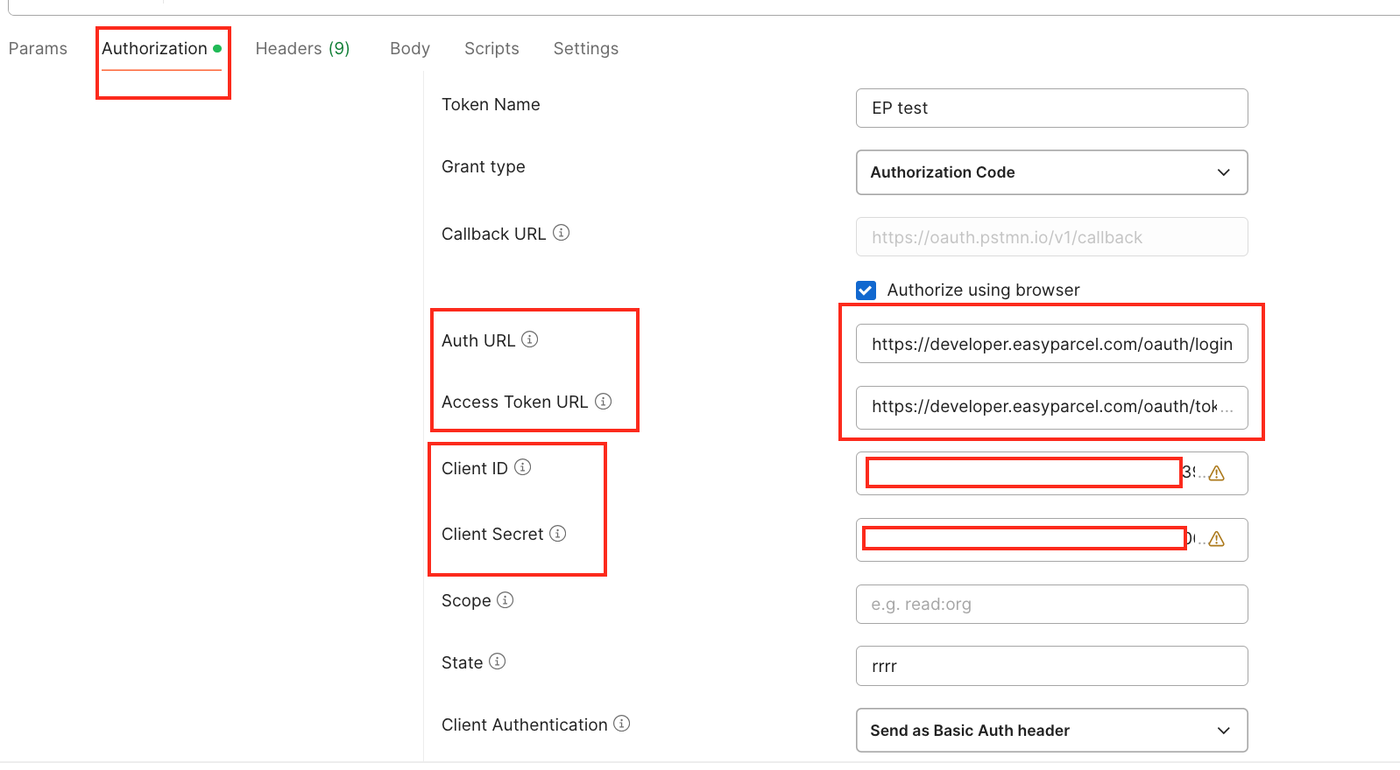
- Open the collection and click the Authorization tab.
- Check that the type is OAuth 2.0 and the grant type is Authorization Code. The addresses are already filled in.
- Click Get New Access Token and sign in with the account you want (Sandbox or Live).
- Click Request Token, then Use Token.
The OAuth 2.0 settings in the collection.
Send your first request
Select Get Wallet Balance and click Send. You should get your wallet balance back.
If something goes wrong
- Sign-in errors: check the client ID and client secret, and get a new token if the old one ended.
- Request errors: read the reply for the reason, check the required fields and use dates like YYYY-MM-DD. See How do I read API responses and errors?.
- Postman problems: use the latest Postman, reset the environment variables and clear Postman cookies and cache.
What's next?
Still need help?
Our team is happy to help. ? Live Chat | ✉️ Contact Us