
Quick Summary
The account you link when you sign in decides the environment. A Sandbox account gives you test data. A Live account makes real bookings and real charges.
We'll Cover:
- How it works
- Set up a Sandbox account
- Top up the Sandbox wallet
- What the Sandbox cannot do
- Switch to Live
How it works
| Account you link | API environment |
|---|---|
| Sandbox account | Sandbox |
| Live account | Live |
A token only works in the environment of the account you linked.
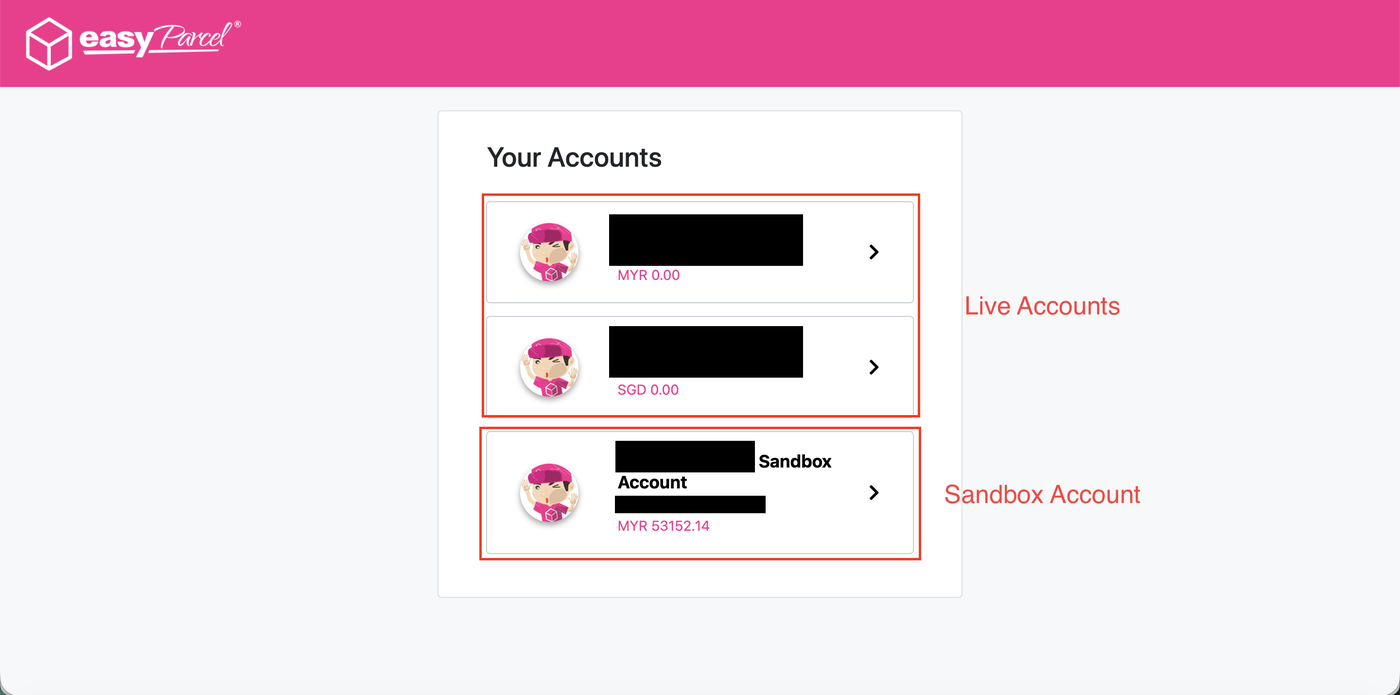
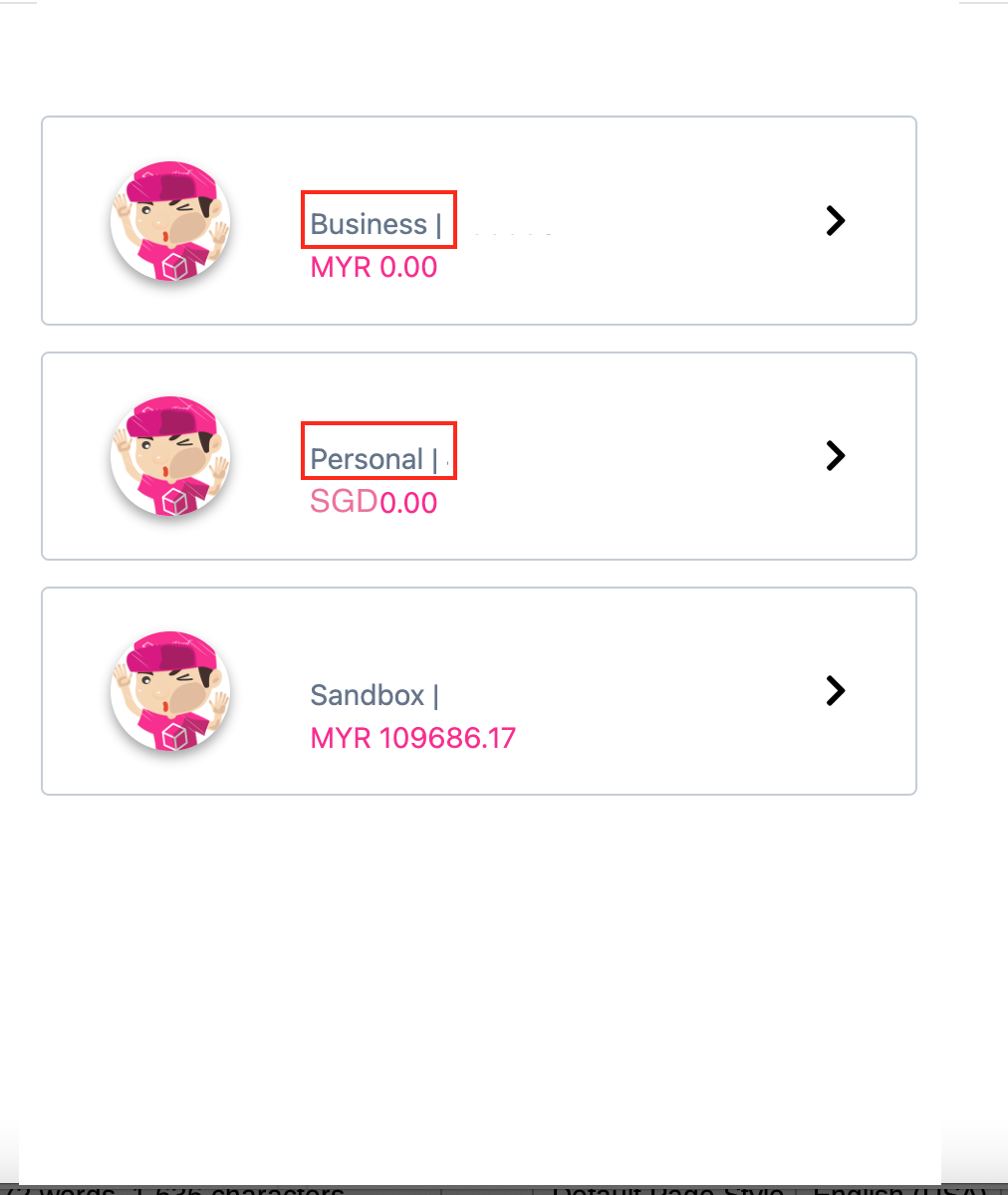
The list of accounts shows the Live accounts and the Sandbox account.
Set up a Sandbox account
- In the EasyParcel Developer Hub, open your app.
- Go to Settings and Connection Management (the Connection List).
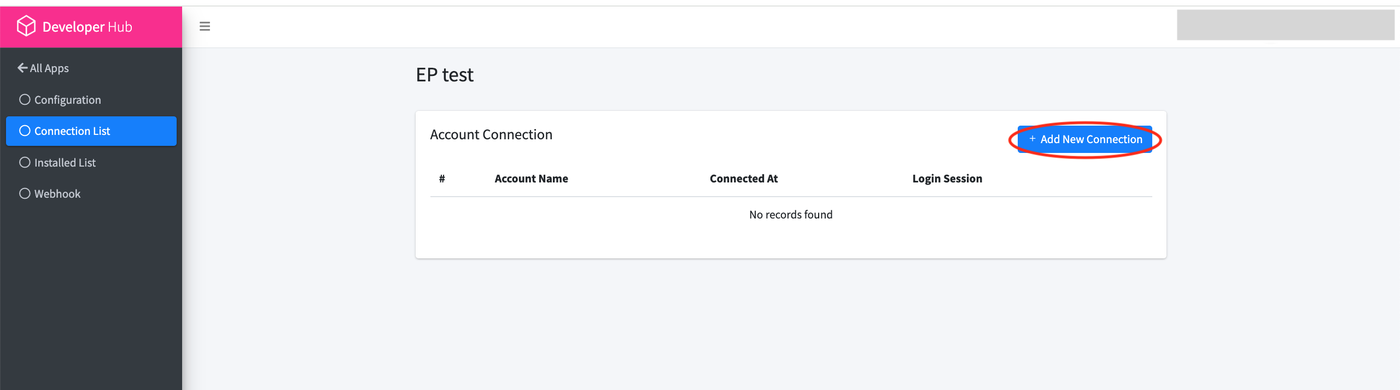
- Click Add New Connection. Choose the Sandbox environment and give the connection a name.
- Log in with your developer account.
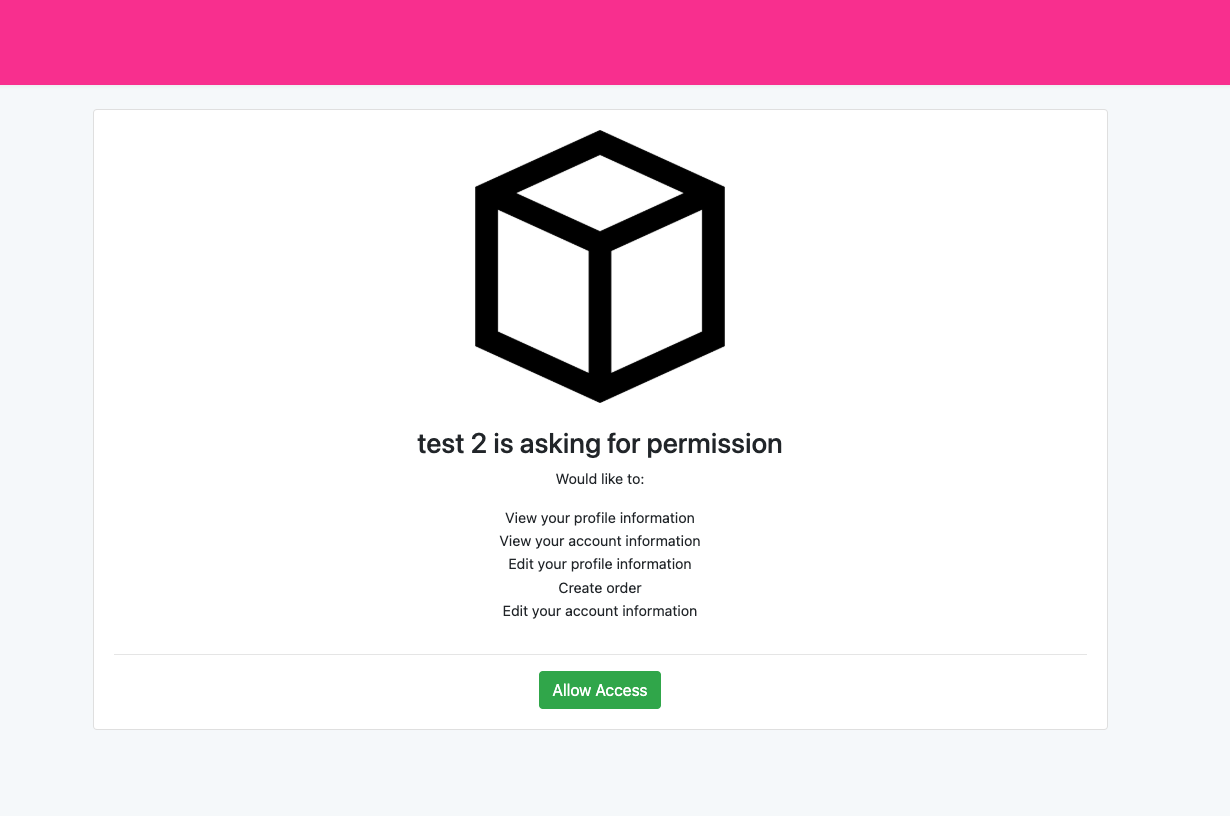
- Click Allow Access.
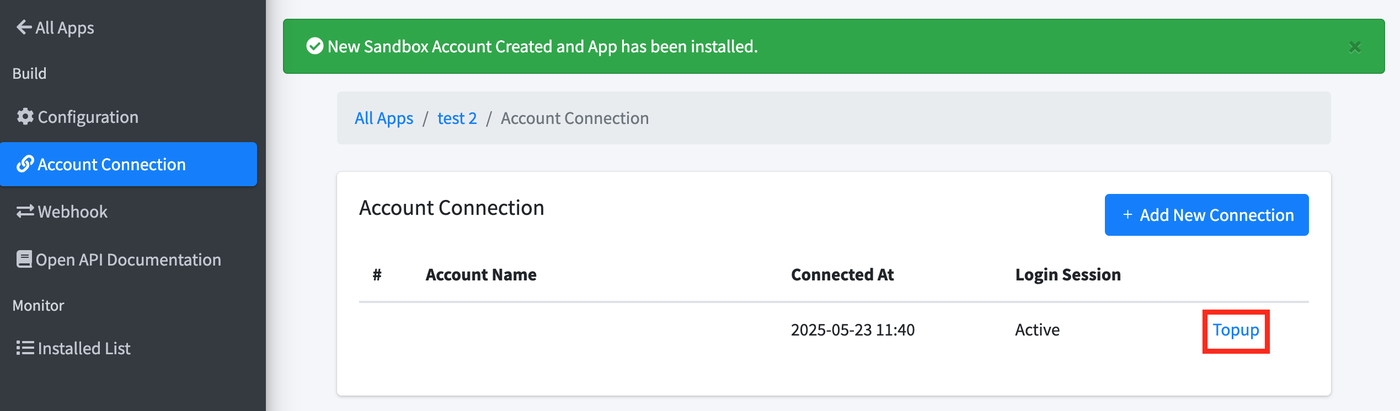
- You see a message that the app has been installed and the new connection in the list.
Click Add New Connection (red box).
Allow the app to access the account.
Top up the Sandbox wallet
In the connection list, click Topup next to your Sandbox account, enter an amount and click Submit.
Click Topup (red box).
What the Sandbox cannot do
- Shipment status does not change. A shipment stays as it was created.
- No tracking notifications (SMS, email or WhatsApp) are sent.
- Prices are for testing only. They are different from live prices, so never show them to customers.
- Sandbox accounts have their own rate limits. See What are the Open API rate limits and what do I do on HTTP 429?.
Switch to Live
- Sign out, or remove the existing authorization.
- Start the sign-in again. See How do I sign in to the Open API with OAuth 2.0?.
- Choose your Live EasyParcel account.
- You get a new token that works in Live.
You cannot change a Sandbox token into a Live token. You must sign in again with a Live account.
Choose your Live account, not the Sandbox account.
What's next?
Still need help?
Our team is happy to help. ? Live Chat | ✉️ Contact Us